

Native ad testing can make or break your campaigns. The right tools help you test, analyze, and optimize ads for better performance while saving time and budget. Here’s a summary of seven platforms designed to improve native ad testing across various platforms:
- Marpipe: Multivariate testing for ad combinations, ideal for scaling campaigns with diverse elements.
- Meta Ads Manager Split Testing: Simple split testing for Meta platforms like Facebook and Instagram.
- Google Ads Experiments: A/B testing with Smart Bidding for Google Ads campaigns.
- Madgicx: AI-powered ad optimization for Meta platforms.
- VWO: Focuses on post-click testing and landing page optimization.
- Superads: Analyzes cross-platform ad performance post-testing.
- daily.dev Ads: Targets developers with precision by seniority, tools, and programming languages.
Each tool offers unique features for testing ad placements, targeting, and creative elements. Whether you’re optimizing for Meta, Google, or a niche developer audience, these platforms provide actionable data to refine your campaigns. Below is a quick comparison to help you choose the right one.
Quick Comparison
| Tool | Strengths | Platforms | Pricing | Best For |
|---|---|---|---|---|
| Marpipe | Multivariate ad testing | Meta, Google, LinkedIn | Up to $999/month | Large-scale campaigns |
| Meta Ads Manager | Simple split testing | Meta (Facebook, Instagram) | Free with ad spend | Small-to-medium Meta campaigns |
| Google Ads Experiments | A/B testing with Smart Bidding | Google Ads ecosystem | Free with ad spend | Google Ads and Performance Max testing |
| Madgicx | AI-driven optimization | Meta platforms | Starting at $39/month | Automating Meta campaigns |
| VWO | Post-click testing and optimization | Websites, landing pages | Starting at $113/month | Aligning ads with landing pages |
| Superads | Cross-platform creative analysis | Meta, LinkedIn, TikTok | Free plan; $49/month | Analyzing ad performance across channels |
| daily.dev Ads | Developer-specific targeting | Developer community | Custom pricing | Reaching developers with precision |
Start by identifying your campaign goals, platform focus, and budget to select the best tool for your needs.
::: @figure 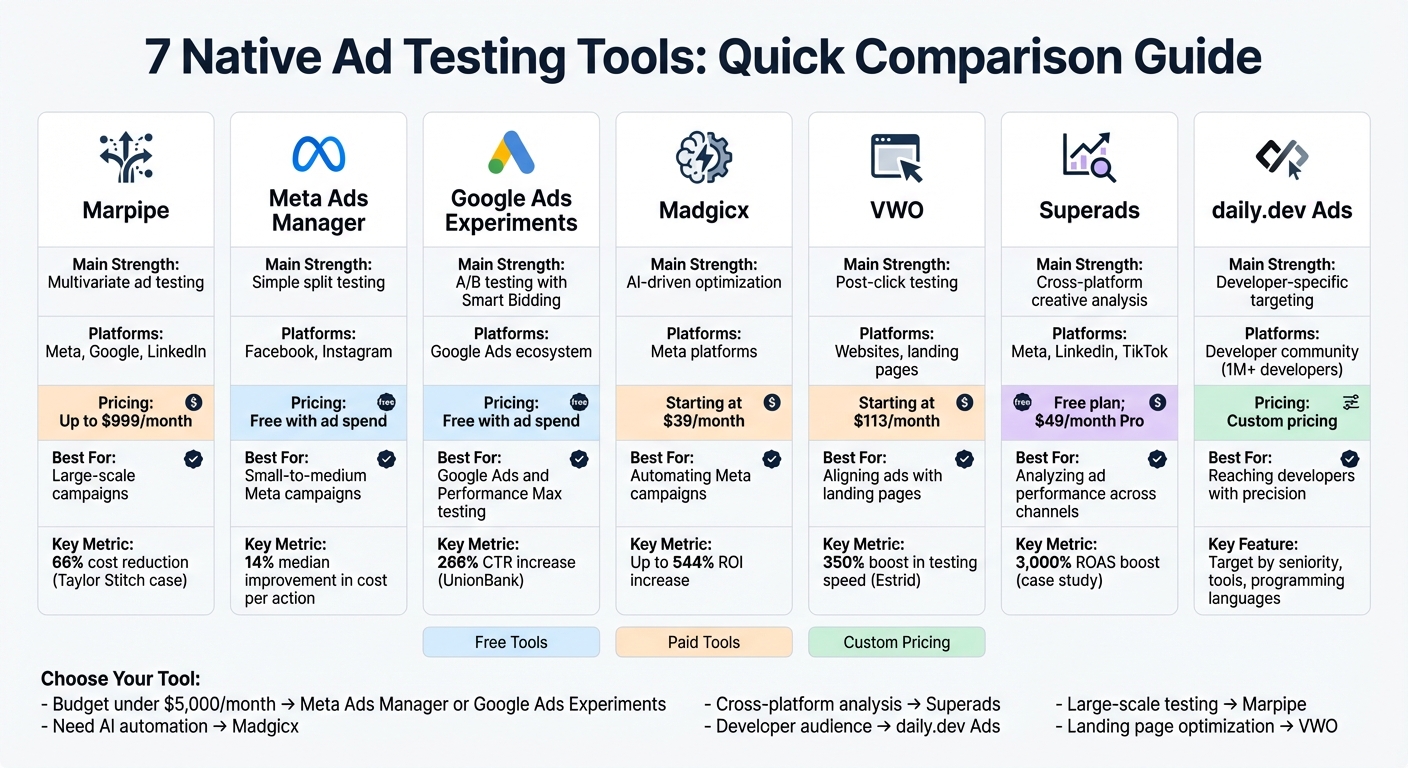 {Native Ad Testing Tools Comparison: Features, Pricing, and Best Use Cases}
1. Marpipe
Marpipe takes ad testing to the next level by evaluating every possible combination of creative variables, rather than sticking to simple A/B comparisons. It mixes and matches elements like headlines, images, calls to action, and more to generate and test hundreds of ad variants [6,7].
Native Ad Placement Testing Capabilities
The platform simplifies the testing process by automating the structure and ensuring each ad variant gets an equal share of the budget. This approach guarantees fair results [8,9]. For instance, in August 2022, menswear brand Taylor Stitch slashed its cost-per-purchase by 66% by testing ads featuring models versus those without . Similarly, Cactus Credit, a credit repair company, saw a staggering 53x increase in lead generation after discovering that a full-circle credit meter graphic outperformed a half-circle version .
Customization and Targeting Options
Marpipe treats audience segmentation as another creative variable, helping advertisers find the perfect match between their creative and their target audience . Its modular setup allows users to build templates with placeholders for test elements ("Variable") and brand constants like logos ("Fixed"). With over 130 pre-designed templates based on top-performing ads, users can dive into testing without delay . Typically, Marpipe advises running 20–30 ads per test, organized into 2–3 variant groups with 2–4 variants each, to keep budgets manageable .
Automation Features for Optimization
Sticking to its "No AI – no assumptions" philosophy, Marpipe automates the creation of ad combinations while relying on real audience data to pinpoint winners . For example, the platform can generate 72 unique ad variants from just 4 headlines, 3 images, 2 background colors, and 3 calls to action . Using this method, customer data platform Segment reduced its Cost Per Acquisition (CPA) by an impressive 51.26% over multiple testing cycles . Additionally, Marpipe provides real-time insights, allowing advertisers to fine-tune their campaigns as they go.
Real-Time Tracking and Actionable Insights
Marpipe’s Confidence Meter provides continuous updates on statistical significance, letting users know when a variant group has conclusive results or needs additional data . Unlike traditional A/B testing, which only identifies the top-performing ad, Marpipe breaks down performance by individual creative components - like specific headlines, images, or colors - so you know exactly what’s driving conversions [10,11]. Tests typically run for 7 to 14 days, with a recommended budget of 1x to 2x your average CPA per ad variant. Pricing starts at $49 per month for professional plans, with expert plans reaching up to $999 per month [9,10].
sbb-itb-e54ba74
2. Meta Ads Manager Split Testing
Meta Ads Manager's split testing feature is a powerful way for advertisers to pinpoint the variables - like placements, audiences, or creative elements - that deliver the best results. By using mutually exclusive audiences, the platform ensures that each user only sees one version of an ad. It also randomizes test groups based on individual behaviors across devices and browsers, making the testing process more accurate. This functionality is especially useful for refining native ad placements.
Native Ad Placement Testing Capabilities
With split testing, advertisers can compare automatic placements to custom ones, helping identify the most cost-efficient channels for native advertising. For instance, placements like Facebook Feed, Instagram Reels, or the Audience Network can be tested to find the lowest cost per action. These tests have demonstrated a median improvement of 14% in cost per action .
Customization and Targeting Options
Beyond placements, Meta Ads Manager allows advertisers to fine-tune their audience targeting. By testing variables like interest-based targeting versus lookalike audiences - or comparing different lookalike audience percentages (e.g., 1% vs. 5%) - advertisers can discover which segments are most responsive. It's crucial to test one variable at a time to isolate what drives performance. For example, creative tests often result in performance changes ranging from 20% to 50%, while placement tests can lead to cost differences of 15% to 40% . These methods are particularly useful for campaigns targeting technical audiences, helping ensure the messaging aligns with their specific interests and behaviors.
"With Facebook's Split Testing feature, we've been able to optimize delivery and targeting with confidence. The scientific results help us and our clients make strategic choices that drive lower CPAs and more sales."
– Christine Schulze, Social Media Advertising Analyst, ROI Revolution
Real-Time Tracking and Actionable Insights
Meta's platform notifies advertisers when enough data has been collected to determine a clear winner. The results are displayed in the Experiments tool - a centralized dashboard that tracks essential metrics like CPM, CPC, CTR, and cost per result. These insights are invaluable for making data-driven adjustments, especially in campaigns aimed at developer-focused audiences. To get the most accurate results, run tests for 7 to 14 days, ensure each variation achieves at least 100 conversions, and allocate a minimum of $100 per day per test cell. Meta also recommends aiming for a 95% confidence level in your results .
3. Google Ads Experiments
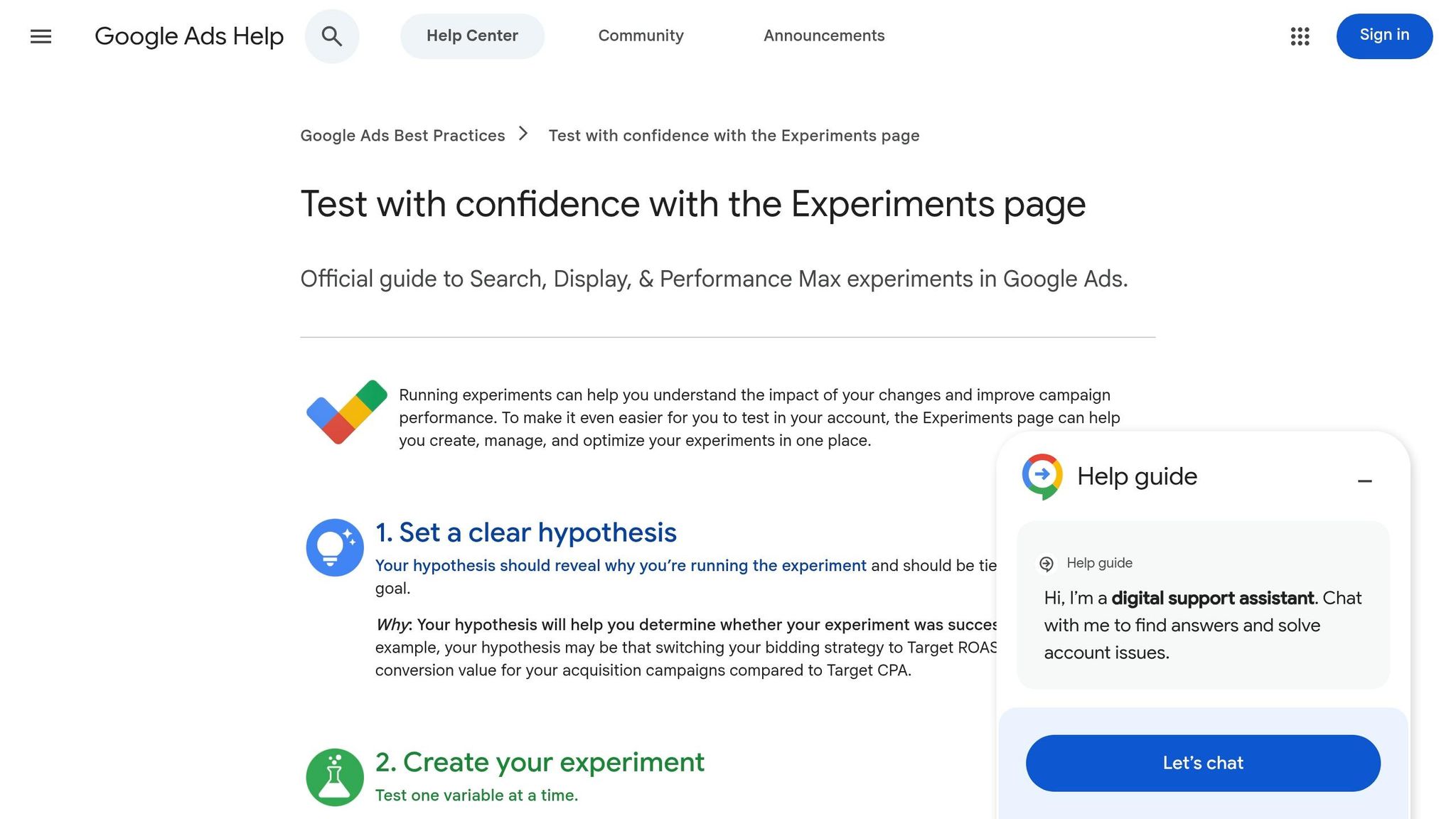
Google Ads Experiments allows advertisers to run controlled A/B tests for native-style ads and responsive display campaigns. By splitting traffic and budget between a base campaign and a test campaign, the platform lets you compare performance without disrupting your entire account setup . This tool builds on earlier testing capabilities, offering a data-driven and automated approach to optimize native ads. It's particularly useful for campaigns targeting developer audiences, where precision is key.
Native Ad Placement Testing Capabilities
With this platform, advertisers can A/B test visual ad elements for native ads. For example, you can compare a control design against a test design to see which one performs better. Tests require a minimum runtime of two days, but campaign-level tests typically need 4 to 6 weeks to gather meaningful data . Google Ads Experiments tracks native-specific metrics such as:
- Experiment eCPM: Revenue per thousand impressions.
- Experiment CTR: Click-through rate for the test.
- Experiment Coverage: The percentage of ads successfully served versus requested .
AI or Automation Features for Optimization
To eliminate the hassle of manual campaign adjustments, Google Ads Experiments incorporates Smart Bidding. This feature tests AI-driven strategies like Target ROAS (return on ad spend) versus Target CPA (cost per acquisition). Additionally, the automated sync feature ensures that any changes made to the control campaign are mirrored in the test campaign, maintaining the validity of the experiment without requiring extra effort . Notable results include UnionBank achieving a 266% increase in click-through rate and Canva boosting conversions by 60% using this tool .
Real-Time Tracking and Actionable Insights
The Experiments dashboard provides side-by-side performance comparisons with clear significance indicators. Metrics marked with a blue asterisk indicate at least a 95% likelihood that the results are due to the experiment rather than chance . Advertisers can also customize confidence intervals (default is 80%) to better understand performance variations .
Fiverr's Senior PPC Specialist, Gabi Vatmakhter, shared how the Experiments page has been a time-saver:
"Thanks to this feature we're able to test various landing pages and ads, so we can improve our performance."
– Gabi Vatmakhter, Senior PPC Specialist, Fiverr
Her team reportedly saved three hours per week per marketer while also improving overall campaign results .
4. Madgicx
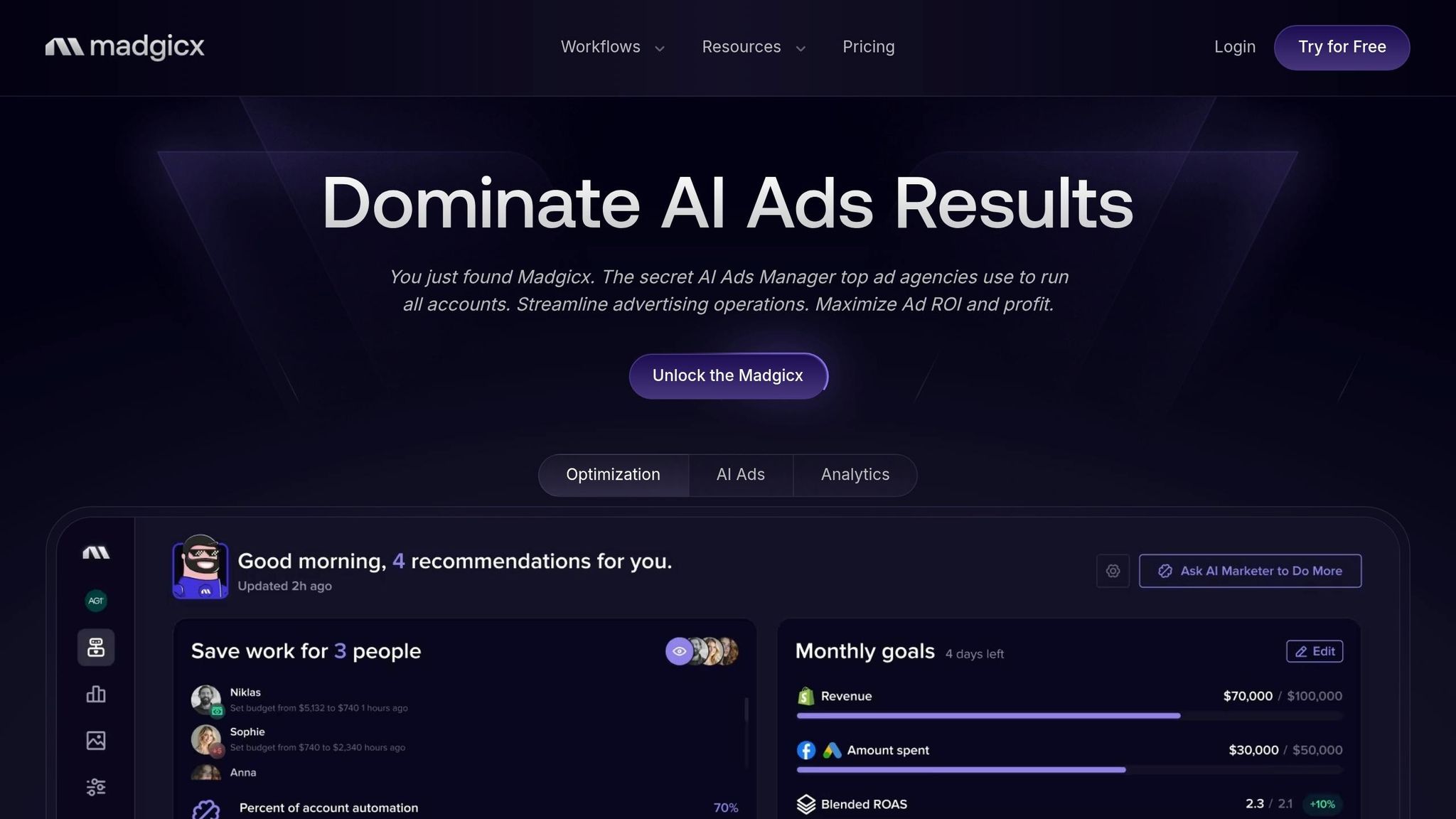
Madgicx uses AI to automate ad optimization and creative testing on Meta platforms. By leveraging machine learning, it speeds up the process of identifying effective ad combinations, helping advertisers make decisions faster . For teams managing large-scale campaigns, Madgicx can generate hundreds of ad variations in just minutes, simplifying experimentation with various native formats . This makes it particularly useful for developers handling data-heavy, large-scale native ad campaigns.
AI-Powered Features for Optimization
Madgicx offers several AI-driven tools to streamline advertising efforts. The AI Marketer audits accounts and provides actionable recommendations, while the AI Ad Generator creates multiple ad variations, reducing manual work by as much as 80%. Its Automation Tactics feature scales high-performing ads and pauses underperformers in real time, potentially increasing ROI by up to 544% and cutting cost per acquisition by 30–50% .
Capabilities for Native Ad Placement Testing
The platform's Automated Ad Launch Tool simplifies the deployment of creatives, while its Audience Launcher evaluates placement effectiveness . Additionally, Madgicx employs a "Creative Testing Ads Backlog" framework, which ensures that teams can scale successful campaigns without losing oversight of ongoing tests .
Real-Time Tracking and Insights
Madgicx eliminates the need for manual tracking by offering real-time A/B test significance calculations. Its Ads Rotation Agent swaps out creatives to maintain high click-through rates (CTR) and prevent audience fatigue. A $0 free trial allows users to explore these AI-driven features firsthand .
Madgicx's focus on automating creative testing and optimization makes it a standout tool as we continue to explore other native ad testing solutions.
5. VWO (Visual Website Optimizer)
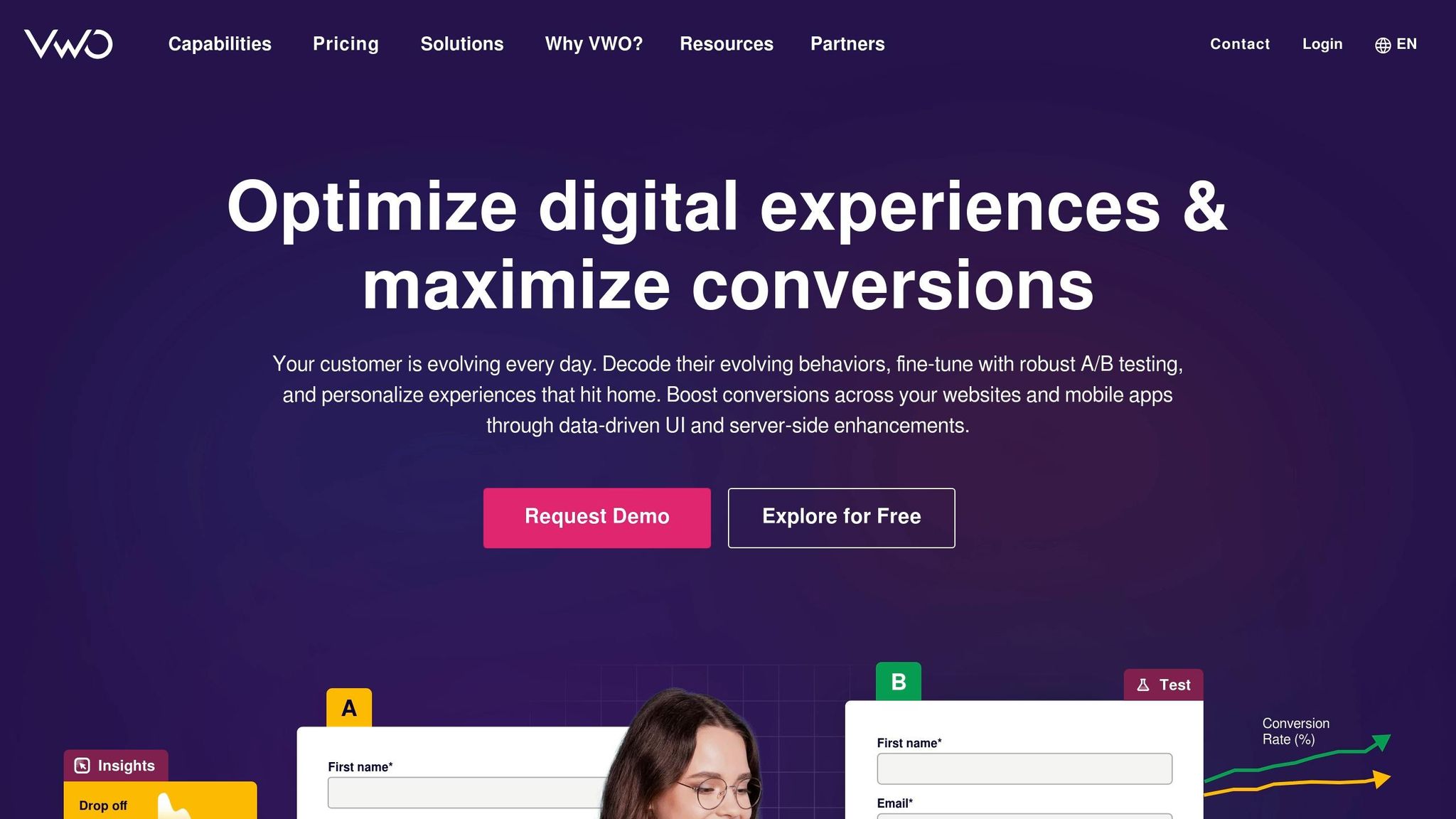
VWO focuses on improving the post-click experience for native ads. It helps teams test elements like images, layouts, and placements to uncover issues in the user journey. With over 170 billion experiences optimized and a 94% customer satisfaction rate, it’s a popular choice for marketers .
Native Ad Placement Testing Capabilities
Beyond post-click optimization, VWO also excels in testing ad placements. It supports A/B testing, Split URL testing, and Multivariate Testing (MVT) across web, mobile, and server-side environments . With MVT, VWO can test hundreds of variations at once, analyzing elements like headlines, buttons, and images. For example, Provident Hotels & Resorts achieved a 9.1% increase in click-through rates (CTR) after testing 12 combinations with 27,500 visitors .
The platform’s visual editor allows marketers to tweak UI elements, including native ad placements, without needing developer assistance . For more advanced needs, VWO provides lightweight SDKs in over eight programming languages, enabling developers to run complex server-side tests. One success story is Human Interest, which saw a 75.84% improvement in lead form conversions using VWO’s server-side testing .
AI or Automation Features for Optimization
VWO leverages AI to streamline optimization. Its VWO Copilot, powered by GPT-4, suggests testing ideas, creates variations, and identifies audience segments . The AI idea generator can instantly produce A/B testing hypotheses based on a URL or goal .
The platform also offers Multi-Arm Bandit Testing, which dynamically shifts traffic toward better-performing variations even before statistical significance is reached .
"VWO has revolutionized the way we operate at Estrid... we experienced an impressive 350% boost in our testing speed."
– Alva Hemer, Product Owner at Estrid
VWO’s Bayesian Statistics Engine simplifies data analysis by delivering real-time reports that show the probability of a variation outperforming others. It also manages common testing pitfalls, like peeking errors, and allows winning variations to be deployed immediately - no developer involvement required .
Real-Time Tracking and Actionable Insights
VWO’s SmartStats engine uses Bayesian statistics to provide real-time impact reports, categorizing results as "Better", "Worse", or "Practically Equivalent" . Test results are enriched with integrated heatmaps and session recordings, offering insights into user behaviors, such as clicks or areas of struggle. These tools help explain why certain tests succeed or fail.
The platform also detects and adjusts for outliers automatically and allows real-time filtering by factors like traffic source, device type, operating system, and geography . To protect business objectives, Guardrail Metrics can pause tests or send alerts if critical KPIs are negatively affected . This combination of tracking and automation makes VWO a powerful tool for optimizing native ads.
VWO offers a 30-day free trial with all features unlocked and no credit card required . Pricing options include the Growth Plan (basic A/B testing and AI tools), the Pro Plan (advanced targeting and MVT), and the Enterprise Plan (API access and 24/7 support) .
6. Superads
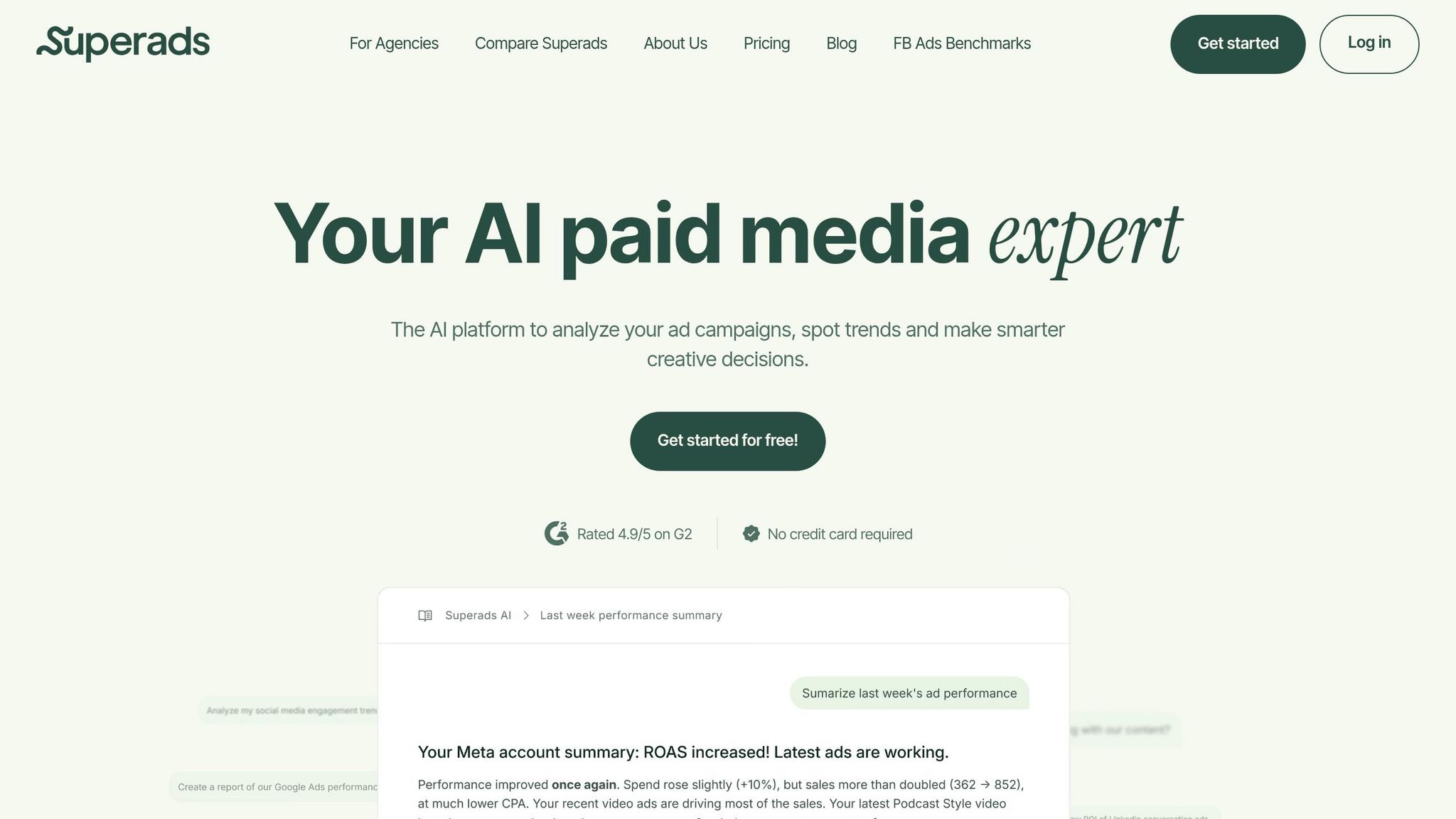
Superads dives into post-test data to uncover why some ads perform better than others. It’s a tool designed for analyzing results from tests you’ve already run on platforms like Meta, Google, TikTok, and LinkedIn . By focusing on post-test performance, it helps you understand how ads perform across different placements.
Native Ad Placement Testing Capabilities
While Superads doesn’t handle A/B or multivariate testing directly, it excels at comparing creative performance across platforms and channels . For instance, after running your experiments, you can use Superads to see if an ad that works on Meta also delivers results on TikTok or LinkedIn. It pinpoints high-performing elements - like opening hooks, visuals, CTAs, or messaging angles - so you know exactly what’s driving success .
The platform also features the Superads Score, which evaluates ads using historical data. It breaks performance down into metrics like hook, hold, click, and conversion rates . This scoring system helps bridge the gap between media buyers and creative teams, turning subjective debates into data-driven decisions.
AI and Automation Features for Optimization
Superads leverages AI to make reporting faster and smarter. Its AI-Powered Creative Tagging automatically organizes ads based on factors like visual style, hooks, product focus, angles, and emotional triggers. Meanwhile, the Superads AI Copilot acts as a conversational assistant, answering your data questions and offering recommendations based on past performance trends .
The platform also keeps tabs on ad fatigue and emerging trends, notifying your team when it’s time to refresh creatives before performance dips . AI-driven tools like these are becoming a staple for marketers - 63% already use AI for data analysis. In one standout case, an Australian company saw a 3,000% boost in return on ad spend (ROAS) while slashing marketing costs by 25% using AI-powered ad tools .
Real-Time Tracking and Actionable Insights
Superads continues the trend of delivering real-time, actionable insights. Its cross-platform dashboards unify test results and performance data from multiple ad accounts, making it easier to spot trends . Thanks to automated tagging and categorization, marketers can quickly see how specific copy styles, visuals, or CTAs impact key metrics . Live Reports update automatically, cutting down on manual reporting and giving creative teams instant access to campaign performance .
"Superads makes our analytics crystal clear, helps us understand them, and lets us effectively create and measure content."
– Jordan Bruno, Marketing Director, Roogenic
With over 10,000 teams relying on it, Superads offers flexible pricing. The Free Plan costs $0/month and includes one report with 30 days of data. The Professional Plan, starting at $49/month, adds AI-driven insights, unlimited reports, and 365 days of data. For brands spending more than $1M/month, the Enterprise Plan features custom integrations and priority support .
7. daily.dev Ads
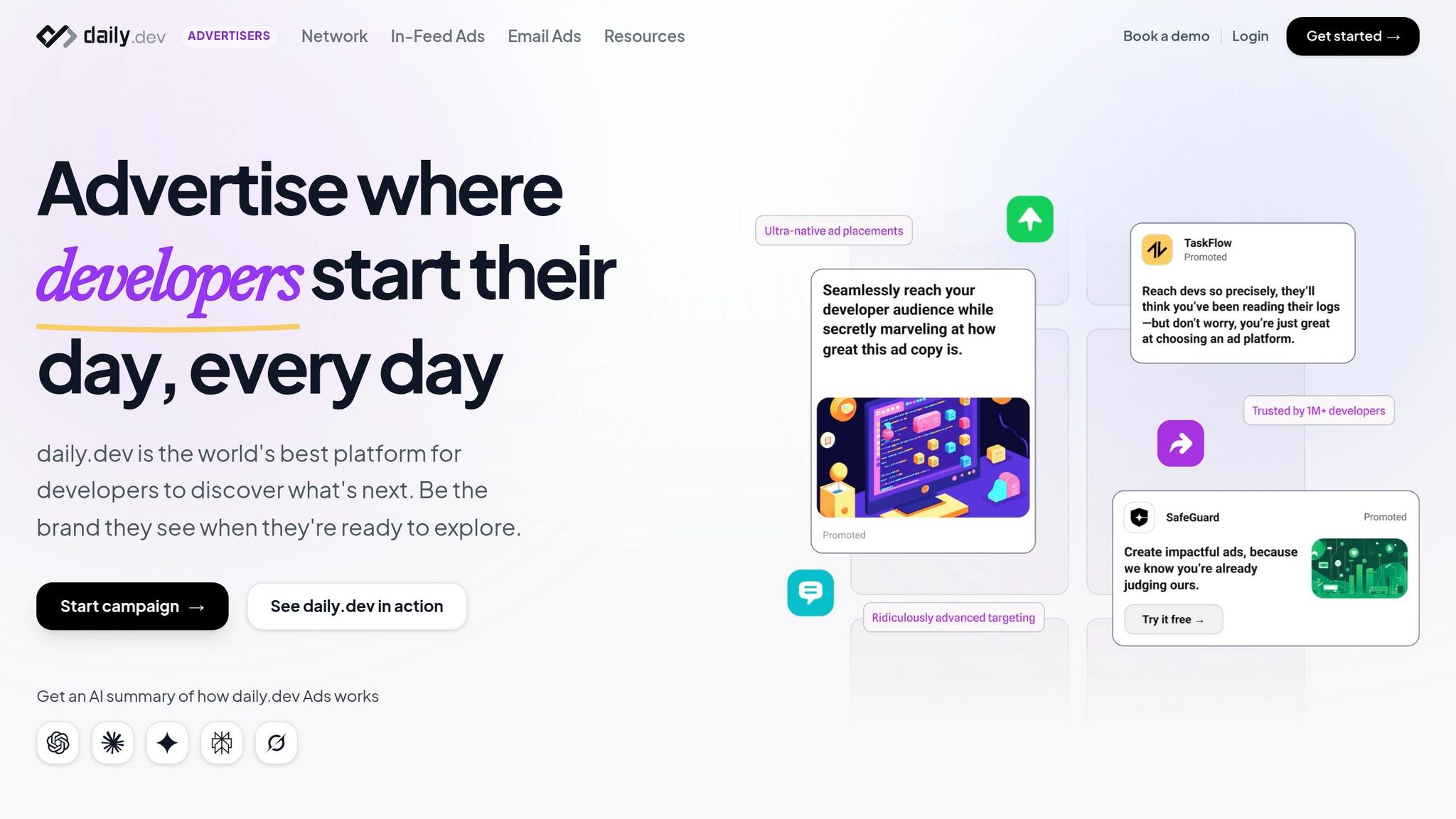
daily.dev Ads zeroes in on the developer community. Instead of targeting a broad audience, it connects businesses with over 1 million developers worldwide. Ads are seamlessly integrated into the daily.dev platform, ensuring they align naturally with the user experience. Like other platforms, daily.dev Ads provides targeted testing and detailed performance metrics tailored to its niche audience.
Native Ad Placement Testing Capabilities
The platform supports three native ad formats for testing:
- In-feed ads: These appear alongside developer-focused content, blending into the browsing experience.
- Post page ads: These target readers engaging with specific articles.
- Personalized digest ads: These are delivered directly to developers' curated feeds.
Each format is designed to fit naturally into the daily.dev environment, helping advertisers determine the best way to engage developers.
Customization and Targeting Options
daily.dev Ads takes precision targeting to the next level, offering tools that allow you to reach developers based on specific criteria. Campaigns can be segmented by:
- Seniority levels: Junior, mid-level, senior, or lead developers.
- Programming languages: Options include JavaScript, Python, Go, Rust, and more.
- Developer tools: Target audiences based on the tools they use.
Additionally, the platform supports hyper-local targeting, making it ideal for regional campaigns or promoting niche tools and events within specific tech communities.
Real-Time Tracking and Actionable Insights
With daily.dev Ads, you get real-time performance tracking for your campaigns. The dashboard provides critical metrics like impressions, clicks, and engagement rates, offering instant feedback on ad performance. The platform also includes expert creative guidance to help refine your campaigns based on the data, ensuring your ads remain effective and visible to the developer audience.
Tool Comparison Table
Choosing the right native ad testing platform comes down to your budget, technical resources, and campaign goals. Below is a side-by-side comparison of seven tools, highlighting their strengths, pricing, ideal use cases for developers, and potential drawbacks. Use this as a quick reference to find the tool that best fits your developer-focused advertising needs.
| Tool | Main Strengths | Platform Focus | Pricing (USD) | Best Use Cases for Developers | Key Limitations |
|---|---|---|---|---|---|
| Marpipe | Scales creative testing with multivariate capabilities | Cross-platform (Meta, Google, LinkedIn) | Expert plans up to $999/month | Large-scale campaigns with diverse creative variations | Requires significant technical resources and budget |
| Meta Ads Manager Split Testing | Easy to set up, integrated with Meta platforms | Meta platforms only (Facebook, Instagram) | Free with Meta Ads account | Ideal for teams spending under $5,000/month on Meta ads | Limited to single-variable tests and lacks cross-platform functionality |
| Google Ads Experiments | Syncs winning experiments automatically, supports smart bidding tests | Google Ads ecosystem | Free with Google Ads account | Great for testing Performance Max campaigns and keyword match types | Setup can be complex, and learnings often require manual implementation |
| Madgicx | AI-driven ad generation and creative tagging insights | Meta ecosystem only | Starting at $39/month | Perfect for automating creative optimization on Meta platforms | Limited transparency in AI decisions; supports only Meta |
| VWO | Optimizes post-click experiences with a no-code editor | Landing page and website testing | Starting at $113/month | Best for aligning ad creatives with landing page experiences | Primarily a CRO tool, with some reporting inconsistencies |
| Superads | Offers creative intelligence and cross-platform analysis | Meta, LinkedIn, and others | Free plan; Professional at $49/month | Great for data-driven cross-platform insights | Focuses on analytics, requiring third-party tools for execution |
| daily.dev Ads | Targets developers by seniority, programming languages, and tools | Developer community (1M+ developers) | Custom pricing (contact for details) | Reaching developers in a trusted tech ecosystem | Limited to a niche developer audience |
For teams with budgets under $5,000 per month, Meta Ads Manager and Google Ads Experiments are excellent choices since they’re free beyond ad spend . If precision targeting for developers is your goal, daily.dev Ads excels with its ability to segment by programming skills and seniority. Meanwhile, VWO is a strong option for full-funnel optimization, helping align ad creatives with landing page experiences .
Before diving into automation, ensure your tracking setup is reliable - poor data can disrupt automation logic . If using AI-driven tools like Madgicx, make it a habit to review automated actions weekly to avoid errors caused by edge cases .
Conclusion
Testing native ads doesn’t have to feel like guesswork. The seven tools discussed in this guide offer data-backed insights to help developers figure out what works before committing their budgets. From tools that reveal proven strategies across over 27 native ad networks to automated optimization features that protect your budget with performance-based triggers , these platforms make testing smarter and more efficient.
The key? Adapt strategies to fit your unique offer - not just copy them . Platforms like Marpipe and Madgicx make it easier to scale creative variations, while tools like VWO ensure your landing pages align perfectly with your ad’s promise. This seamless experience can lead to conversion rate improvements of up to 53.5% .
For developer-focused campaigns, the stakes are even higher. Tools like daily.dev Ads excel in targeting developers with precision - filtering by programming languages, seniority, or specific tools - and reaching over 1 million developers. Pair this with free testing options like Meta Ads Manager or Google Ads Experiments, and you can validate creative ideas before scaling your ad spend.
Before ramping up your budget, double-check that your tracking is solid and review automated actions weekly to avoid costly mistakes. Set up real-time alerts to catch performance shifts early . Whether your monthly budget is $500 or $50,000, using the right tools can help you quickly identify winning combinations of creatives, landing pages, and targeting - getting you closer to running profitable campaigns .
FAQs
How do I choose the best native ad testing tool for my goals?
When selecting a native ad testing tool, prioritize platforms that provide real-time data, in-depth analytics, and clear performance indicators like CTR (Click-Through Rate) or ROAS (Return on Ad Spend). Choose tools that allow for element-specific testing, offer automation features, and include strong filtering options to refine your campaigns. Make sure the platform aligns with your specific objectives - whether that's reaching developer audiences, fine-tuning ad creatives, or gathering competitive insights.
What budget and test length do I need for reliable results?
For accurate results, aim for a test duration of at least 7 days. Set a budget that accommodates at least 100 conversions or roughly 2,000 clicks. This usually means around $4,000, though the exact amount depends on your conversion rate and cost per click. Adjust these figures based on your specific performance metrics to ensure the data is reliable.
How can I reach developers by language, seniority, or tools?
To connect with developers in a meaningful way, audience segmentation and behavioral targeting are key strategies. Platforms like daily.dev Ads make this possible by letting you target developers based on specific criteria such as:
- Programming languages: For example, Python or JavaScript.
- Experience levels: Junior, mid-level, or senior developers.
- Tools and frameworks: Think React, Angular, or other popular technologies.
Behavioral insights take this a step further by analyzing developers' preferences and actions. This data helps you craft ads that feel highly relevant to their expertise and interests, ensuring your message resonates with the right audience.