

The developer tools market is crowded, and standing out requires more than buzzwords. Developers are skeptical, technical buyers who value clear, practical solutions over marketing fluff. To succeed, focus on:
- Clarity: Explain what your tool does, who it’s for, and why it’s different. Avoid vague claims like "best-in-class."
- Specific Use Cases: Solve a precise problem, like "debug production issues in real time", rather than offering generic solutions.
- Developer Experience: Minimize friction by integrating into existing workflows (e.g., CLI, IDEs) and offering clear, self-serve documentation.
- Trust: Be honest about your strengths and acknowledge competitors’ advantages. Developers value fairness and transparency.
- Competitive Insights: Monitor GitHub, Stack Overflow, and Reddit to understand developer pain points and where competitors fall short.
Positioning is your "API contract" with developers. Nail it, and they’ll see your value. Miss it, and they’ll move on.
Why Developer Tools Are Harder to Position
::: @figure 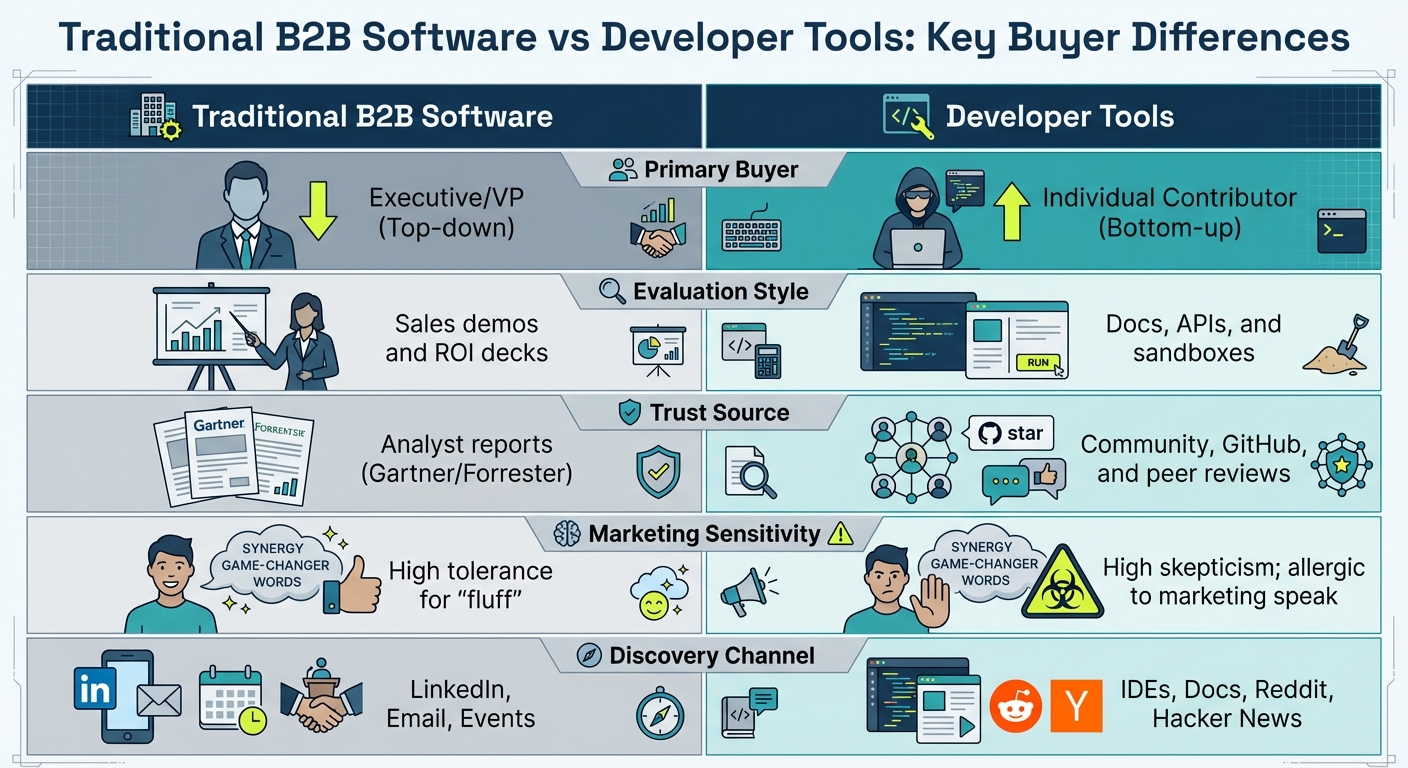 {Traditional B2B vs Developer Tools: Key Buyer Differences}
Positioning developer tools comes with its own set of challenges. It requires a strategy tailored to highly discerning technical buyers and a market where product features evolve rapidly.
Developers Are Technical Buyers Who Spot Marketing Fluff
Developers approach tools with the same scrutiny they would apply to reviewing code - precise and skeptical. They’re not impressed by generic claims like "world-class" or "game-changing." What they care about are specifics: What problem does this solve? How does it work? What are the trade-offs?
This mindset also shapes how developers prefer to evaluate tools. Unlike traditional B2B buyers who might sit through a long sales demo, developers prefer a hands-on approach. They want to dive into documentation, test a sandbox, or explore GitHub issues instead of filling out lead forms or joining sales calls . The buying process is often bottom-up, with individual engineers testing and endorsing tools before leadership or procurement gets involved .
"All developers I've met, or most of them, are really, really smart people. So if you want them to trust you and to be different, don't oversell." - Andres Valero, Principal Technical Marketing Manager, SUSE
Reaching developers is another hurdle. Unlike traditional buyers who might browse LinkedIn, developers spend hours daily in their IDEs, on documentation sites, or interacting with package managers . Ads are largely ineffective - over half of technical users run ad blockers . Even when ads slip through, developers are more likely to trust individuals like founders, engineers, or community members over polished corporate messaging .
| Challenge | Traditional B2B Software | Developer Tools |
|---|---|---|
| Primary Buyer | Executive/VP (Top-down) | Individual Contributor (Bottom-up) |
| Evaluation Style | Sales demos and ROI decks | Docs, APIs, and sandboxes |
| Trust Source | Analyst reports (Gartner/Forrester) | Community, GitHub, and peer reviews |
| Marketing Sensitivity | High tolerance for "fluff" | High skepticism; allergic to marketing speak |
| Discovery Channel | LinkedIn, Email, Events | IDEs, Docs, Reddit, Hacker News |
This analytical approach to evaluation is coupled with the challenge of rapid feature duplication, making differentiation even trickier.
Features Get Copied Fast and Open Source Alternatives Exist
In the world of developer tools, features don’t stay unique for long. What might take months to develop can often be replicated by competitors in weeks. On top of that, open-source alternatives frequently offer much of the same functionality as commercial tools.
To stand out, focus on what makes your tool truly different - not just the features, but the outcomes it enables . For instance, instead of promoting generic real-time collaboration, highlight how your tool allows teams to debug production issues together in real time without disruptions.
"The sweet spot, maybe just above features and benefits, would be capabilities. What does this product actually allow you to do that you couldn't do without it?" - Trent Blakely, Head of Product Marketing, Console Connect
The presence of open-source options also means that commercial tools need to justify their value. This could be through an enhanced developer experience, superior documentation, specialized support, or managed services that reduce operational burdens . A great example is Supabase, which positions itself as an open-source alternative to Firebase, offering PostgreSQL support for developers who find Firebase’s NoSQL model limiting .
In this competitive landscape, trust is the ultimate differentiator. Developers value honesty, even when it means acknowledging that a competitor or open-source tool might be better suited for certain use cases. Overhyping your product with biased comparison tables - often referred to as the "Frog Watch" effect - can erode credibility .
sbb-itb-e54ba74
3 Positioning Frameworks That Work for Developer Tools
In a world where functionality can be quickly copied, effective positioning frameworks can help developer tools stand out and reshape the competitive landscape.
Create a New Category
One way to avoid the crowded playing field is to step out of it entirely by creating a new category. This strategy allows you to define what matters most and set the terms for competition. Take HubSpot, for example. In early 2026, it shifted from being a CRM/marketing suite to positioning itself as an "agentic customer platform for scaling companies." This move stretched its boundaries and kept the company ahead of the curve .
A common tactic for carving out a new category is anchoring your product to something familiar. Supabase, for instance, branded itself as the "open source Firebase alternative", making its purpose clear while highlighting its differentiation .
Another approach is consolidation - combining multiple tools into a single platform tailored for developers. PostHog exemplifies this by creating a "product engineering" category that merges product analytics, session recording, and feature flags . Similarly, targeting overlooked groups within an existing category can be just as impactful. Aikido Security, for example, redefined cybersecurity as a developer-first domain, moving it away from its traditional SecOps roots . Considering that 95% of the time, buyers already have a shortlist of vendors on "Day One" , creating your own category can ensure you're on that list early.
After establishing a category, narrowing your focus can make your positioning even sharper.
Specialize in Specific Use Cases
While creating a new category offers broad differentiation, specialization zooms in on solving a specific, pressing pain point. A broad focus can dilute your message, but honing in on a "wedge" - a narrowly defined and frequently encountered problem - can make your tool indispensable. The best strategies emphasize transformation rather than just another category. Developers aren't looking for "just another observability platform" - they want something that can "find production bugs in 30 seconds" .
"The difference: the good version describes a transformation, not a category. Developers don't want an observability platform. They want to find bugs faster." – Daria Dovzhikova, GTM Strategist
Consider the cloud hosting space, where companies specialize in distinct use cases. Railway prioritizes developer experience and fast MVP iteration. Render focuses on predictable production costs with flat monthly pricing starting at $7 per service. Meanwhile, Fly.io emphasizes global multi-region deployment with pay-as-you-go pricing (around $1.94 per minimum instance) .
Instead of simply claiming to be better than a competitor, effective specialization shifts the narrative. For instance, framing your tool as "Stop [time-consuming manual work], start [automated solution]" highlights how it directly addresses a specific workflow challenge .
Differentiate on Developer Experience
Building on specialization, focusing on developer experience takes differentiation further. The most effective developer tools don't try to overhaul existing workflows - they aim to eliminate friction in the processes developers already use daily . By integrating seamlessly into familiar environments like the CLI, IDE, or GitHub, these tools minimize context-switching and encourage adoption.
Self-serve documentation plays a critical role here. It's often the most trusted resource on a tool's website and a key factor in driving adoption . Research shows that 62% of buyers prefer to engage with sales only during the final stages of evaluation or decision-making , making clear documentation essential.
A standout example is Bucket, which tailored its feature management solution specifically for B2B SaaS teams. By focusing on company-level feature flagging rather than individual user A/B testing, it aligned its offering with existing workflows, creating a clear distinction from generalist competitors .
Once a tool becomes embedded in a team's workflow, it builds trust and creates switching costs, making it harder for competitors to displace it. This is especially relevant as 79% of buyers report that AI-driven search is changing how they research software, favoring tools that solve specific workflow challenges over those with generic feature lists .
How to Gather Competitive Intelligence for Developer Tools
Getting a real sense of how developers view your competitors takes more than just traditional market research. Developers are constantly discussing tools in public spaces like forums, GitHub, and community platforms. These conversations provide unfiltered insights that can help you understand the strengths and weaknesses of competitor tools.
Monitor GitHub Issues and Pull Requests
GitHub is a goldmine for identifying pain points in competitor tools. Developers often search for "{company} issues" to find known bugs or limitations - this search behavior is common across 8 out of 10 leading tech companies . By tracking unresolved issues and long-standing bugs, you can pinpoint gaps in competitors' roadmaps and identify areas where your tool can excel. Pay close attention to the language developers use to describe these problems; it can reveal workflow inefficiencies your product might address .
Some companies, such as Meilisearch, go a step further by inviting pull requests to their comparison documentation. This not only ensures accuracy but also builds trust within the developer community . Besides GitHub, technical discussions in forums can also uncover valuable insights into how developers perceive and interact with competing tools.
Track Stack Overflow and Reddit Discussions
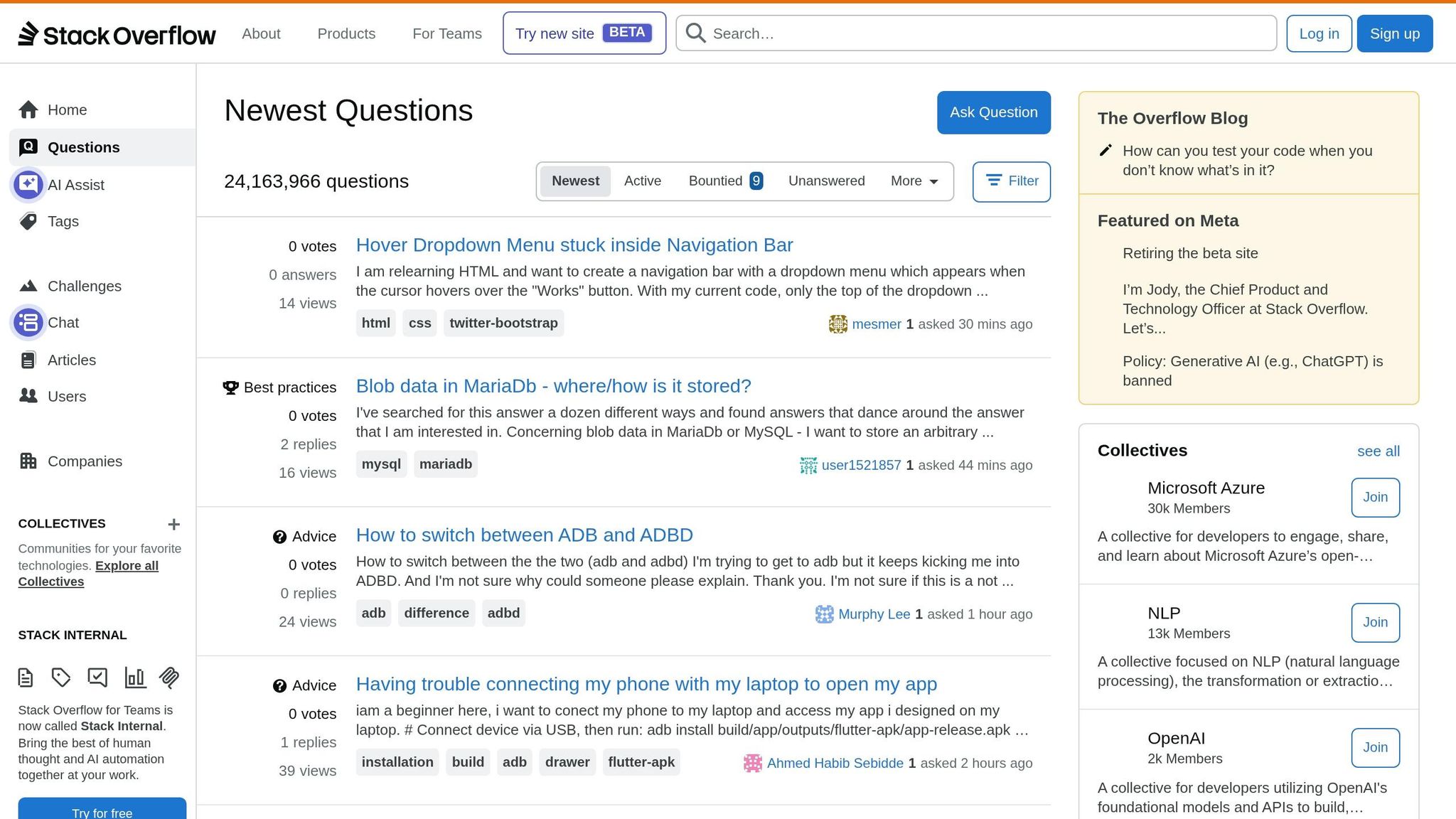
Community forums like Stack Overflow and Reddit are hubs for real-time conversations about developer tools. Stack Overflow alone attracts over 50 million developers each month , making it an excellent resource for spotting implementation challenges and the creative workarounds developers devise. By monitoring tags related to your technology space - whether it's Python, Kubernetes, or React - you can identify recurring issues and potential opportunities for your product.
On Reddit, subreddits such as r/programming, r/devops, r/webdev, r/golang, and r/rust function as smaller, focused communities where developers share their preferences and reasons for switching tools . These discussions often highlight the specific shortcomings of tools and the features that drive developers to switch. A 2024 Stack Overflow survey even found that a well-designed API is the top factor influencing whether developers recommend a tool .
Analyze Hacker News Sentiment
Platforms like Hacker News offer another layer of competitive insight. Comments here often dive deep into how developers perceive tools, touching on philosophical and design differences that influence decision-making . Unlike structured reviews, these discussions uncover the reasoning behind choices, such as whether developers value control over convenience or prefer open-source flexibility to managed simplicity.
Social media platforms like X (formerly Twitter) can also provide real-time reactions to product launches and discussions about tool replacements. For instance, a user recently tweeted, "Cursor Pro+ or https://www.continue.dev/? I'm eyeing both as replacements" , signaling potential competitive churn. Organizing these insights into a few core themes, while using the same technical language developers use, can give you a clearer picture of the competitive landscape .
How to Create Comparison Pages Developers Trust
Developers are quick to spot marketing fluff, making comparison pages a challenging type of content to nail. The secret? Treat these pages like technical documentation. Start by acknowledging your competitor’s strengths. For instance, Convex openly credits Firebase as the trailblazer that first addressed a particular problem before highlighting their own unique approach. This kind of acknowledgment signals fairness and earns trust from technical readers.
Stick to 1-3 key themes instead of getting bogged down in minor feature lists. Supabase, for example, focuses on the fundamental difference between SQL and NoSQL databases, a core architectural decision, rather than nitpicking smaller features. If you’re using comparison tables, add a "Why it Matters" column to explain the practical impact of the differences. New Relic does this effectively in its comparison with Datadog, emphasizing pricing clarity with terms like "SKUs" and "overages".
"A good vs page is helpful, objective, and trustworthy... You explain and show when a competitor is a better choice."
- Jakub Czakon, CMO and Dev Marketing Advisor
One of the strongest ways to build trust is to acknowledge when your competitor genuinely outshines you. Frame it as: "Use Tool X if you need Y; use Tool Y if you need Z." Always back up these claims with links to documentation, benchmarks, or code snippets so developers can verify the details themselves.
Meilisearch takes transparency a step further by hosting its comparison pages within its technical documentation and even inviting pull requests from users to correct inaccuracies if they find any.
The ultimate goal is self-serve enablement. Developers want to quickly understand, "How are you different?" without needing to schedule a demo or talk to sales. In 2025, CircleCI achieved a 65% reduction in cost-per-lead by linking directly to full-featured, self-serve demos instead of relying on gated marketing content. This approach gives developers the information they need upfront, aligning with their preference for immediate and verifiable insights. By combining detailed technical comparisons with this self-serve model, you’ll position your tool as a trustworthy and competitive option.
Next, we’ll explore how to create a messaging hierarchy that delivers these insights effectively across different buyer stages.
Building a Messaging Hierarchy for Different Buyer Stages
Purchasing developer tools is rarely a straightforward journey from discovery to contract. For instance, an engineer might stumble upon your tool, test it out, build something noteworthy, and only then loop in decision-makers. Think of positioning as your API contract and messaging as modular components of a story. Take Supabase as an example: they position themselves as the "open source Firebase alternative." That one phrase clearly communicates what they are, what they replace, and how they differ - a perfect example of concise and effective messaging.
Lead with Developer Value for Technical Evaluators
When a developer first encounters your tool, you have just seconds to answer their unspoken question: "Is this worth my time?" Avoid overblown claims or vague buzzwords. Instead, focus on specific technical challenges they face daily. For example, asking, "Tired of debugging flaky CI pipelines?" will resonate far more than saying, "We’re the #1 AI-Powered Platform."
Clarity is critical in these early interactions. Developers need to immediately understand what your product does and how it solves a real problem. Support your claims with tangible evidence like code snippets, terminal screenshots, or short GIFs showing your product in action. Developers value proof over hype. Make it easy for them to dig deeper by offering ungated documentation, sandboxes, or free trials. The goal here isn’t to close a sale but to get engineers curious enough to experiment.
Shift to Business Value for Decision-Makers
Once a developer validates your tool, the focus shifts to business outcomes. Engineering managers and executives aren’t as concerned with technical details. They care about team productivity, cost efficiency, and scalability. This is where your messaging needs to evolve - from technical specifics to business-oriented language.
For example, C-suite executives are drawn to messaging about operational efficiency and revenue impact. VPs and directors, on the other hand, are more likely to respond to messages about consolidating workflows and reducing inefficiencies, like the "toggle tax" of switching between multiple tools. Meanwhile, developers still value ease of use and speed. One company, for instance, rebranded from a "coaching tool" to a "revenue visibility platform", which helped them raise their average contract value from $15,000–$25,000 to $50,000–$100,000+ .
| Audience | Focus | Value Proposition | Example Messaging |
|---|---|---|---|
| Developer (Technical Evaluator) | Solve specific technical tasks | Speed and ease of use | "5-minute setup. No config files." |
| VP/Director | Team productivity | Workflow consolidation | "Revenue teams that consolidate workflows see 30% higher adoption." |
| C-Suite | Operational efficiency | Revenue and cost impact | "Your team spends 40% of their time on manual processes." |
Once developers dive into your technical documentation, follow up with case studies or benchmark reports that demonstrate the broader business impact. This approach helps transition the conversation from "this tool works for me" to "this tool works for my whole organization."
Next, we’ll look at how to position your tool within integrations and ecosystem strategies to strengthen your competitive edge.
Position Through Integrations and Ecosystem Strategy
In the world of developer tools, competitive edges aren't just about flashy features - they're about seamlessly embedding into developers' daily routines. When your tool integrates deeply with the platforms developers already rely on, it becomes much harder for them to switch. This is why strategic integrations matter more than surface-level API add-ons. Focus on connecting with environments where developers spend their time, like IDEs, CI/CD pipelines, package managers, and terminal outputs . By doing this, your tool becomes a natural part of their workflow and sets the stage for a broader ecosystem advantage.
Take a look at how companies like Auth0, Stripe, and Twilio have built defensible positions. They simplified complex processes - authentication, payments, and communications - into easy-to-use APIs that became essential building blocks for developers. Once a team integrates these tools, removing them would mean a complete system overhaul . That kind of dependency is exactly what you want to create.
The key is to choose integrations that resonate with your target audience. For instance, Bucket specifically integrates with Linear to attract product-focused engineers who value thoughtful design . Similarly, PostHog streamlined analytics by consolidating multiple tools into one platform, solving the headache of juggling several specialized solutions . Developers appreciate tools that reduce complexity and save time.
Another way to stand out is by tackling integrations with legacy systems that lack standard APIs. Think about legacy ERPs, government portals, or complex enterprise stacks. These types of integrations are harder for competitors to replicate, creating a protective moat . Going a step further, "write-back" integrations - those that actively perform tasks like updating payment methods or submitting forms - transform your tool into an active participant in the workflow, rather than just a passive data provider.
Emerging technologies, particularly AI, are also reshaping integration strategies. AI agents are becoming important users of developer tools. For example, in early 2026, a single Cloudflare engineer used an AI model to reimplement the Next.js API surface on Vite in less than a week. This effort cost just $1,100 in tokens and achieved 94% API coverage with over 1,700 passing tests . This shows how quickly AI can disrupt traditional software advantages. To stay ahead, your APIs and documentation need to be machine-readable, enabling seamless integration for AI agents. This ensures your tool remains indispensable in workflows where humans and AI collaborate. As Bessemer Venture Partners puts it:
"The best developer tools of tomorrow won't just serve humans - they'll support hybrid ecosystems where AI agents and developers collaborate" .
Test Your Positioning with Developer Audiences
Before rolling out a full campaign, it’s smart to validate your positioning with actual developers. Back in February 2026, researcher Erdeniz Tunç conducted a study involving 10 companies and uncovered three major pain points: Fragmented Infrastructure, Reactive Data Quality, and Custom Code Overhead. By incorporating developer feedback - like the term "trainwreck" - into a landing page, they highlighted benefits such as an 88% reduction in data warehouse costs, 4x faster insights, and 90% less tool sprawl .
Start small. Test your messaging with a handful of representatives - 2 to 3 from each target segment. This allows you to gauge if your language resonates before diving into larger A/B tests . This step is crucial for refining both your landing pages and ad copy.
A/B Test Landing Pages
Your landing page is often the first real test of your positioning. Try experimenting with different headline styles, especially those that echo the exact words developers use. For example, if a developer describes their setup as a "trainwreck", don’t sugarcoat it - use that term directly .
Compare two main approaches: problem-led copy versus product-led copy. For instance, test a headline like "Tired of debugging flaky CI pipelines?" against something more product-focused like "The #1 AI-Powered DevOps Platform" . Problem-driven messaging often connects better because it zeroes in on the frustrations developers face daily.
Developers also trust tangible claims and relatable visuals. Test headlines with clear metrics, raw developer language, and visuals like code snippets or terminal screenshots. Numbers they can verify tend to carry more credibility .
Consider using a progressive disclosure flow - a three-step approach (Connect → Transform → Trust) - to reveal technical details gradually. This method works well for both non-technical stakeholders who prefer simplicity and technical evaluators who seek in-depth information .
Once your landing page is polished, shift your focus to your ad copy for further optimization.
A/B Test Ad Copy
Ad copy testing is key to finding the messaging angles that drive clicks and conversions. Try both conversational and formal tones . Developers often respond better to communication that feels like it’s coming from a peer rather than a marketer.
Social proof plays a big role here. Test technical indicators like GitHub stars, npm downloads, or endorsements from engineering teams against more traditional markers like analyst awards . Developers tend to value technical proof points more highly.
Keep your creative fresh. Rotate ads every 3–4 weeks to avoid fatigue, especially since developer audiences are niche and repeated exposure can wear them out . Platforms like Stack Overflow or Reddit are ideal for testing ads. Instead of gated lead forms, link directly to live demos or documentation. Your goal isn’t to convince a VP - it’s to show an engineer that your tool is worth 15 minutes of their time .
Track performance against developer-specific benchmarks. Aim for click-through rates (CTR) above 0.15% on Stack Overflow, 0.08–0.15% on Carbon Ads, and conversion rates over 3% on Google Search. Ads on developer-focused sites often outperform standard display ads, with CTRs up to 6.4 times higher .
Finally, use post-signup surveys to gather insights from less obvious sources, like podcasts or community discussions. These "dark funnel" insights can reveal key adjustments for your overall messaging strategy . By validating your messaging this way, you’re not just confirming your positioning - you’re building a strategy that resonates across all stages of the developer journey.
Scale Your Positioning with daily.dev Ads
After fine-tuning your messaging through A/B testing on landing pages and ad copy, it’s time to take things to the next level. Once your positioning is solid, the real challenge becomes scaling it effectively while keeping your message clear. That’s where daily.dev Ads comes into play. With access to over 1 million developers actively consuming technical news and content, this platform offers a chance to reach a large, engaged audience while maintaining the technical credibility developers expect.
What makes daily.dev Ads stand out is its precision targeting. You can craft messaging that aligns with specific developer interests and technical niches, avoiding the pitfalls of generic communication. For instance, if your positioning highlights being the faster choice for serverless deployments, you can target developers who are already following serverless-related content. This ensures your messaging - whether it focuses on "better DX" or "lower cost" - lands with the right audience at the right time. By tailoring your ads to developers' workflows and tools, you not only grab their attention but also earn their trust.
In a developer-focused environment like daily.dev, technical accuracy is crucial. Use this space to share objective, data-driven content such as performance benchmarks, technical comparisons, or transparent pricing. If cost is your competitive edge, showcase clear pricing comparisons. If it’s developer experience, highlight measurable workflow improvements. Developers value content they can verify, so include real metrics that back up your claims.
Consistency is key. Run targeted ads that reinforce your value with concrete, verifiable data, without overloading your audience with repetition. Track developer-specific metrics to measure the impact of your messaging. For example, if your message emphasizes "saving time", support it with performance data or visualized workflows that developers can evaluate themselves.
Using daily.dev Ads is more than just scaling your message - it’s about fostering an ongoing conversation with the developer community. You’re not just promoting your tools; you’re building a presence in the spaces where developers decide what to adopt next.
Conclusion
Positioning developer tools isn’t about catchy slogans - it’s about showcasing what your tool can actually do. As Trent Blakely, Head of Product Marketing at Console Connect, explains:
"The sweet spot, maybe just above features and benefits, would be capabilities. What does this product actually allow you to do that you couldn't do without it?"
Start by digging into sources like GitHub issues, Stack Overflow threads, and Hacker News to uncover what developers genuinely care about. Use this insight to create comparison pages that don’t shy away from highlighting competitors’ strengths - developers value honesty over hype. Anchor your tool’s value by framing it alongside familiar alternatives, and refine your messaging through targeted experiments to ensure it speaks to both technical and business audiences.
Focus on capabilities, not fluff. Provide concrete proof - like code snippets, terminal screenshots, or GIFs - to appeal to technical users, while highlighting measurable outcomes, such as faster build times, for decision-makers. Once your messaging resonates, scale it up. Use search to capture users ready to make a decision, and connect with mid-funnel audiences on platforms like daily.dev, where over a million developers engage with technical content. Complement this with brand-building efforts like newsletters and ecosystem integrations.
Developers are naturally skeptical, so your positioning must be grounded in verifiable, objective claims. By addressing real developer needs and backing every promise with data, you’ll build the trust that today’s technical buyers demand.
FAQs
How can I prove my dev tool is unique when features get copied quickly?
To make your tool stand out, zero in on use-case specialization, developer experience, and ecosystem integration. Craft honest comparison pages that showcase specific scenarios where your solution truly shines. Keep an eye on conversations happening on platforms like GitHub, Stack Overflow, and Reddit to get a sense of what developers genuinely care about. Highlight benefits that are tough for competitors to mimic - things like smooth integrations and solutions tailored to particular use cases - rather than just listing features.
What’s the best way to pick a single use case for positioning?
The smartest way to pick a single use case for positioning is to zero in on situations where your product clearly outshines the competition and solves particular challenges developers face. Focus on use cases you can communicate plainly and honestly - this helps establish trust and confidence with your audience.
How do I write a 'vs' page developers trust?
When crafting a 'vs' page that resonates with developers, start by recognizing the common ground between your tool and your competitor's. Acknowledging your competitor's strengths shows respect and sets a collaborative tone.
Next, focus on three key use cases where your tool truly stands out. Be clear and straightforward in explaining these scenarios, avoiding any exaggeration or overpromising. Developers appreciate transparency and practical insights, so keep your comparisons grounded in real-world applications.
Finally, adopt a developer-to-developer tone. Skip the flashy marketing language and concentrate on real-life examples and honest comparisons. This approach not only helps developers make informed decisions but also builds trust in your brand.