

Developers are a unique audience for PPC campaigns, requiring precise, technical messaging that respects their expertise. Ads must address their specific challenges, like debugging or API integrations, while avoiding marketing fluff. Here's a quick summary of the approach:
- Focus on Solutions: Highlight real benefits like reducing deployment times or improving workflows.
- Use Developer Metrics: Track API calls, SDK downloads, or documentation visits instead of just click-through rates.
- Technical Messaging: Speak their language with terms like "zero-downtime deployments" or "scalable microservices."
- Low-Pressure CTAs: Use options like "Start Free Trial" or "View Demo" to let developers explore on their own.
- Target Smartly: Platforms like daily.dev Ads allow precise targeting by programming languages, tools, or seniority.
Developers value practicality and clear solutions over flashy promises. Craft campaigns with straightforward, problem-solving content, and measure success through engagement with technical resources.
Setting Campaign Goals and Budget
::: @figure 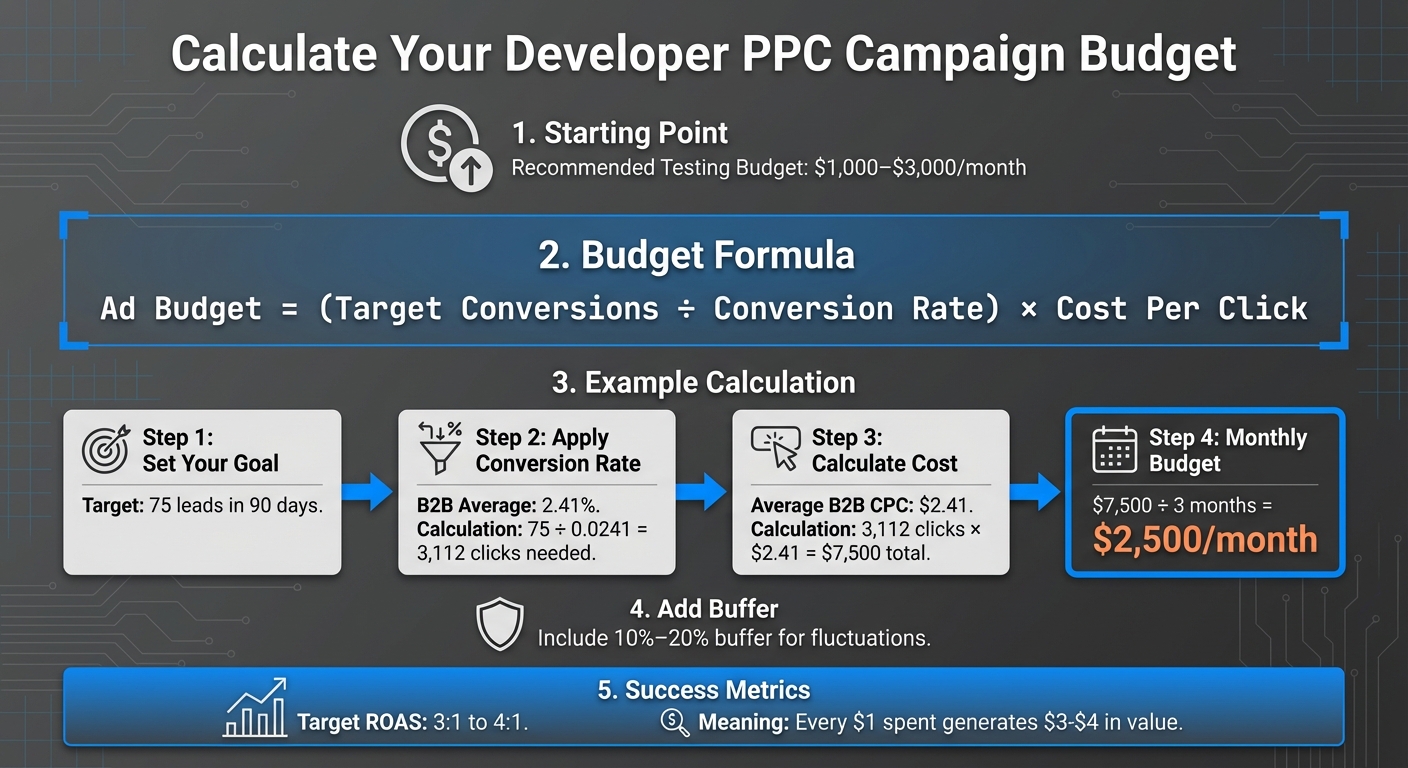 {PPC Campaign Budget Calculator for Developer Marketing}
Defining Campaign Objectives
Developers often have a technical mindset and look for detailed, actionable solutions. That means your campaign objectives need to be precise and measurable. For example, if your goal is to generate 75 qualified leads for a new API tool within 90 days, make sure it’s clearly defined and achievable. A great framework to guide this process is SMART - objectives should be Specific, Measurable, Achievable, Relevant, and Time-bound .
Your goals should also align with the developer's journey. If you're introducing a new tool, focus on awareness metrics like impressions and reach to ensure your product gets in front of the right audience . For developers actively evaluating solutions, drive them to resources like technical documentation, white papers, or case studies where they can explore your product in-depth . When it’s time to convert, aim for actions like product trials, webinar registrations, or newsletter sign-ups - these provide developers with a low-pressure way to try out your tool .
Keep in mind that developer campaigns often mirror B2B approaches. A "Buy Now" button isn’t likely to resonate. Instead, developers want hands-on experiences, walkthroughs, and in-depth information before making decisions. Track performance indicators that reflect this, such as SDK downloads, API calls, visits to documentation pages, or stars on your GitHub repository . Once your objectives are clear, you can translate them into a realistic budget that supports your goals.
Allocating Budget
Your campaign budget should directly reflect your objectives. A solid starting point for testing is a monthly budget of $1,000–$3,000 , which allows enough flexibility to refine targeting, ad copy, and platform selection.
Here’s a simple formula to calculate your budget:
Ad Budget = (Target Conversions ÷ Conversion Rate) × Cost Per Click .
For instance, if you need 75 leads in 90 days and expect a 2.41% conversion rate (the B2B average), you’ll require approximately 3,112 clicks. With an average B2B CPC of $2.41, this totals about $7,500 over three months - or $2,500 per month . To stay prepared for fluctuations, include a 10%–20% buffer for seasonal changes or bid spikes .
Once you’ve established your base budget, focus on strategies to maximize efficiency. Target long-tail keywords like "Python library for real-time data processing" instead of broader terms. These keywords tend to have less competition and higher conversion rates . Pay attention to your Quality Score too - higher scores reduce CPCs, stretching your budget further . A good Return on Ad Spend (ROAS) typically ranges between 3:1 and 4:1, meaning every dollar spent should generate $3 to $4 in value .
sbb-itb-e54ba74
Creating Ad Copy and Creatives for Developers
Addressing Developer Pain Points
When crafting ad copy for developers, focus on solving the specific challenges they face in their workflows. Common issues include inefficient code reviews, slow debugging, repetitive deployment processes, and outdated integrations. Instead of vague phrases like "Revolutionary Tool", opt for messaging that directly addresses these pain points. For example: "Streamline Your Code Reviews in Minutes with Automated Feedback" or "Debug Faster with AI-Powered XYZ Tool" .
Developers respond well to a "show, don't tell" approach. Ads that clearly highlight measurable improvements tend to perform better. For instance, phrases like "Cut Deployment Time by 50% – No More Manual Scripts" resonate because they address automation concerns directly. Similarly, tools promising "Fix Bugs 5x Faster with Real-Time Logs" have seen increased engagement by emphasizing tangible productivity gains . Developers value tools that save time and boost efficiency, so ensure your value proposition reflects these priorities.
Writing Clear Ad Copy
Keep your ad copy concise and technical, avoiding unnecessary hype. Use terminology developers are familiar with, such as "API integration", "scalable microservices", or "zero-downtime deployments", to establish relevance . The most effective ads combine three core elements: a clear problem statement, a technical benefit, and a proof point. For example: "Tired of Slow API Responses? Boost Performance 3x with Our Optimized Framework – See Benchmarks" .
When it comes to calls-to-action (CTAs), simplicity and low commitment are key. CTAs like "Start Free Trial", "View Demo", "Get API Key," or "Learn More with Docs" outperform generic options by 20–30% in click-through rates. These options appeal because they allow developers to explore and experiment with your product on their own terms, without sales pressure . Pair clear, technical language with visuals that back up your claims to create a compelling ad.
Using Developer-Friendly Visuals
Visuals should focus on showcasing functionality. Examples include screenshots of code editors with highlighted features, animated GIFs of debugging workflows, architecture diagrams, or terminal outputs. These types of visuals align with developers' technical mindset and can increase click-through rates by 15–25% . A simple screenshot of your tool in action often outperforms generic stock images.
Keep designs straightforward and packed with useful information. Developers value content over flashy aesthetics, so avoid unnecessary decorative elements . When possible, include short code snippets in your visuals to demonstrate syntax and functionality. This not only reinforces the technical benefits of your tool but also helps developers quickly assess its relevance to their needs. By combining clear visuals with well-written copy, you can build trust and effectively communicate your product's value.
Using daily.dev Ads for Developer Targeting
Targeting Options
daily.dev Ads provides advertisers with detailed tools to tailor their campaigns specifically for developers. You can segment your audience by seniority level (junior, mid-level, senior), programming languages (like JavaScript, Python, or Java), tools and technologies (such as React, Docker, AWS, or machine learning), and even by geography (targeting regions like the US, Europe, or specific countries) .
Imagine you're promoting a new JavaScript framework. You could target senior developers who work with React and Node.js in North America, layering in additional interests like npm. This approach helps drive highly relevant traffic to your product demo page . Combined with these precise targeting options, native ad placements enhance the overall engagement of your campaign.
Native Ad Placements
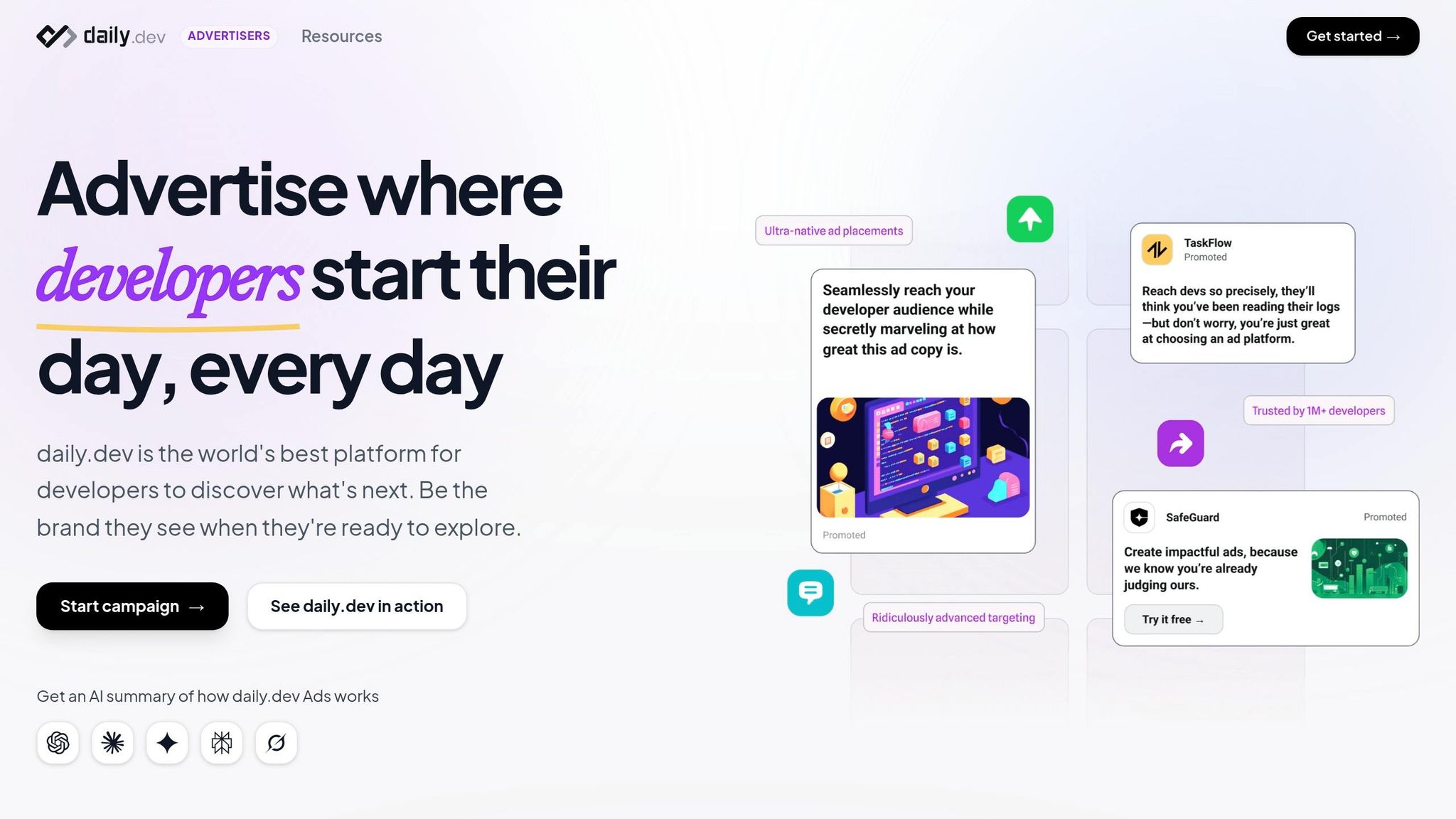
daily.dev Ads offers native ad placements that fit seamlessly into the browsing experience of developers. These ads appear in two ways: in-feed ads that blend naturally into curated developer news feeds and post-page ads that show up after users finish reading an article . This format avoids the intrusive nature of traditional banner ads, ensuring a smooth and uninterrupted experience.
Native ads work particularly well for technical audiences because you can include elements like code snippets directly in the ad. For example, you might link the ad to technical assets such as documentation, sandbox environments, or API keys, enabling developers to test your product immediately . These ad formats, combined with advanced targeting, make daily.dev Ads a powerful tool for reaching engaged developers.
Global Reach and Developer Ecosystem
With daily.dev Ads, you gain access to a global network of over 1 million developers. This platform aggregates tech news, tools, and discussions, creating a trusted environment where developers actively explore and evaluate new technologies . The platform also prioritizes ethical advertising by respecting user privacy, avoiding intrusive formats, and maintaining transparency in campaigns .
The global reach ensures your ads are seen across time zones, providing continuous visibility. For example, you could target senior Python developers in the US while simultaneously reaching mid-level developers in Europe interested in cloud computing. This broad exposure maximizes your campaign's impact and helps fine-tune engagement across different markets .
Measuring and Optimizing Campaign Performance
Tracking Developer Metrics
Start by keeping an eye on click-through rates (CTR), conversion rates, and cost per acquisition (CPA) - these are your core metrics for ensuring the campaign meets developers' technical needs . Beyond these, dig into developer-specific engagement signals. For instance, track time spent on landing pages, sign-ups for technical resources, downloads of documentation, GitHub repository activity, registrations for developer events, and interactions with code examples or demos . If developers are spending more time with your API documentation, it's a clear indicator of strong technical interest.
A/B Testing for Improvement
A/B testing is your go-to tool for fine-tuning campaign elements. Test ad headlines with technical keywords, ad copy that addresses developer pain points, and strong calls-to-action . For example, compare a headline like "Start Building Today" with "Access API Documentation" to see which drives more qualified sign-ups. Don't stop there - experiment with landing page designs, layouts, and the way you present your value. Are developers responding better to abstract benefits or to hands-on product demos? Use these tests to guide decisions on budget allocation and targeting strategies .
Refining Campaigns with Data
Once you've got A/B test results, take it further by using analytics tools to optimize your campaign. Platforms like daily.dev Ads provide real-time dashboards where you can track which keywords, ad variations, and audience segments resonate most with developers . Break down performance data by device type, location, audience lists, or demographics to identify top-performing groups .
Reallocate your budget to focus on what works. Increase bids on high-performing keywords - especially those tied to specific tech stacks - and shift more budget toward developer segments with lower CPAs. Pause ads that underperform, and use retargeting to re-engage developers who’ve already interacted with your content . Review your performance weekly to spot quick wins and make timely adjustments .
Conclusion
Creating effective PPC campaigns for developers boils down to a few key principles: set clear goals, work within realistic budgets, and focus on messaging that addresses genuine technical challenges. Platforms like daily.dev Ads make this easier by offering precise targeting based on programming languages, tech stacks, and developer roles. This ensures your ads reach developers in spaces where they naturally discover tools and solutions.
To measure success, it’s crucial to track metrics that reflect developer engagement. Instead of just looking at click-through rates, pay attention to developer-specific actions like time spent with documentation, API usage, SDK downloads, and sign-ups from technical pages. These indicators reveal whether your campaign is sparking genuine interest and driving meaningful results.
Continuously improve your campaign by A/B testing headlines, CTAs, and layouts. Use analytics to pinpoint which keywords, audience segments, and ad formats perform best, and reallocate your budget based on real-time data. This iterative, data-driven approach ensures your campaigns stay relevant and impactful.
Developers prioritize technical accuracy and clear, solution-oriented messaging over flashy or generic pitches. By aligning your goals with precise targeting and delivering messaging that fits naturally into their workflow, daily.dev Ads helps you connect with over 1 million developers worldwide. When you combine this with consistent tracking, testing, and optimization, you create campaigns that not only generate clicks but also foster trust, encourage product adoption, and build long-term relationships within the developer community.
FAQs
Which developer actions should I count as conversions?
When tracking conversions for developer-focused PPC campaigns, focus on actions that demonstrate clear engagement or progress toward your goals. These could include sign-ups, downloads, or form submissions - essentially, any clicks that lead to meaningful outcomes. These actions not only show user intent but also provide measurable results, helping you align with your objectives and gauge ROI effectively.
How do I choose keywords for a developer PPC campaign?
To pinpoint keywords for a PPC campaign aimed at developers, start by diving into their technical interests, preferred tools, and levels of expertise. Spend time exploring platforms where developers hang out - think forums, GitHub, or tech communities - to uncover terms tied to programming languages, frameworks, and tools they use daily. Customize your keywords to match different developer personas, like beginners, mid-level professionals, or senior experts, and center them around addressing practical challenges they face. Keeping your keywords technically precise will boost the relevance and success of your campaign.
What should a landing page include for developers?
A landing page tailored for developers needs to hit a few key points to be effective:
- Clear messaging: The headline should align with the promise made in the ad and immediately communicate the value being offered.
- Technical accuracy: Developers value precision, so make sure the details are spot-on to establish trust.
- Single, focused CTA: Stick to one clear action - whether it’s signing up, downloading, or another goal - to avoid distractions.
- Fast, mobile-friendly design: Developers expect speed and responsiveness, so ensure the page loads quickly and works well on all devices.
- Visual clarity: Use plenty of white space and organize content into scannable sections, drawing attention to your CTA without overwhelming the user.