

JavaScript developers often avoid online ads due to performance issues, privacy concerns, and workflow disruptions. Here's why:
- Performance Matters: Ads can slow down page load times by 20–50%, with JavaScript-heavy ads consuming significant browser resources.
- Privacy Risks: Tracking scripts in ads can expose sensitive data, making developers wary of potential security breaches.
- Focus Disruption: Intrusive formats like pop-ups or auto-play videos interrupt their work, leading to frustration.
- High Ad Blocker Usage: 65–80% of developers use ad blockers to maintain speed, efficiency, and privacy.
To connect with this audience, ads must be non-intrusive, relevant, and performance-friendly. Platforms like daily.dev Ads offer targeted, developer-specific campaigns that respect these preferences, improving engagement without disrupting their workflow.
Why JavaScript Developers Ignore Ads
JavaScript developers often steer clear of online ads for reasons that go beyond mere irritation. Their technical expertise gives them a clear view of how ads can harm performance, compromise security, and invade privacy. Here’s a closer look at why their ad-blocking behavior stands out.
Ad Scripts and Performance Issues
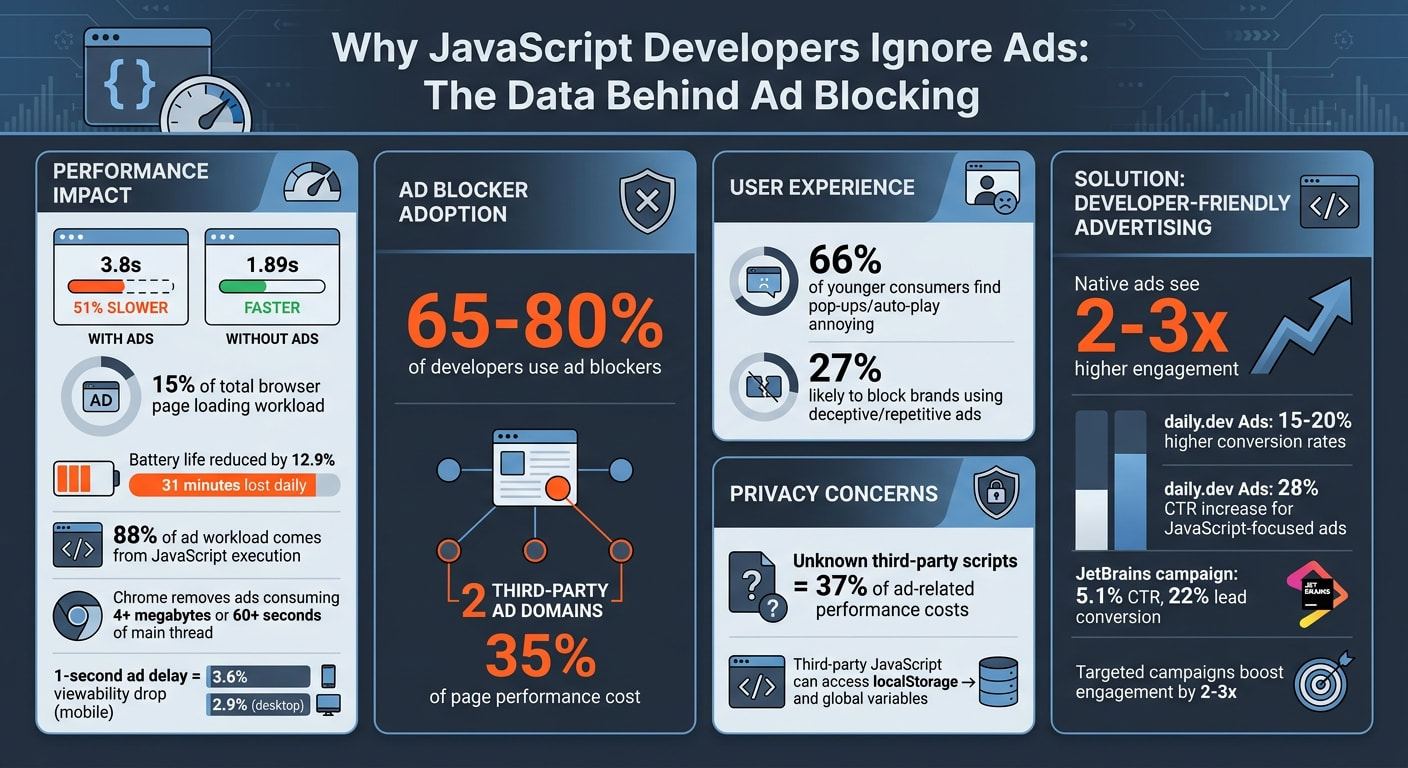
Ad scripts are notorious for hogging browser resources. Studies reveal that online ads make up over 15% of the total browser page loading workload, with nearly 88% of that stemming from JavaScript execution. For developers who are laser-focused on performance metrics, this kind of overhead is a dealbreaker.
The numbers speak for themselves. Websites with ads load 51% slower on average - 3.8 seconds with ads compared to 1.89 seconds without. Even a tiny delay in ad response can hurt viewability rates, dropping them by 3.6% on mobile and 2.9% on desktop for just a 1-second lag. Chrome has even taken action with its "Heavy Ad Interventions", automatically removing ads that consume over 4 megabytes of bandwidth or dominate the main thread for more than 60 seconds.
"Ads that consume a disproportionate amount of resources on a device negatively impact the user's experience - from the obvious effects of degrading performance to less visible consequences such as draining the battery or eating up bandwidth allowances." - Rowan Merewood, Developer Advocate, Google
Unblocked ads don’t just slow things down - they also drain battery life. Developers working on laptops face a 12.9% reduction in battery life, which translates to about 31 minutes lost daily. This constant drain makes non-intrusive ads all the more appealing to this audience.
Intrusive Ads Break Focus
Performance issues aside, intrusive ad formats like pop-ups and auto-play videos wreak havoc on developers' concentration. Research shows that 66% of younger consumers, including many early-career developers, find these formats annoying, while 27% are likely to block brands that rely on deceptive or repetitive ads. For developers, such interruptions disrupt their workflow, forcing them to regain focus during critical tasks.
Ad Blockers: A Solution to JavaScript Overload
To combat the dual challenges of performance hits and disruptive ads, developers frequently turn to ad blockers. With 88% of ad-related browser workload linked to JavaScript execution, blocking ads provides instant relief. Shockingly, just two third-party ad domains can account for up to 35% of a page’s total performance cost.
"Excessive ad scripts remain a critical performance issue for billions of users." - Maciej Kocemba, Product Manager, Opera
This growing demand for a smoother browsing experience has led browsers to integrate ad-blocking features. Some developers have even adopted "NoJS" browsing or turned to alternative protocols like Gemini to sidestep the heavy JavaScript associated with tracking and intrusive ads.
Privacy Risks from Tracking Scripts
On top of performance and focus issues, privacy concerns add another layer to developers’ aversion to ads. Third-party JavaScript ads can bypass same-origin policy restrictions, giving them access to sensitive data like localStorage or global variables. These vulnerabilities aren’t just theoretical. In February 2026, Microsoft Security uncovered a malicious campaign involving tampered Next.js repositories. Attackers used job-related lures to spread compromised versions of jquery.min.js, which exfiltrated process.env objects containing cloud keys and API tokens when developers ran their projects.
Additionally, ads on major news websites often include unknown third-party scripts, which can make up over 37% of ad-related performance costs. Developers are highly aware of these risks and are unwilling to compromise on privacy and security for the sake of intrusive ads.
How to Reach JavaScript Developers with Ads
JavaScript developers tend to steer clear of ads that feel disruptive, intrusive, or pose tracking risks. To connect with this audience, you’ll need strategies that align with their preferences and address their concerns. Here are some practical ways to do just that.
Design Non-Intrusive, Developer-Friendly Ads
Developers appreciate ads that don’t interfere with their workflow. Native ad formats - those that blend naturally with the surrounding content - are a much better choice than pop-ups or auto-play videos. For instance, in-feed placements on trusted platforms often see 2-3x higher engagement because they align with developers' expectations for performance and usability.
When creating ads, focus on content that speaks directly to the challenges JavaScript developers face. Think code snippets, tool comparisons, or even conference invitations. Addressing common pain points like framework fatigue or performance optimization makes your ads feel more like helpful resources than distractions.
And remember, where you place these ads matters just as much as the content itself.
Use Targeted Platforms Like daily.dev Ads
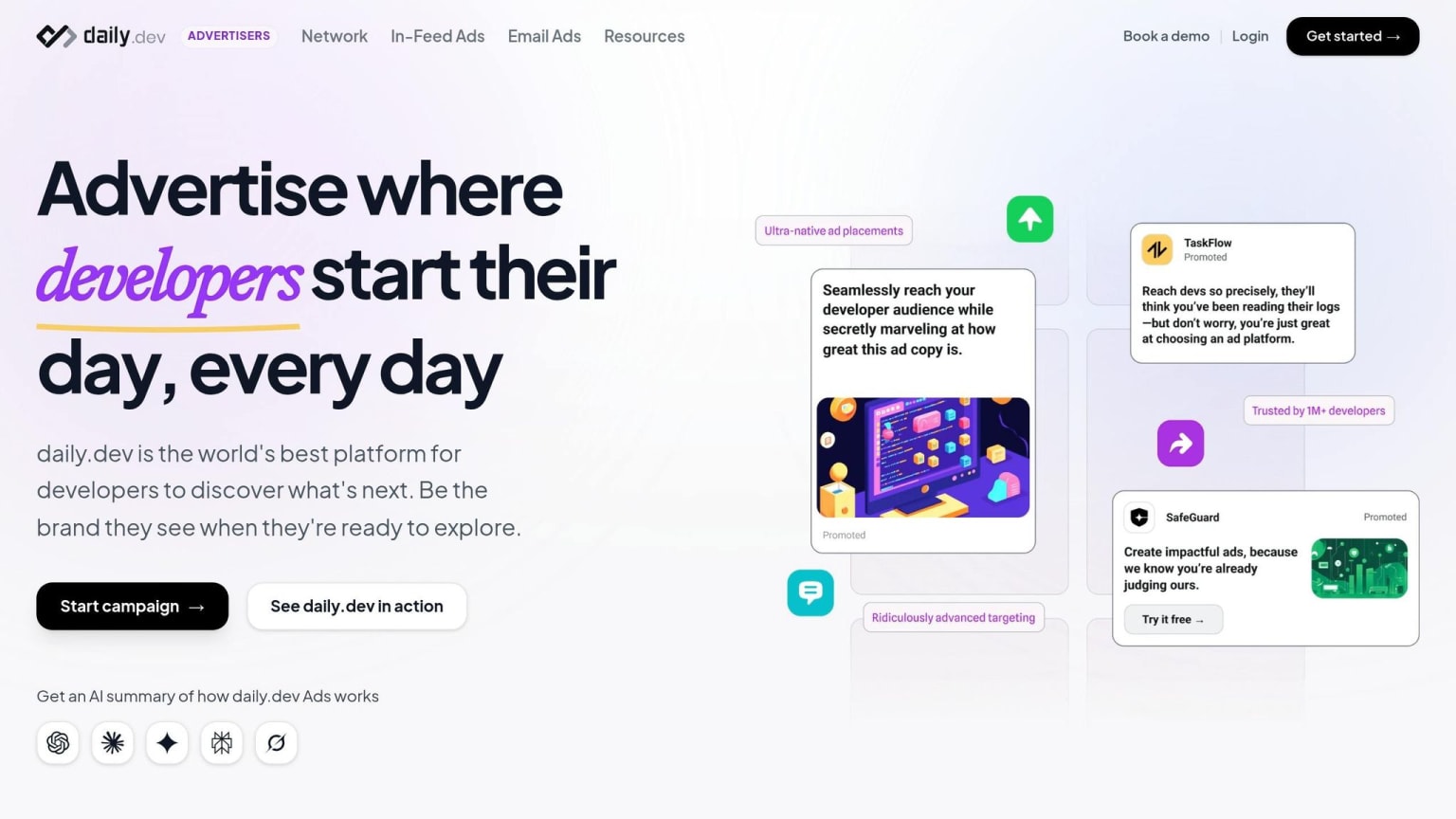
General advertising networks often fall short when it comes to reaching developers. Platforms like daily.dev Ads (https://business.daily.dev) are tailored specifically for this audience. They allow businesses to target by programming language, seniority level, and tools, ensuring your ads reach the right JavaScript developers.
This precision targeting pays off. Campaigns on daily.dev Ads see 15-20% higher conversion rates and a 28% CTR increase for JavaScript-focused ads. By delivering ads to the right audience, you avoid wasting impressions and maximize your ad spend.
How daily.dev Ads Solves Common Ad Problems
Using targeted platforms like daily.dev Ads doesn’t just improve relevance - it also tackles the key issues that drive developers away from traditional advertising. Here’s how it addresses common concerns:
| Common Issue | daily.dev Ads Solution |
|---|---|
| Heavy ad scripts slowing down websites | Optimized native formats ensure minimal impact on performance |
| Intrusive ad formats disrupting workflow | Non-intrusive placements like in-feed and post-page ads |
| Excessive tracking raising privacy concerns | Ads served within a trusted developer ecosystem |
| Lack of relevance to developers' interests | Targeting by programming languages, tools, and seniority ensures ads are relevant |
Examples of Successful Developer Ad Campaigns
When it comes to reaching developers effectively, these case studies show how thoughtful, targeted campaigns can deliver impressive results without disrupting their workflow.
Take Netlify's Jamstack campaign from Q1 2022, for example. They strategically placed ads in developer newsletters and on Reddit, showcasing JavaScript deployment demos. By A/B testing headlines and focusing on performance metrics, they achieved some standout results: 18,500 new user sign-ups, a 62% click-through rate (CTR) on demo links, and a 150% boost in paid conversions. This campaign underscores how aligning with developer interests - like performance - can translate into tangible outcomes.
Similarly, Vercel's Next.js promotion between October and December 2023 followed a sharp, targeted approach. Ads ran on platforms like Twitter/X and developer podcasts, highlighting framework benchmarks and migration guides. With CMO Guillermo Rauch at the helm, the campaign drove 45,000 deployments, a 320% surge in enterprise trials, and a $1.2 million annual recurring revenue (ARR) increase.
In the latter half of 2024, Postman’s API Platform campaign took personalization to a new level. They used native ads on daily.dev and Stack Overflow, tailoring content to developers' programming languages and tools. This approach led to 95,000 API collections created, a 28% conversion rate to pro users, and a 4.2x return on investment (ROI).
Another standout example comes from JetBrains, which ran campaigns on daily.dev Ads. By offering value-packed content like demos, benchmarks, and practical tools in a non-intrusive format, they achieved a 5.1% CTR and a 22% lead conversion rate.
These campaigns prove that respecting developers’ workflows and addressing their specific needs can lead to exceptional results. They provide a clear roadmap for crafting ads that resonate with this audience and deliver measurable success.
Conclusion
JavaScript developers often steer clear of ads for good reasons: ad scripts can slow down page loads by 20–50%, pop-ups interrupt their workflow, and 40–60% rely on ad blockers to avoid excessive JavaScript usage. Privacy concerns from tracking scripts only add to their preference for speed and security.
The way forward? Shift from intrusive to integrated advertising. Ads should respect developers' time and meet their technical standards. Non-disruptive, value-driven content within a trusted ecosystem can mean the difference between being ignored and being engaged. Platforms like daily.dev Ads showcase this approach effectively.
daily.dev Ads addresses these concerns with native in-feed placements and targeted campaigns, eliminating the need for performance-draining scripts. This approach turns ad avoidance into an opportunity by directly tackling the issues of performance, intrusiveness, and privacy.
When advertising aligns with a developer's workflow instead of disrupting it, engagement naturally improves. In fact, targeted and respectful campaigns have been shown to boost engagement by 2–3× while fostering long-term trust.
FAQs
How can I advertise to JavaScript developers without slowing pages down?
To reach JavaScript developers without compromising page speed, prioritize lightweight and non-intrusive ad formats that fit naturally into their workflow. Focus on delivering useful and accurate technical content, such as tutorials, code snippets, or API references. Steer clear of intrusive elements like pop-ups, auto-playing videos, or large banners that can distract or frustrate. Instead, place your ads strategically in trusted spaces like documentation pages or developer forums, ensuring they engage developers without disrupting their focus or the performance of the page.
What privacy-safe ad practices do developers actually trust?
Developers value ad practices that emphasize transparency, relevance, and a genuine respect for privacy. They respond well to ads that focus on technical interests, ensuring the content aligns with their professional needs. Trust is further strengthened when ads are delivered via credible platforms and steer clear of intrusive or deceptive tactics. Maintaining honesty and ensuring technical accuracy in messaging are equally critical. Additionally, peer validation - such as endorsements or recommendations from fellow developers - can significantly enhance trust in advertising efforts.
What should I promote in an ad to get developers to click?
To connect with developers effectively, prioritize relevance, technical precision, and how your ad integrates seamlessly into their workflow. Focus on solving real-world challenges, showcasing practical benefits, and including concrete examples like data or code snippets to establish credibility. Steer clear of disruptive advertising methods and instead, position your ads on platforms developers already trust and frequent. Content that educates - like tutorials or in-depth technical guides - tends to resonate, as developers appreciate transparency and expertise over generic marketing fluff.