

Choosing the right developer advertising platform is critical to reaching technical audiences effectively. Developers are skeptical of traditional ads, respond best to relevant solutions, and often block intrusive formats. This checklist simplifies the evaluation process by focusing on 15 key questions across areas like audience quality, targeting precision, ad formats, performance tracking, pricing, and security. Use these questions to compare platforms and ensure your campaigns align with developer workflows and preferences.
Key Highlights:
- Developers prefer ads that solve problems, not flashy marketing.
- Verify platforms on audience segmentation, targeting by role, geography, and seniority.
- Prioritize native ad placements and avoid intrusive formats.
- Ensure clear pricing, strong privacy compliance, and integration with your tools.
Why it matters: Developers are a unique audience, and traditional marketing approaches often fail. This checklist ensures you choose a platform that delivers value without wasting time or budget.
Audience Quality and Targeting Capabilities
How Is the Developer Audience Verified?
It's important to ensure that the platform identifies its users as active professionals rather than students or hobbyists. The best platforms rely on first-party behavioral data - tracking what users read, bookmark, upvote, and follow - rather than static, self-reported profiles that can quickly become outdated.
Ask vendors to break down the specific signals they use to verify users as developers. For instance, do users authenticate through GitHub or a work-related email domain? Does the platform monitor active behaviors like SDK downloads, API usage, or engagement with technical content? A platform that provides clear, detailed answers - not just vague claims like "we have millions of developers" - is worth considering. For context, SlashData estimated there were about 26.3 million active software developers worldwide in 2022, so raw audience numbers alone don't reveal much about quality.
What Segmentation Options Are Available?
Reaching the right developer is critical - after all, a senior backend engineer evaluating infrastructure tools has vastly different needs from a junior frontend developer exploring UI frameworks.
A strong platform should allow filtering by role (e.g., backend, frontend, DevOps, data/ML, mobile), seniority (from junior developers to staff engineers or engineering managers), primary language (such as Python, Go, JavaScript/TypeScript, Java, or Rust), and framework (like React, .NET, Spring, or Kubernetes). You should also be able to refine targeting by company size and industry, such as mid-market SaaS companies with 200–1,000 employees. When assessing a vendor, ask them to build one of your buyer personas within their system. If they struggle with this task, it’s a warning sign.
Can You Target by Geography and Time Zone?
For campaigns in the US, precise geography and timing matter. The platform should let you target specific states, cities, and DMAs rather than just "United States" and exclude areas where you can’t yet support customers. Additionally, check if they offer dayparting by US time zone - for example, running ads from 9 a.m.–5 p.m. ET for East Coast engineers or 9 a.m.–5 p.m. PT for teams in the Bay Area or Seattle. This kind of precision can significantly boost engagement for time-sensitive campaigns like webinar registrations or product launches.
Test this capability by requesting a demo campaign targeting senior backend engineers in Eastern and Central US time zones during business hours. Their ability to set this up - or their inability - can reveal a lot about their platform’s targeting capabilities.
What Controls Exist to Prevent Ad Fatigue?
About 70% of developers say irrelevant or repetitive ads are their top reason for using ad blockers. That’s why frequency capping is crucial. Look for features like user-level impression caps (e.g., no more than three impressions per developer per day), even pacing to avoid budget surges, and creative rotation to prevent overexposure to the same message. Studies on display and social ads show that after 5–7 impressions per user per week, click-through rates drop while costs per action rise - this trend is even more pronounced with developers, who are often skeptical of ads.
You should also confirm if the platform supports engagement-based suppression, which automatically pauses ads for users who’ve seen them multiple times without interacting or excludes users who’ve already converted.
How Does the Platform Protect Brand Safety?
Developer communities often include user-generated content - forums, Q&A threads, or feed-based posts - which raises brand safety concerns. According to an IAB-sponsored survey, over 90% of US advertisers consider brand safety a "critical" or "very important" factor when choosing an ad partner.
Ensure the platform uses allow-lists and category/keyword exclusion options to limit ad placements to high-quality, developer-relevant content. For example, it should block political content, adult material, or misinformation. If you’re in a regulated industry, ask about third-party verification tools like IAS or DoubleVerify. Platforms operating in a closed, authenticated developer ecosystem often provide stronger brand safety because the content environment is curated specifically for technical users.
These targeting and audience quality considerations are the foundation for evaluating ad formats and the overall developer experience in the next section.
Ad Formats, Integration, and Developer Experience
What Native Ad Placements Are Available?
The most effective developer advertising platforms position ads where developers are already focused - within their content feed, not disrupting it. Look for in-feed native ads that blend seamlessly into a personalized news or content stream. These ads appear as sponsored cards styled to match organic posts, making them feel like a natural part of the browsing experience. Another valuable option is post-page placements, which show up after a developer finishes reading an article. At that point, the reader is often ready to take the next step, making this placement highly effective.
Some platforms go beyond the basics with more contextual ad formats. For instance, daily.dev Ads offers Keyword Spotlights (sponsored cards triggered when a developer hovers over a specific technical term in an article), Branded Tags (a logo linked to a topic category like #kubernetes or #python), and Stack Placements (tool suggestions displayed when a developer updates their tech profile). These formats engage developers at moments of intent, avoiding interruptions while aligning with their natural workflow.
"Developers ignore banners. They pay attention to native content." - daily.dev
Once you’ve identified native placements, it’s crucial to assess how well they integrate into a developer’s daily routine.
How Well Do Ad Formats Fit Developer Workflows?
A developer’s workflow typically involves searching for solutions, scanning documentation, testing code, and iterating. Ad formats that disrupt this flow - like full-screen pop-ups, auto-playing videos, or overlays that obscure code - are more likely to frustrate than engage.
Ask the platform for workflow maps or mockups that illustrate exactly where ads appear during a developer's session. Avoid formats that interrupt tasks, such as interstitials or persistent overlays. Ideally, platforms should let you disable intrusive formats. To ensure compatibility, consider running a small internal test with your own developers to evaluate the ad experience before scaling up.
When ad formats respect a developer’s workflow, the next step is to ensure your creative assets resonate with their technical preferences.
What Creative Specs and Testing Options Are Supported?
For developer audiences, text-heavy and code-focused creatives tend to perform better than visuals-heavy formats. A clear headline, concise copy, and a direct call-to-action (e.g., "Get API key" or "Run in your terminal") are far more effective than vague marketing language.
Request a creative spec sheet tailored to developer audiences. This should include details like headline character limits, image dimensions (e.g., 1,024×512 px under 150 KB), and support for dark mode. Confirm that the platform supports A/B or multivariate testing for copy, visuals, and CTAs, and allows you to segment tests by factors like programming language or geographic region. Running 10–15 creative variants ensures the platform’s optimization algorithms have enough data to prioritize the most effective options .
How Are Landing Pages and Tracking Set Up?
Your landing pages should immediately fulfill the expectations set by the ad. For developers, this means prioritizing code snippets, quick-start instructions, and documentation links above the fold. For example, if your ad promotes an API security tool, the landing page should feature install commands (npm install, pip install), configuration examples, and a low-friction call-to-action right at the top.
On the tracking side, make sure the platform supports clean UTM parameter passthrough without issues like double-encoding or query string stripping. Use a consistent naming convention like utm_source=platformName, utm_medium=paid_dev, utm_campaign=productX_launch, and utm_content=variantA to streamline reporting across tools like Google Analytics or Mixpanel. Before launching, test the tracking setup with sample clicks to ensure everything works as expected. Additionally, confirm the platform supports HTTPS-only tracking to avoid security warnings that could erode developer trust.
Performance Metrics, Optimization, and Pricing
What Performance Metrics Does the Platform Track?
Effective reporting goes beyond just counting how many people saw your ad. The best platforms categorize metrics into three key areas: engagement (like CTR, time spent on content, or upvotes), reach (such as unique impressions or category coverage), and conversion (including sign-ups, lead generation, or API calls). Each of these aligns with specific campaign goals - whether you're aiming for visibility, sparking interest, or driving action. With these metrics clearly defined, you can focus on optimizing your campaigns for better results.
How Does Campaign Optimization Work?
Most developer advertising platforms allow for real-time budget adjustments, reallocating funds to the top-performing creative variants while the campaign is active. To make this work, it's recommended to start with 10–15 creative variants. This ensures there's enough data to guide those real-time shifts .
A key point to consider: platforms should prioritize relevance signals over raw clicks when reallocating budgets. For instance, ask if their optimization logic favors desktop sessions, as developers often evaluate APIs and technical tools on desktop rather than mobile devices . Understanding these nuances helps ensure your budget is being used where it matters most, setting the stage for evaluating pricing options that align with your goals.
What Pricing Models Are Available?
Pricing models are a crucial piece of the puzzle when planning a cost-effective campaign. The two main options are CPM (cost per 1,000 impressions) and CPC (cost per click). CPM is ideal for raising awareness at the top of the funnel, while CPC is better suited for driving direct engagement or generating leads. For example, daily.dev Ads operates on a CPM model for in-feed ads, offering custom quotes based on factors like audience size and campaign duration . On the other hand, engagement ads - such as branded tags or category sponsorships - are sold as long-term placements, typically requiring a minimum one-month commitment .
Keep in mind that creating 10–15 creative variants for optimization can significantly impact your budget. It’s important to account for these production costs before allocating funds for media spend.
What Support and Service Options Are Available?
Managed execution can be a game-changer, especially if you want to offload tasks like campaign setup, pacing, and reporting. Check whether this service is included in the platform’s pricing or if it comes at an additional cost. Beyond the initial setup, ongoing support is just as important. Key questions to ask include: Will you have a dedicated account manager? How quickly does the team respond to campaign issues? Do they have expertise in developer marketing, or are they more generalists? A team experienced with developer audiences can spot issues - like overly promotional ad copy - that might go unnoticed by a generalist team. Having the right support can make all the difference in running a successful campaign.
Security, Compliance, and Operational Fit
How Does the Platform Handle Security and Privacy?
Protecting data privacy is a top priority. Before committing to a platform, ensure it adheres to essential data protection laws such as GDPR (for developers in the EU) and CCPA (relevant to many users in the U.S.). A platform that follows a privacy-by-design approach integrates safeguards directly into its system from the ground up.
Check if the platform encrypts data both during transit and when stored, implements strong access controls, and uses a consent-first system - avoiding pre-checked boxes or manipulative design tactics like dark patterns. Also, inquire if it depends on third-party cookies or fingerprinting. Many platforms now lean toward contextual targeting, which aligns ads with the technical content a developer is engaging with, such as tutorials or API docs. This approach not only respects user privacy but also helps reach audiences using ad blockers.
For enterprise users, request a Data Processing Agreement (DPA), a list of subprocessors, and details about incident response procedures. These documents clarify the platform’s role as a data processor and outline responsibilities regarding data security.
| Security/Privacy Feature | What to Verify |
|---|---|
| Compliance Standards | GDPR, CCPA, and Standard Contractual Clauses (SCCs) for international data transfers |
| Technical Safeguards | Encryption (in transit and at rest), access controls, and an incident response plan |
| Data Subject Rights | Support for rights like access, rectification, erasure, portability, and objection |
| Consent Architecture | Explicit opt-in required; no dark patterns or pre-checked boxes |
Once security and privacy are addressed, you’ll want to ensure the platform integrates smoothly with your current tools and workflows.
How Does the Platform Fit Into Existing Tools and Processes?
The level of integration required can vary widely. For simpler setups, you might just upload a CRM list as a CSV for account-based targeting. On the other hand, more complex setups may involve connecting session attributes via an API, requiring additional developer time and effort. It’s important to evaluate your team’s capacity before committing to a platform that demands significant engineering resources.
If your team is already stretched thin, ask about managed execution options. Some platforms handle setup, pacing, and reporting for you, which can significantly reduce your workload. Additionally, if you rely on metrics like GitHub stars or documentation views, confirm that the platform supports the necessary integrations to track these effectively.
Summary Checklist: 15 Questions to Guide Your Decision
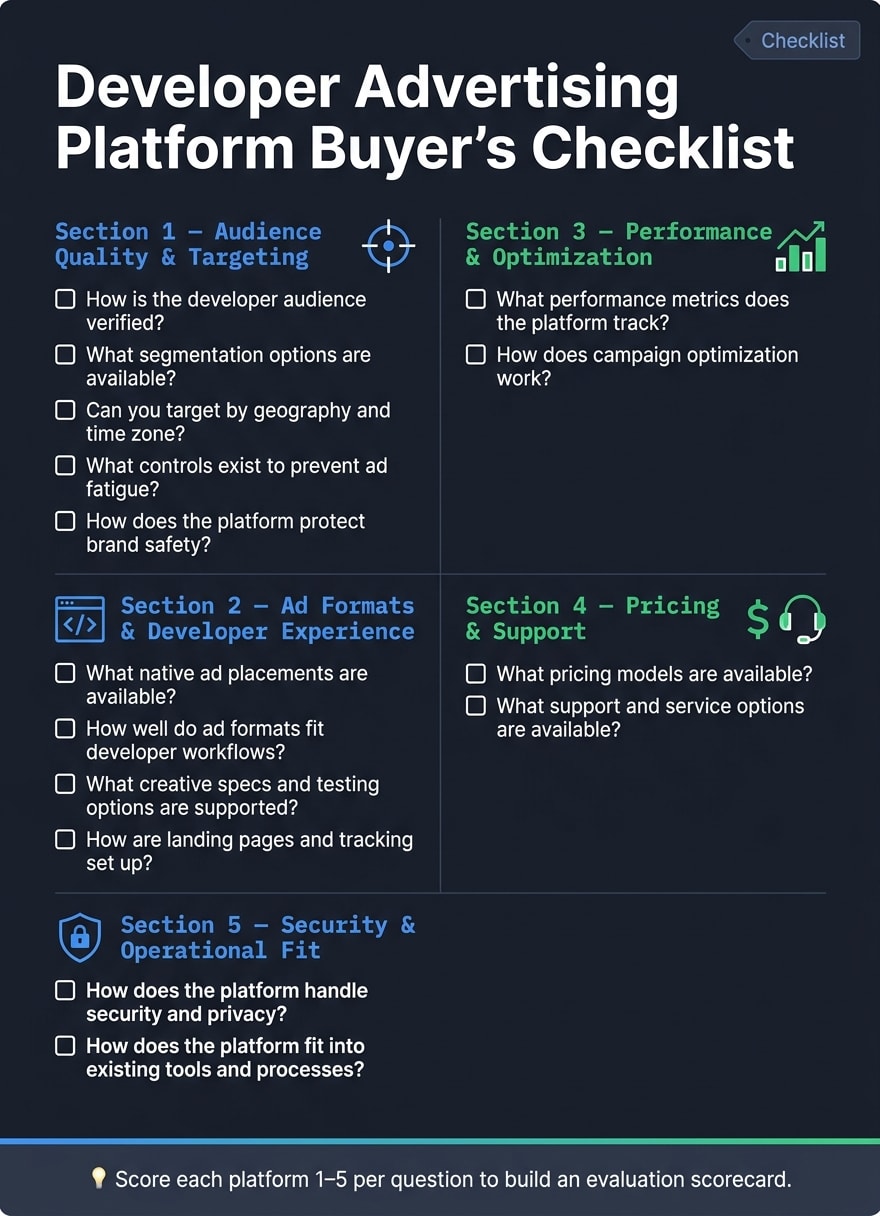
This checklist breaks down the key evaluation points into 15 clear questions. It’s designed to help you during vendor evaluations, RFPs, or internal reviews. Each question aligns with a section in this article, making it easy to reference the full details when needed. You can even score each platform based on these questions (e.g., using a 1–5 scale or pass/fail) to create a practical evaluation scorecard.
- How is the developer audience verified?
- What segmentation options are available?
- Can you target by geography and time zone?
- What controls exist to prevent ad fatigue?
- How does the platform protect brand safety?
- What native ad placements are available?
- How well do ad formats fit developer workflows?
- What creative specs and testing options are supported?
- How are landing pages and tracking set up?
- What performance metrics does the platform track?
- How does campaign optimization work?
- What pricing models are available?
- What support and service options are available?
- How does the platform handle security and privacy?
- How does the platform fit into existing tools and processes?
For each question, look for specific, measurable answers. For instance, when asking about developer audience verification, expect detailed explanations about first-party data, behavioral signals, or verified activity - not vague statements. Clear, actionable answers will make it easier to compare platforms directly.
Feel free to copy this checklist into your evaluation documents for quick use.
FAQs
What’s the fastest way to validate a platform’s “real developer” audience claims?
The fastest way to check if a platform delivers on its promises is by looking at how it gathers data. Focus on platforms that rely on real-time, in-product behavioral data instead of outdated database profiles. Choose those that track active engagement, such as the articles developers are reading or the technologies they’re following. This approach helps ensure your campaign reaches verified, intent-driven software professionals, steering clear of inflated traffic numbers or irrelevant audience groups.
Which 3 metrics best prove ROI for developer ads beyond clicks?
To show ROI that goes deeper than just click-through rates, consider tracking these metrics: API integration volume, SDK adoption rates, and documentation engagement. For instance, monitoring weekly API call growth reflects how much developers are using your service, while installation counts from platforms like PyPI or npm help gauge SDK adoption. Additionally, average session duration on your technical documentation can reveal how effectively your content is engaging developers and encouraging interaction. These insights provide a clearer picture of developer behavior and how well your product is being integrated.
What security and privacy documents should I request before signing?
To get a clearer picture of how the platform handles personal data and adheres to regulations like GDPR and CCPA, request a Data Processing Addendum (DPA). This document typically outlines their approach to managing user data, ensuring compliance with privacy laws.
Additionally, ask for their privacy policies. These policies should detail how data is collected, how cookies are used, and what rights users have regarding their personal information.
Make sure to also obtain security documentation. This should include information on:
- Data encryption methods (both in transit and at rest)
- Access control policies
- Incident response plans
- Proof of regular security audits
Having these documents will provide a comprehensive understanding of their data protection and security practices.