
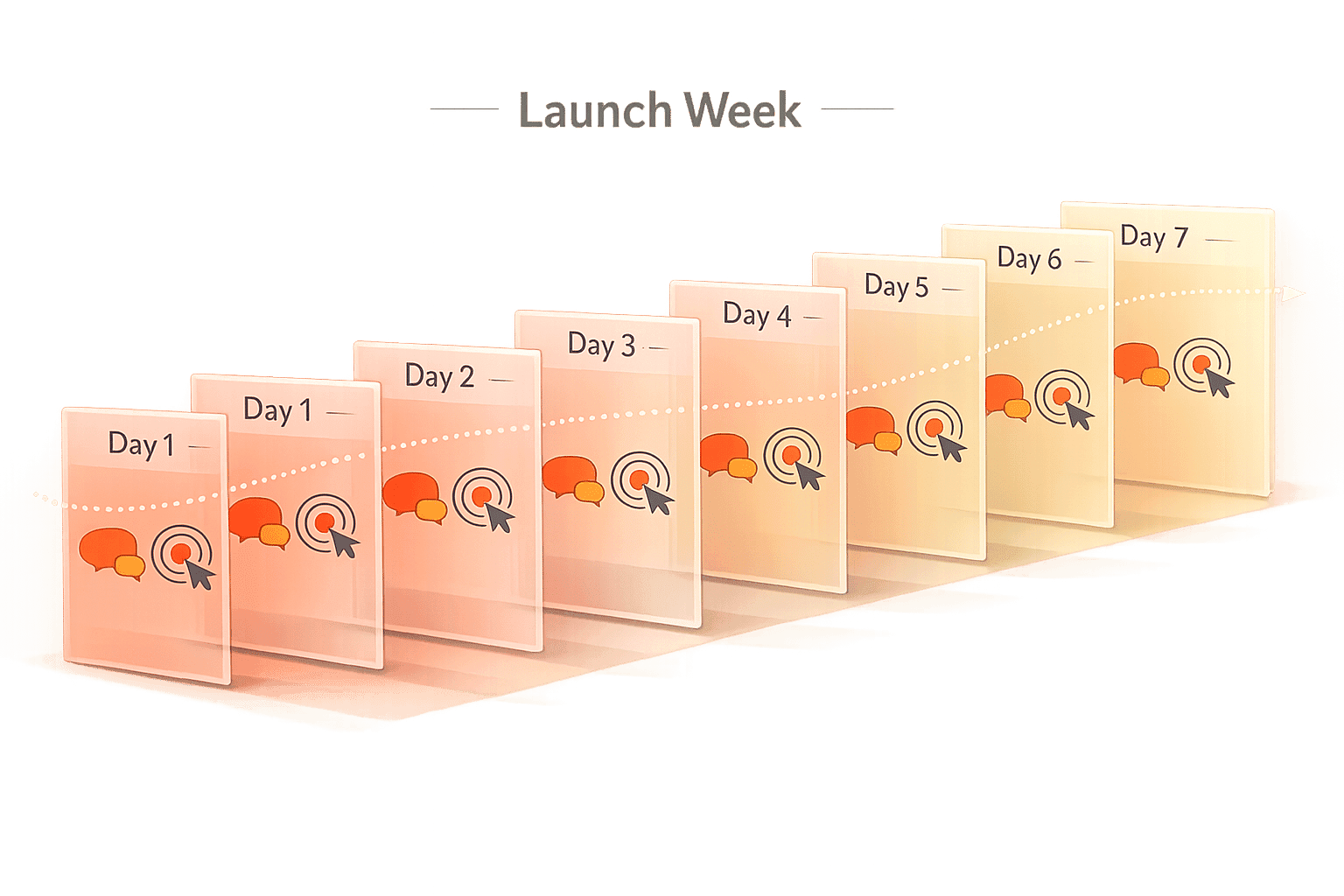
Want your developer tool launch to stand out? A single email or social post won’t cut it. Instead, a multi-day launch week - spanning 5–7 days - can amplify your reach, boost engagement, and drive signups. Companies like Supabase, Resend, and Linear have mastered this strategy, combining daily feature announcements, storytelling, and technical content to create momentum.
Why Launch Weeks Work:
- Developers need 7–12 touchpoints before adopting a product.
- Multi-day campaigns build familiarity and urgency.
- 30–40% of launch revenue often comes in the last 48 hours.
Key Takeaways:
- Supabase: Releases one feature daily, supported by blog posts, demos, and community engagement.
- Resend: Focuses on detailed changelogs and API examples to connect with developers.
- Linear: Uses storytelling and visuals to highlight the problem and solution.
How to Plan:
- Start 4–6 weeks early: Finalize features, create assets, and prepare distribution.
- Structure each day: Announce features, share stories, and highlight user results.
- Post-launch: Gather testimonials, nurture leads, and analyze performance.
Pro Tip: Use targeted paid ads (e.g., daily.dev for Business) to reach developers during launch week.
A well-executed launch week turns one-time announcements into sustained growth. Ready to rethink your launch strategy? Let’s dive in.
Why Multi-Day Launch Weeks Beat Single-Day Launches
Think about the 7–12 touchpoints typically needed for developers to adopt a product. A single-day launch gives you just one chance to capture their attention. But what if that developer is deep in their work, offline, or simply scrolling past your announcement? A launch week changes the game by giving you multiple opportunities to engage them across several days, platforms, and formats. This approach not only boosts visibility but also creates a foundation for long-term engagement with your content.
How Daily Announcements Build Attention Over Time
Each day of a launch week creates a lasting piece of content - whether it's a blog post, a technical deep dive, a demo video, or a changelog update. These assets don’t just vanish when the week ends. They get indexed by search engines, shared in Slack channels, and discovered by developers long after the launch. Compare that to a single-day launch, which usually results in just one asset. Over a five-day launch week, you generate five unique pieces of content, each tailored to a different angle, audience, or use case.
This staggered approach also helps guide developers through different stages of awareness. For example:
- Day 1: Introduce your feature to your most engaged audience, like your waitlist.
- Day 2: Share the story behind why you built it.
- Day 3: Highlight real-world results from beta users.
By the time Day 5 rolls around, developers who first heard about your product earlier in the week have seen multiple perspectives. This makes them much more likely to take action. Plus, daily announcements build momentum and reinforce your product’s value through ongoing engagement.
How Each Day's Engagement Feeds the Next
With each new announcement, you’re not starting from scratch. Instead, you’re building on the momentum of the previous day. Sharing real-time updates - like "500 signups in the first 2 hours" - creates social proof that attracts even more interest. Signals like GitHub stars, retweeted threads, and upvoted comments on platforms like Hacker News show developers that others are paying attention. These endorsements make the next day’s announcement even more impactful because it arrives with visible evidence of your product’s traction.
Take the February 2026 launch of the open-source tool AFFiNE as an example. They used a structured 7-day launch strategy, combining a 5-day product rollout with a coordinated Product Hunt campaign. The result? Over 6,000 GitHub stars in just one week, helping the project surpass 33,000 stars within 18 months.
What Goes Wrong with Single-Day Launches
The problem with a single-day launch isn’t the announcement itself - it’s what happens afterward. Traffic typically spikes, then plummets within 48 hours. There’s no follow-up content to engage developers who missed the initial announcement. There’s no sense of urgency to nudge hesitant users into action. And if something goes wrong - like a broken signup link or a nonfunctional demo - you’ve blown your one shot, with no chance to recover.
"The launch spike fades in 7 days. If you have no system for ongoing acquisition, revenue drops to zero and you conclude the product failed." - Deepanshu Udhwani, Ex-Alibaba Cloud
A single-day launch lacks the flexibility and recovery options that a multi-day approach provides. It’s a structural limitation that launch weeks are specifically designed to overcome. The next section dives into case studies from Supabase, Resend, and Linear to show how this strategy works in practice.
Launch Week Lessons from Supabase, Resend, and Linear
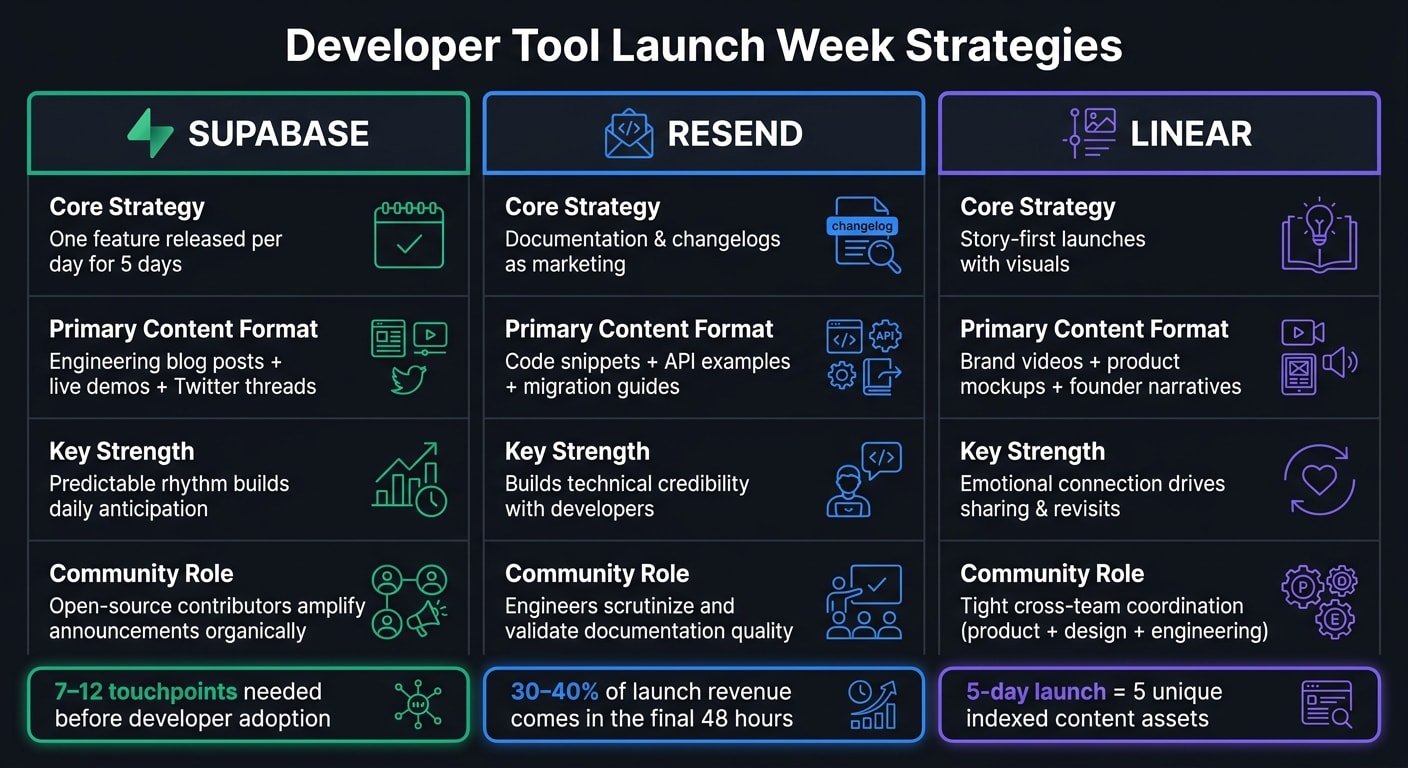
Three companies - Supabase, Resend, and Linear - showcase different ways to master launch week strategies for developer tools. Their approaches highlight how consistent, meaningful engagement can create lasting momentum. Here’s how each company crafted their success, offering ideas you can apply to your own launch.
Supabase: One Feature Per Day for Five Days
Supabase has turned launch weeks into a signature event with a simple yet effective formula: release one feature each day for five days. Each launch is supported by detailed blog posts, technical Twitter threads, and live demos. The blog posts feel like engineering deep dives, breaking down what was built, why it was created, and how developers can use it. This tone strikes a chord with technical audiences.
What makes this strategy work is its predictability. Developers know to expect something new every morning, creating a rhythm that keeps them engaged throughout the week. Supabase’s open-source community plays a big role here too. Contributors and users amplify announcements by sharing their experiments and feedback, creating a feedback loop of excitement. This organic engagement didn’t happen overnight - it’s the result of years of community-building that now pays off during these launch weeks .
Resend: API Examples and Changelogs as Marketing
Resend takes a different approach, focusing heavily on documentation. Instead of flashy feature announcements, they use changelogs packed with code snippets, migration guides, and API examples to showcase new features. This method speaks directly to developers by addressing the question, “Can I actually use this?”
By treating documentation as a marketing tool, Resend positions itself as technically credible and developer-focused. The takeaway? If you’re launching a developer tool, write your changelogs as if they’re being scrutinized by a seasoned engineer. This level of detail not only builds trust but also encourages adoption .
Linear: Story-First Launches with Impactful Visuals
Linear takes a narrative-driven approach to its launches. Each one is built around a story that explains the problem being solved, why it matters, and how it improves team workflows. This storytelling adds depth to their launches, encouraging developers to share and revisit the content.
To pull this off, Linear ensures tight coordination between product, design, and engineering teams well before launch day. They prepare key assets - brand videos, product mockups, and feature walkthroughs - weeks in advance . A central part of their messaging is the “why we built this” angle, which ties the product to a specific frustration experienced by the founders . This narrative focus helps Linear go beyond a simple feature list, creating a stronger connection with its audience.
These three strategies - predictable releases, documentation-driven marketing, and story-first launches - offer practical frameworks for crafting your own impactful launch week. Each approach shows the value of understanding your audience and delivering what resonates most with them.
How to Plan and Run a Launch Week
Drawing inspiration from the strategies of companies like Supabase, Resend, and Linear, this guide breaks down the process into three key phases: preparation, execution, and follow-through. Let’s dive into how you can successfully plan and manage a launch week.
Pre-Launch Checklist: What to Do 4 to 6 Weeks Out
The groundwork for a successful launch starts weeks in advance. Here’s how to organize your timeline:
Six weeks before launch: Finalize the features you’ll showcase during launch week. Keep the scope manageable - last-minute additions can lead to avoidable issues like broken demos or server overload (as Supabase experienced). Also, prepare content briefs for blog posts and changelog entries to give writers and engineers enough time to deliver quality work.
Five weeks before launch: Focus on creating assets. This includes building demo environments, recording feature walkthroughs, and completing your brand video. Update your website to align with the launch narrative, and reach out to integration partners and press contacts to ensure they’re informed before launch week begins .
Four weeks before launch: Shift your attention to distribution. Draft email sequences, write social media threads, and set up your waitlist or early-access flow. The goal is to have everything finalized two weeks before launch so the final days are dedicated to polishing, not scrambling.
Once your assets and distribution channels are ready, establish a daily schedule to keep the momentum going throughout launch week.
How to Structure Each Day of Launch Week
Consistency is key during launch week. Each day should follow a predictable pattern that keeps your audience engaged. Here’s a suggested structure:
- Day 1: Start early by emailing your waitlist at 6:00 AM to give them exclusive early access. This builds initial excitement and social proof. By 8:00 AM, post your social announcements. At 10:00 AM, lift any press embargoes and send announcements to your full email list .
To maintain interest and avoid overwhelming your audience, spread your content across the week. Here’s a breakdown of what to focus on each day:
| Day | Content Focus | Primary Goal |
|---|---|---|
| Day 1 | Feature announcement + demo | Maximize reach and drive signups |
| Day 2 | Founder story + "why we built this" | Build emotional connection and encourage shares |
| Day 3 | Beta tester case studies | Establish trust through social proof |
| Days 4–5 | Objection handling + deep-dive docs | Drive conversions and encourage adoption |
On Day 1, it’s crucial for the founder to personally respond to comments and messages. This small gesture can spark genuine word-of-mouth buzz that no ad campaign could replicate .
After a week of consistent engagement, you’ll need a plan to transition into post-launch activities and capitalize on the momentum.
What to Do After Launch Week Ends
When the structured daily schedule wraps up, it’s time to focus on follow-through strategies that sustain growth. Here’s what to prioritize:
At the 7-day mark, reach out to early customers and ask for short testimonials while their experience is still fresh . These testimonials can fuel case studies, sales decks, and future launch campaigns.
Share insights with your sales and customer success teams. Highlight which features gained the most traction, address objections raised in community discussions, and identify opportunities for upselling. Use in-product signals - like a team reaching a free-tier limit or completing an integration - as cues to pass high-intent users to your sales team for enterprise discussions .
For visitors who didn’t convert, set up an automated nurture sequence. This should guide them through product education, showcase real-world use cases, and highlight social proof over the following weeks .
Using Paid Ads to Amplify Your Launch Week
Relying solely on organic reach - like blog posts, X threads, or Hacker News submissions - can only get you so far. To ensure your tool gets consistent visibility during launch week, paid advertising is a must. Platforms like daily.dev for Business are especially effective because they put your product directly in front of developers within their daily feed. This is critical when you're working with the limited timeframe of a launch week and need to reach developers who may not have encountered your tool before.
How to Use daily.dev for Business During Launch Week
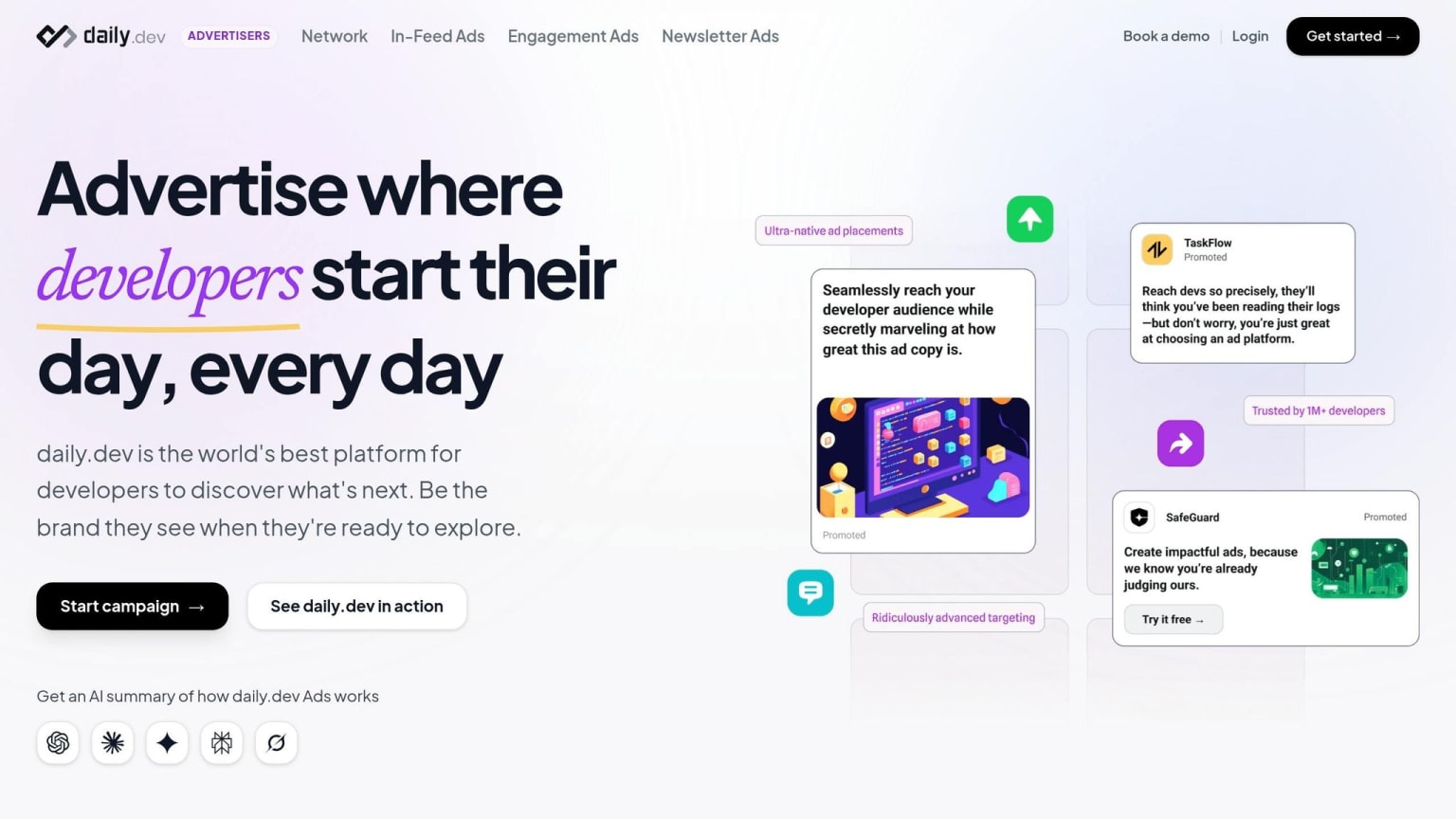
With daily.dev for Business, you can place native ads directly into a feed that over 1 million developers check daily. These ads are highly targeted, allowing you to reach developers based on their role, preferred programming languages, and tool usage. Unlike traditional banner ads, these in-feed placements avoid triggering ad blockers - a significant advantage since more than 60% of developers use ad-blocking tools . This means your ads remain visible to your audience, cutting through the noise.
To make the most of this platform, align your ad targeting with your daily launch announcements. For instance, if your Day 2 focus is a "why we built this" founder story, your ad creative should reflect that same narrative instead of repeating Day 1's messaging. This consistency between your organic and paid content strengthens your overall campaign and keeps your message cohesive.
When and How to Run Ads Across the Week
Break down your ad strategy into three distinct phases during launch week:
| Launch Phase | daily.dev Ad Focus | Primary Goal |
|---|---|---|
| Pre-Launch | Technical guides | Build awareness & retargeting lists |
| Launch Days 1–3 | Feature announcements & live demos | Drive sign-ups and activations |
| Final 48 Hours | Retargeting & urgency-driven creative | Convert developers who haven't acted yet |
Start running awareness ads about two weeks before your launch. These ads don’t need to directly mention your product. Instead, focus on content like technical guides or posts highlighting "what's broken about X." This approach helps you build a retargeting pool of developers who are likely to engage when your launch begins.
During launch week, the majority of conversions often happen in the final 48 hours . This is when urgency peaks, so increase your ad spend and shift to more direct, action-focused messaging. Phrases like "Launch offer expires tonight" or "Only 48 hours left to sign up" tend to perform well during this period . By planning your spending around this crucial window, you can capture those last-minute sign-ups.
Ad Creative and Day-to-Day Campaign Management
When it comes to developers, honesty and specificity are key. Avoid generic buzzwords like "seamless" or "enterprise-grade" . Instead, focus on clear, tangible outcomes. Show how your tool improves workflows with real examples: code snippets, measurable benchmarks, or short demo videos. These resonate far more than polished but vague brand visuals.
Before launch week kicks off, prepare 3 to 5 ad variations . This gives you flexibility to test different messages and quickly identify what resonates with your audience. Use clear UTM parameters (e.g., utm_campaign=launch_week_v2, utm_term=senior_backend_dev) to track performance effectively. By monitoring results in real time, you can double down on successful ads by Day 3, rather than waiting until the week ends to analyze performance. This approach ensures your paid ad efforts stay aligned with your organic campaign throughout the week.
Key Takeaways for Running a Developer Tool Launch Week
Relying on a single launch announcement is risky - it’s easy for it to get lost in the noise. Developers typically need 7–12 touchpoints to engage effectively . That’s why a 5–7 day launch week works so well. It spreads your message across multiple days and channels, giving you more chances to connect with your audience.
Each launch model tackles a different challenge. Supabase shows how to keep the momentum going with a daily feature reveal. Resend highlights the power of API examples and developer-friendly changelogs as marketing tools. Linear demonstrates how strong visuals and community-driven storytelling can elevate a launch beyond just announcing features. These approaches are like plays in a playbook - choose the one that best suits your product and audience.
The planning phase is where many launches stumble. Start preparing 4–6 weeks ahead to finalize key elements like features, content briefs, demo videos, and outreach to partners. By the time Day 1 arrives, everything should be ready to go so you can focus entirely on execution. Proper preparation is what allows you to amplify your efforts during the critical final days.
"A product launch is a marketing campaign with a deadline. That deadline... is what separates a launch from a regular product listing." - Deepanshu Udhwani, itsdeep.io
The last 48 hours can make or break your launch. Around 30%–40% of total launch revenue typically comes in during this window . Use this time to roll out your best content, send your most urgent emails, and ramp up ad spending. Platforms like daily.dev for Business can boost visibility during this crucial period. Combining organic credibility with targeted paid efforts at the right moment can turn a solid launch into an outstanding one.
FAQs
How do I choose what to ship each day?
When it comes to shipping features, the goal should be clear: deliver updates that provide real, incremental value while encouraging developers to engage with your tool. To achieve this, focus on a few key principles:
- Make it easy to try: Provide runnable examples, short and clear documentation, and live demos. These elements reduce friction and let developers quickly see how your tool works.
- Solve specific problems: Features like simple code snippets or 'Hello World' examples are perfect. They’re quick to test and immediately show how your tool addresses a need.
- Stick to a schedule: Consider a structured release cadence, such as launching one feature per day. This keeps momentum and gives developers something new to explore regularly.
Finally, don’t forget to meet developers where they already are. Platforms like X (formerly Twitter), Hacker News, and Reddit are excellent spaces to share updates and gather feedback.
What channels should I use during launch week?
If you're aiming to connect with developers during your launch week, it's all about meeting them where they already are. Start by focusing on developer-centric platforms that naturally attract your target audience. Here are some effective strategies:
- Tap into platforms like Hacker News (Show HN) and Product Hunt. These are hotspots for developers looking to discover and discuss new tools.
- Engage on relevant subreddits such as r/devops or r/webdev. These communities thrive on organic, value-driven interactions.
- Use daily.dev Ads to get your content in front of developers through their feeds and newsletters. This ensures your message is seen in a context that resonates.
To amplify your efforts, consider sponsorships in developer-focused publications and connect with key influencers who can help spread the word. However, steer clear of generic PPC networks - they tend to underperform with engineering audiences, making them a less effective use of your resources.
Which launch week metrics matter most?
The key metrics to track during launch week are signups, qualified trials, GitHub stars, social mentions, and pipeline impact. These indicators provide insights into developer engagement, product adoption, and the broader impact on business performance both during and after the launch.