Customer story daily.dev delivers 12.8× more signups than Reddit. Read now →
daily.dev creative specs

Creative specs for every daily.dev placement.

Image sizes, headline lengths, safe zones and real examples for In-Feed, the Email Newsletter, Squad covers, Homepage Sponsorship and Engagement Ads. Everything your team needs to send, on one page and in one PDF.
PDF

Looking for ideas first? Browse the creative gallery →

Creative is included in every daily.dev Ads plan.
Our team makes it with you. Use these specs to bring your own files, or to brief us.

By placement

Everything your team needs, by placement.

In-Feed ads need a 1024 × 512 px image (JPG or PNG), a headline up to 80 characters, a square logo and a destination URL. Newsletter ads need a 680 × 512 px image, a headline, button text, a logo and a URL. A Squad cover is 1584 × 396 px, with the logo and text inside the centred 1260 × 220 px safe zone.

  • In-Feed

    Image
    1024 × 512 px, JPG or PNG
    Copy
    Headline up to 80 characters
    Also send
    Logo or favicon, destination URL
  • Email Newsletter

    Image
    680 × 512 px, JPG or PNG
    Copy
    Headline up to 80 characters, CTA text
    Also send
    Round or square logo, destination URL
  • Squad cover image

    Image
    1584 × 396 px, PNG or JPG, up to 2 MB
    Copy
    Text 48 px tall or larger, inside the safe zone
    Also send
    Nothing else: your name and avatar sit below it
  • Homepage Sponsorship

    Image
    Square logo, SVG or PNG, transparent. Full colour for Headline, monochrome for Featured and Community
    Copy
    One line for the Email Newsletter co-brand, Headline sponsors only
    Also send
    Destination URL
  • Engagement Ads

    Image
    Logo and small brand mark, square SVG or PNG, transparent
    Copy
    Card headline plus one supporting line, CTA text
    Also send
    Brand colour for the upvote burst, destination URL

Sponsored Content is a full post, not an ad unit: bring a draft or a brief and our editors handle the rest. How Sponsored Content works →

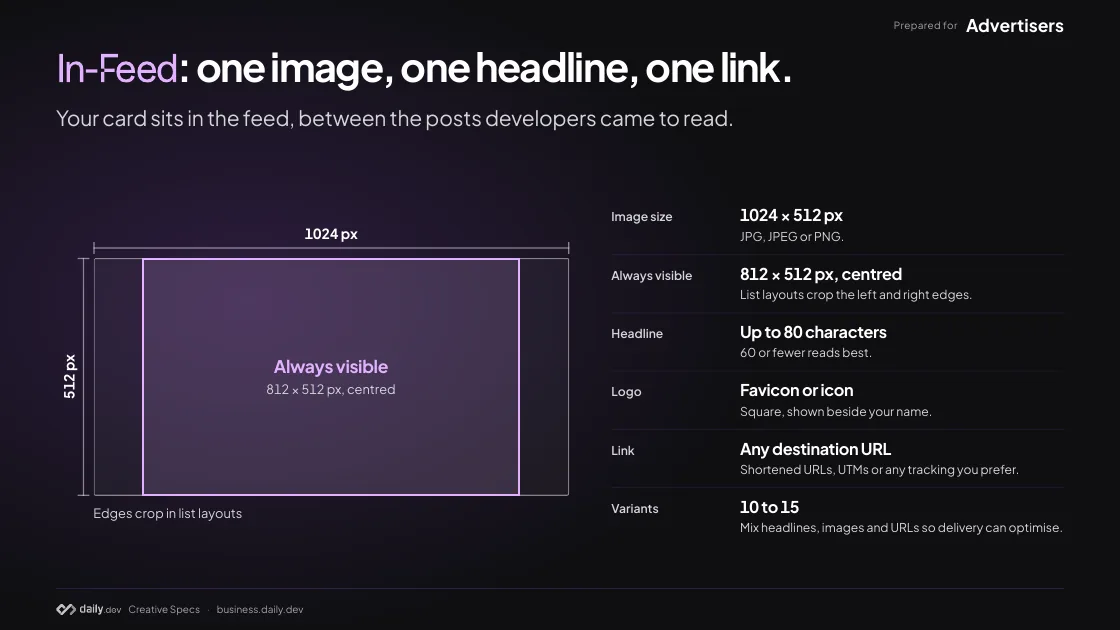
In-Feed: one image, one headline, one link.

Your card sits in the feed, between the posts developers came to read.

Image size
1024 × 512 px JPG, JPEG or PNG.
Always visible
812 × 512 px, centred List layouts crop the left and right edges.
Headline
Up to 80 characters 60 or fewer reads best.
Logo
Favicon or icon Square, shown beside your name.
Link
Any destination URL Shortened URLs, UTMs or any tracking you prefer.
Variants
10 to 15 Mix headlines, images and URLs so delivery can optimise.

How In-Feed ads work →

In-Feed, in practice: what JetBrains sent.

Three pieces in, one card out. Each number marks where a piece landed.

What JetBrains sent

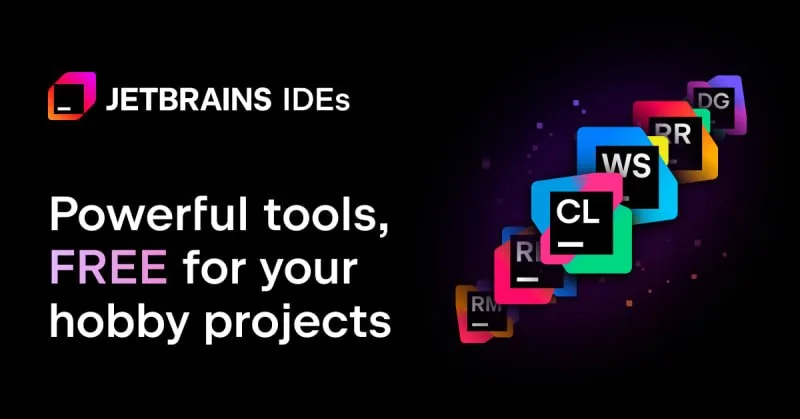
  1. 1. Image 1024 × 512 px

    The image JetBrains sent
  2. 2. Headline Up to 80 characters

    “Free Pro IDEs for Hobby Projects”

  3. 3. Logo Favicon or icon

    JetBrains logo

What developers saw

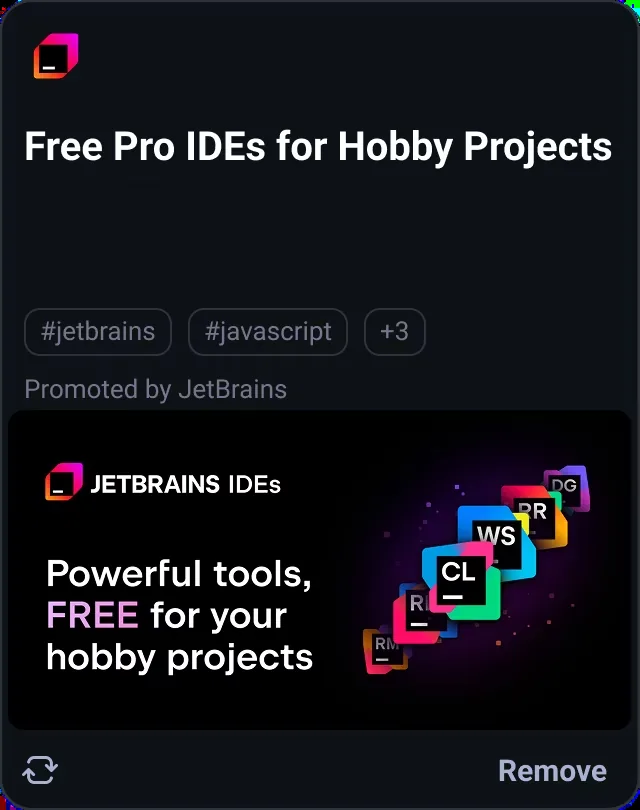
The JetBrains In-Feed card on daily.dev: logo, the headline "Free Pro IDEs for Hobby Projects", tags, "Promoted by JetBrains" and the 1024 × 512 image
The card in the feed

A JetBrains In-Feed ad that ran on daily.dev, shown as an example of the spec.

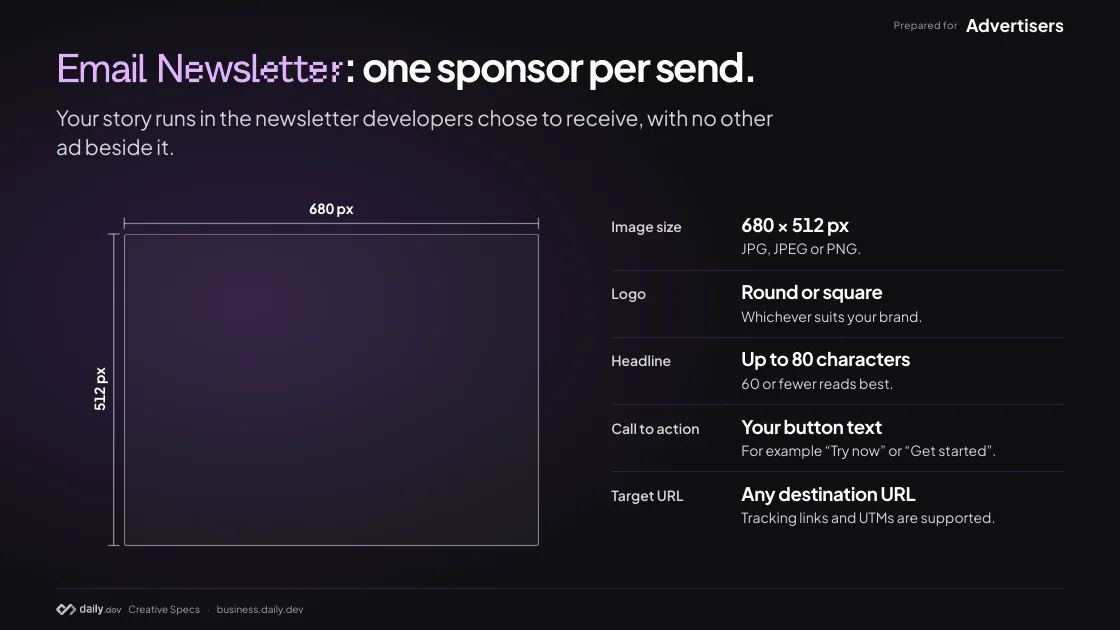
Email Newsletter: one sponsor per send.

Your story runs in the newsletter developers chose to receive, with no other ad beside it.

Image size
680 × 512 px JPG, JPEG or PNG.
Logo
Round or square Whichever suits your brand.
Headline
Up to 80 characters 60 or fewer reads best.
Call to action
Your button text For example “Try now” or “Get started”.
Target URL
Any destination URL Tracking links and UTMs are supported.

How newsletter ads work →

Email Newsletter, in practice: what CodeRabbit sent.

Four pieces in, one story-sized slot in the send.

What CodeRabbit sent

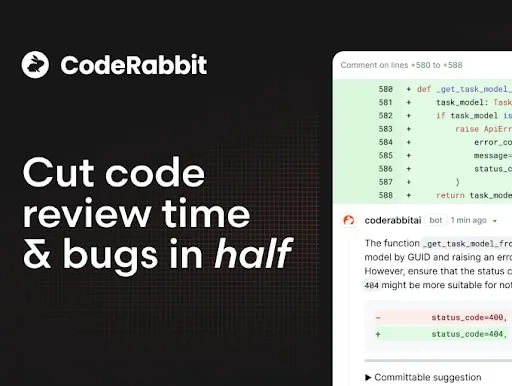
  1. 1. Image 680 × 512 px

    The image CodeRabbit sent
  2. 2. Logo Round or square

    CodeRabbit logo
  3. 3. Headline Up to 80 characters

    “Cut Code Review Time & Bugs in Half. Supports TypeScript, Python, Java and more.”

  4. 4. Call to action Your button text

    “Get started”

What developers saw
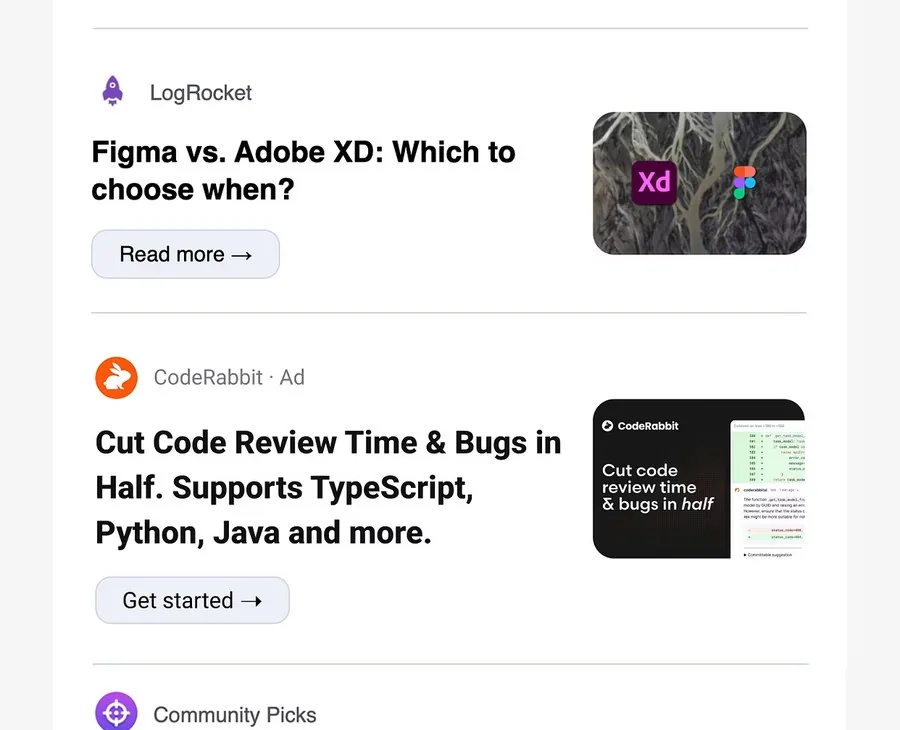
The CodeRabbit sponsorship inside the daily.dev newsletter: logo with an Ad label, the headline, a "Get started" button and the 680 × 512 image, between two community stories
The story in the send

A CodeRabbit sponsorship that ran in the daily.dev newsletter, shown as an example of the spec.

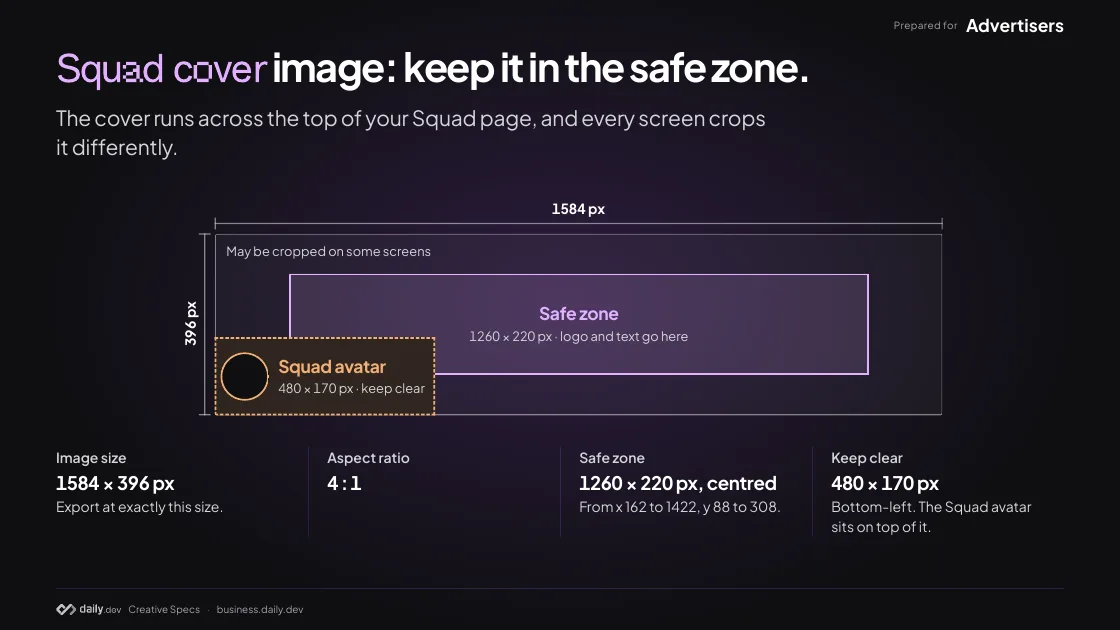
Squad cover: keep it in the safe zone.

Every daily.dev Ads plan includes a Verified Company Squad. The cover runs across the top of its page, and every screen crops it differently.

Image size
1584 × 396 px Export at exactly this size.
Aspect ratio
4 : 1
Safe zone
1260 × 220 px, centred From x 162 to 1422, y 88 to 308.
Keep clear
480 × 170 px Bottom-left. The Squad avatar sits on top of it.

Squad cover, in practice: Infisical’s verified Squad.

The cover across the top, the avatar over its corner, the name and badge below it.

What Infisical set up

  1. 1. Cover image 1584 × 396 px

    The cover image Infisical sent
  2. 2. Squad avatar Covers the bottom-left corner

  3. 3. Name and badge Set below the cover

What developers see
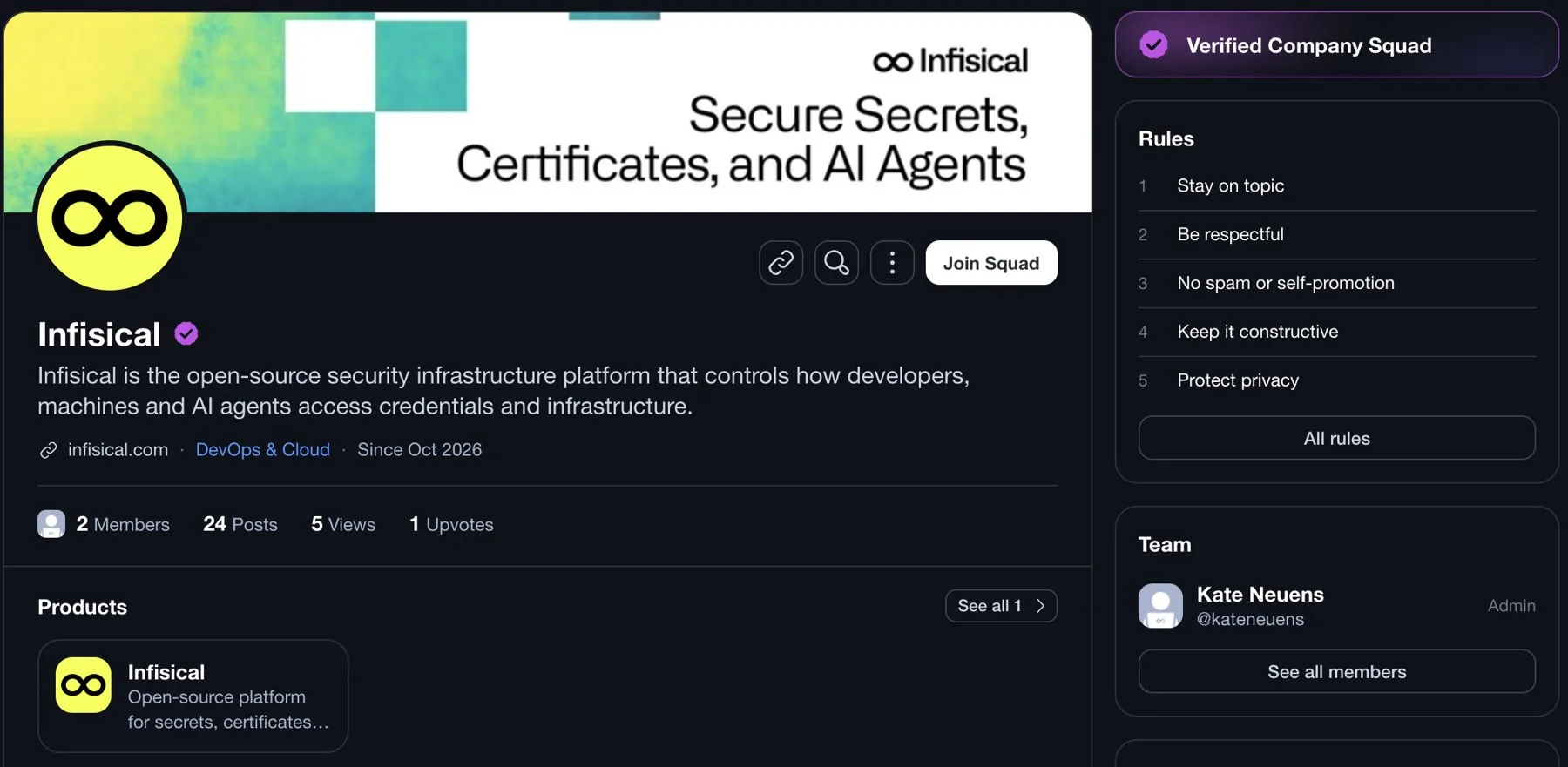
Infisical’s Verified Company Squad on daily.dev on desktop: the cover image across the top, the round avatar over its bottom-left corner, and the name with the verified badge below
Desktop
The same Squad page on a phone, where the cover is cropped to its centre
Phone

Infisical’s Verified Company Squad on daily.dev, captured October 2026 and shown as an example.

Squad cover image: the file, and what to avoid.

File format
PNG or JPG WebP and AVIF are also accepted.
Max file size
2 MB
Background
Solid, no transparency Transparent areas change colour in light and dark mode.
Text size
48 px tall or larger On phones the cover is only 112 px tall.

Do

  • Keep your logo and all text inside the safe zone.

  • Leave the bottom-left corner clear.

    The Squad avatar covers it.

  • Export at exactly 1584 × 396 px

    so the cover stays sharp on high-resolution screens.

  • Use a solid background

    with no transparent areas.

Avoid

  • Text smaller than 48 px tall.

    It becomes hard to read on phones.

  • Borders or frames around the edges.

    Each screen crops a different side.

  • Your Squad name or logo in the cover.

    Both already appear right below it.

  • Important details near the edges.

    Only the safe zone shows on every screen.

Logo placements: send your mark, we place it.

Homepage Sponsorship and Engagement Ads are built around your brand mark, so there is no image to design. Send these.

Homepage Sponsorship

Image
Square logo, SVG or PNG, transparent. Full colour for Headline, monochrome for Featured and Community
Copy
One line for the Email Newsletter co-brand, Headline sponsors only
Also send
Destination URL
More on Homepage Sponsorship →

Engagement Ads

Image
Logo and small brand mark, square SVG or PNG, transparent
Copy
Card headline plus one supporting line, CTA text
Also send
Brand colour for the upvote burst, destination URL
More on Engagement Ads →

Frequently asked questions

1024 × 512 pixels, as a JPG, JPEG or PNG. List layouts crop the left and right edges, so keep anything important inside the centred 812 × 512 px area that is always visible.

Up to 80 characters for both In-Feed and newsletter ads. Headlines of 60 characters or fewer read best.

A 680 × 512 px image (JPG, JPEG or PNG), a round or square logo, a headline up to 80 characters, your button text (for example “Try now” or “Get started”) and a destination URL. Each send carries one sponsor, with no other ad beside it.

10 to 15. Mix headlines, images and URLs so delivery can optimise, and vary the hook, visual or offer rather than only a colour. Live performance then picks the winner.

1584 × 396 px (4 : 1), as a PNG or JPG up to 2 MB; WebP and AVIF are also accepted. Keep the logo and all text inside the centred 1260 × 220 px safe zone (x 162 to 1422, y 88 to 308), leave the bottom-left 480 × 170 px clear for the Squad avatar, set text at least 48 px tall and use a solid background.

Yes. Any destination URL works, including shortened URLs, UTM parameters or whatever tracking you prefer.

A square logo as a transparent SVG or PNG and a destination URL. Headline sponsors send it in full colour, plus one line for the Email Newsletter co-brand; Featured and Community sponsors send it in monochrome.

No. Creative is included in every daily.dev Ads plan (Starter, Growth and Scale): our team makes it with you. Use these specs to bring your own files or to brief us.

Yes. The same specs, with the three worked examples, are a 10-page PDF you can download from the creative specs page and pass to your designer or agency.
Launch with confidence

Reach developers where they
pay attention.

Run native ads on daily.dev to build trust and drive qualified demand.