
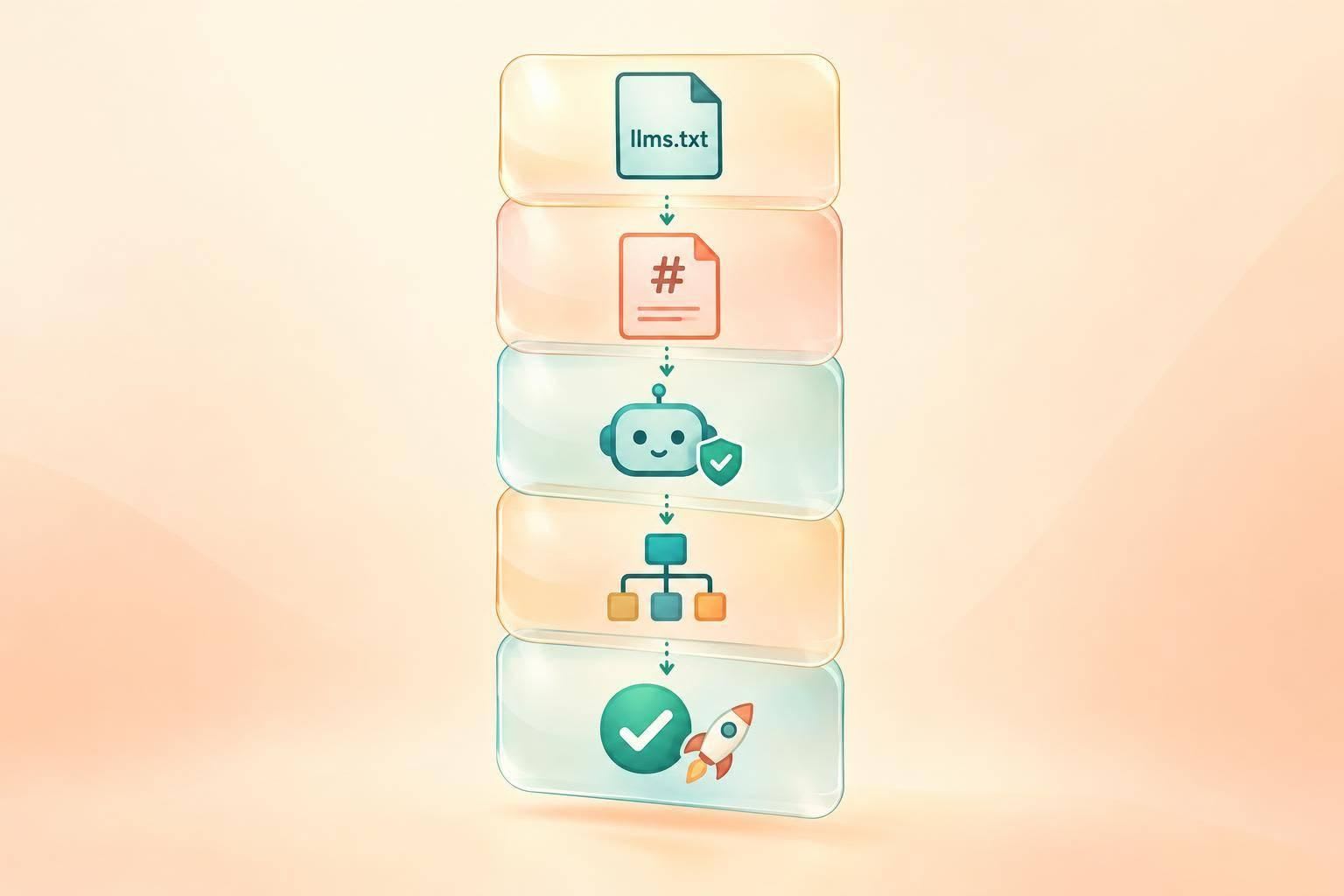
I treat agent-readable docs as a publishing checklist - not a promise of AI visibility. Start with public docs, assign owners, and check that Markdown matches HTML and crawler rules match your approved policy.
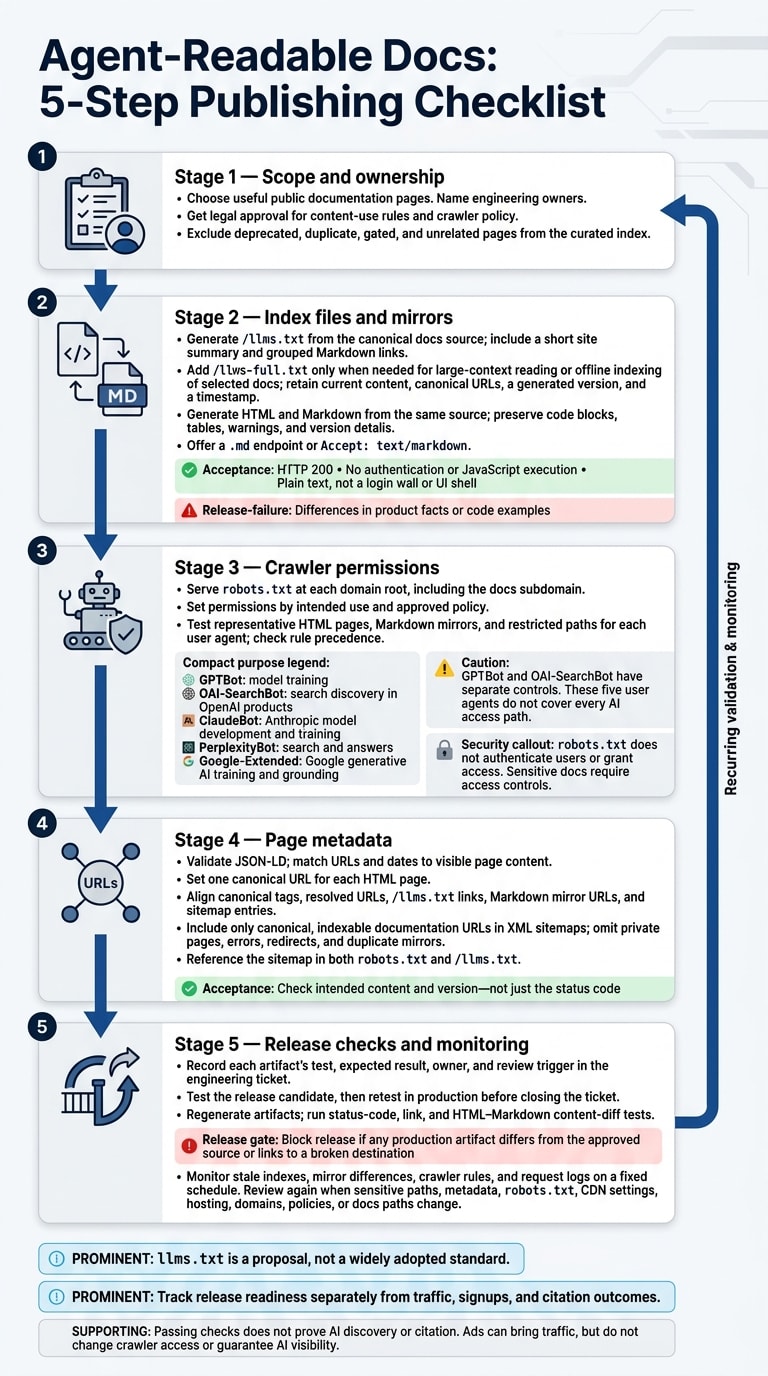
My checklist covers 5 areas:
- Scope and ownership: Choose useful pages, name engineering owners, and get legal approval for content-use rules.
- Index files and mirrors: Publish
/llms.txt, add/llms-full.txtwhen needed, and test Markdown responses for HTTP200and correct content. - Crawler permissions: Set and test
robots.txtfor each crawler’s purpose. Use access controls for sensitive docs. - Page metadata: Keep structured data, canonical URLs, and XML sitemaps aligned.
- Release checks: Test before release and in production, then monitor stale files and configuration changes.
llms.txt is a proposal, not a widely adopted standard. I keep it alongside existing web controls and track release readiness separately from traffic and citations. Once the checks pass, your docs can serve as campaign destinations - but neither publishing files nor buying ads guarantees AI visibility.
2. Publish llms.txt, llms-full.txt, and Markdown mirrors
Create and test /llms.txt
Generate /llms.txt from the canonical docs source. Open with a short site summary, then group links under clear Markdown headings. Keep link text and notes brief and descriptive. Prefer public Markdown URLs or endpoints that return text/markdown.
Leave out deprecated, duplicate, gated, and unrelated pages. Add a “Related indexes” section for relevant subdomains and an “Optional” section for sitemaps, RSS, and status pages.
Acceptance test: the production file must return HTTP 200 without authentication or JavaScript execution. Check that it serves plain text - not a login wall or UI shell.
Use /llms-full.txt only when the curated index is too small for the content set.
Add /llms-full.txt when needed
Publish /llms-full.txt to support large-context reading or offline indexing of selected docs. Include only current, non-deprecated content.
Keep the text, headings, examples, warnings, and canonical URLs. Remove navigation boilerplate, and link to large archives rather than including them to keep the file small. Link to /llms-full.txt from /llms.txt, and record the generated version and timestamp inside the file.
Keep Markdown mirrors aligned with HTML
After publishing the index files, mirror the pages agents are most likely to read. Crawlers need to find the docs, but the page content must also match exactly.
Generate Markdown mirrors from the same source as the HTML pages. Keep code blocks, tables, warnings, and version details identical across both formats. Offer a .md endpoint or support Accept: text/markdown on the existing URL.
Before publishing, strip navigation and diff the HTML against the Markdown. Test that the Markdown version returns HTTP 200 without authentication or JavaScript execution. Confirm that it serves plain text - not a login wall or UI shell. Treat any differences in product facts or code examples as release failures.
3. Choose and test AI crawler permissions
Once the mirrors are live, set rules for how crawlers reach them.
Serve robots.txt at each domain root, including the docs subdomain. It tells compliant crawlers what they may crawl - it does not authenticate users or grant access. Sensitive docs need access controls, not just Disallow.
Identify each crawler's purpose
- GPTBot: Supports model training.
- OAI-SearchBot: Supports search discovery in OpenAI products.
- ClaudeBot: Supports Anthropic model development and training.
- PerplexityBot: Supports search and answers.
- Google-Extended: Controls Google generative AI training and grounding.
GPTBot and OAI-SearchBot have separate controls: blocking one does not block the other. These five user agents don't cover every AI access path. Check the exact tokens and rules in the linked provider docs.
Choose a crawler policy
Get legal approval and a named engineering owner before publishing. Base permissions on intended use, not crawler names.
| Policy choice | Implementation direction | Limitation to verify |
|---|---|---|
| Permission for listed uses | Allow all listed crawlers. | Permission does not guarantee retrieval or citation. |
| Search permission with training restrictions | Allow OAI-SearchBot and PerplexityBot; disallow GPTBot, ClaudeBot, and Google-Extended. | Google-Extended combines specified training and grounding uses, so this also restricts those grounding uses. |
| Restrictions on listed uses | Disallow all listed crawlers. | Unlisted or noncompliant access mechanisms may differ. |
| Path-specific rules | Apply Allow and Disallow to selected documentation directories. |
Test rule precedence; sensitive paths still require authentication. |
Test robots.txt in production
Fetch the live root robots.txt without authentication. Then test representative HTML pages, Markdown mirrors, and restricted paths for each user agent. Check rule precedence, not just whether the tokens appear.
Inspect server or CDN logs for requested paths and response codes. Where available, use provider-specific IP ranges or DNS lookups to verify crawler identity - a user-agent string alone isn't proof. Retest after any change to hosting, domains, policies, or docs paths.
4. Check structured data, canonical URLs, and sitemaps
After checking crawler permissions, review the metadata that helps agents choose the right page and version.
Match structured data to page content
Validate JSON-LD with the Schema Markup Validator. Then check that its URLs and dates match the visible page content.
Check canonical URLs across formats
Set one canonical URL for each HTML page. Use consistent HTTPS, hostname, capitalization, and trailing-slash conventions. Compare canonical tags against resolved URLs, llms.txt links, Markdown mirror URLs, and sitemap entries. Look for redirects, errors, or versions and languages that have been merged.
For Markdown mirrors served through content negotiation, request the URL with Accept: text/markdown. Confirm that it returns the intended Markdown version without a redirect. Check the content, not just the status code: the response should match the intended page version.
Update and test XML sitemaps
Once canonical URLs are set, use those same URLs in your sitemap.
Include only canonical, indexable documentation URLs. Leave out private pages, errors, redirects, and duplicate mirrors. Reference the sitemap in both robots.txt and llms.txt, and use a sitemap index to separate current docs from archives.
Check the XML syntax and HTTP responses, and verify that sitemap URLs match the HTML canonicals.
5. Add documentation checks to each release
Run release checks before each release
Put documentation acceptance criteria in the engineering ticket. For each artifact, record the test, expected result, owner, and review trigger. Test the release candidate, then run the checks again in production before closing the ticket.
- [ ] Regenerate published docs artifacts from the current source. Then verify production
llms.txt, mirrors, robots rules, structured data, and sitemap entries. - [ ] Run status-code, link, and content-diff tests on production HTML and Markdown.
- [ ] Block the release if any production artifact differs from the approved source or links to a broken destination.
Monitor outdated content and configuration changes
After each release, run the same checks on a fixed schedule. Assign one owner to review crawler rules, request logs, stale indexes, and mirror diffs. Run another review whenever sensitive paths, metadata, robots.txt, or CDN settings change.
Track release readiness separately from traffic, signups, and citation outcomes. Passing these checks does not prove AI discovery or citation. Don’t credit crawler access alone for changes in those outcomes.
Once the docs pass release checks, they’re ready to support campaign landing pages.
Use production-ready documentation in developer campaigns
Production-ready documentation gives campaigns a reliable destination. Before sending daily.dev Ads traffic to a docs page, check that the page delivers on the ad’s promise and offers a clear next step. Ads can bring traffic to docs, but they don’t change crawler access or guarantee AI visibility. To put the docs to work, discuss a developer campaign.
FAQs
Which docs should we prioritize for Markdown mirrors?
Start with core reference docs, integration guides, and pages that address frequent errors or common technical challenges. Use clear definitions, tutorials, and working code examples to help AI systems recognize and cite your content.
Keep mirrors clean and machine-readable. Remove unnecessary JavaScript and design elements, then check that your documentation root includes llms.txt to guide discovery. Your sitemap should also list the accessible Markdown versions.
How can we automate agent-readable docs checks?
Add automated checks to your CI/CD process to verify that llms.txt is at your site’s root, your sitemap includes new documentation URLs that return HTTP 200, and every primary documentation page has an accessible .md version without HTML chrome or JavaScript.
Automate robots.txt audits, too, to confirm that your chosen AI crawlers are allowed. Include checks for structured data and attribution meta tags.
How can we measure AI discovery separately from crawler access?
Crawler visits and influence on AI responses are different things. Track crawler access in your server logs by looking for user agents such as GPTBot, ClaudeBot, or PerplexityBot.
To measure discovery and influence, test your target queries in ChatGPT, Gemini, and Claude over time. Record how each tool cites your brand or content, then compare those results with a baseline to assess visibility, favorability, and accuracy with statistical confidence.