



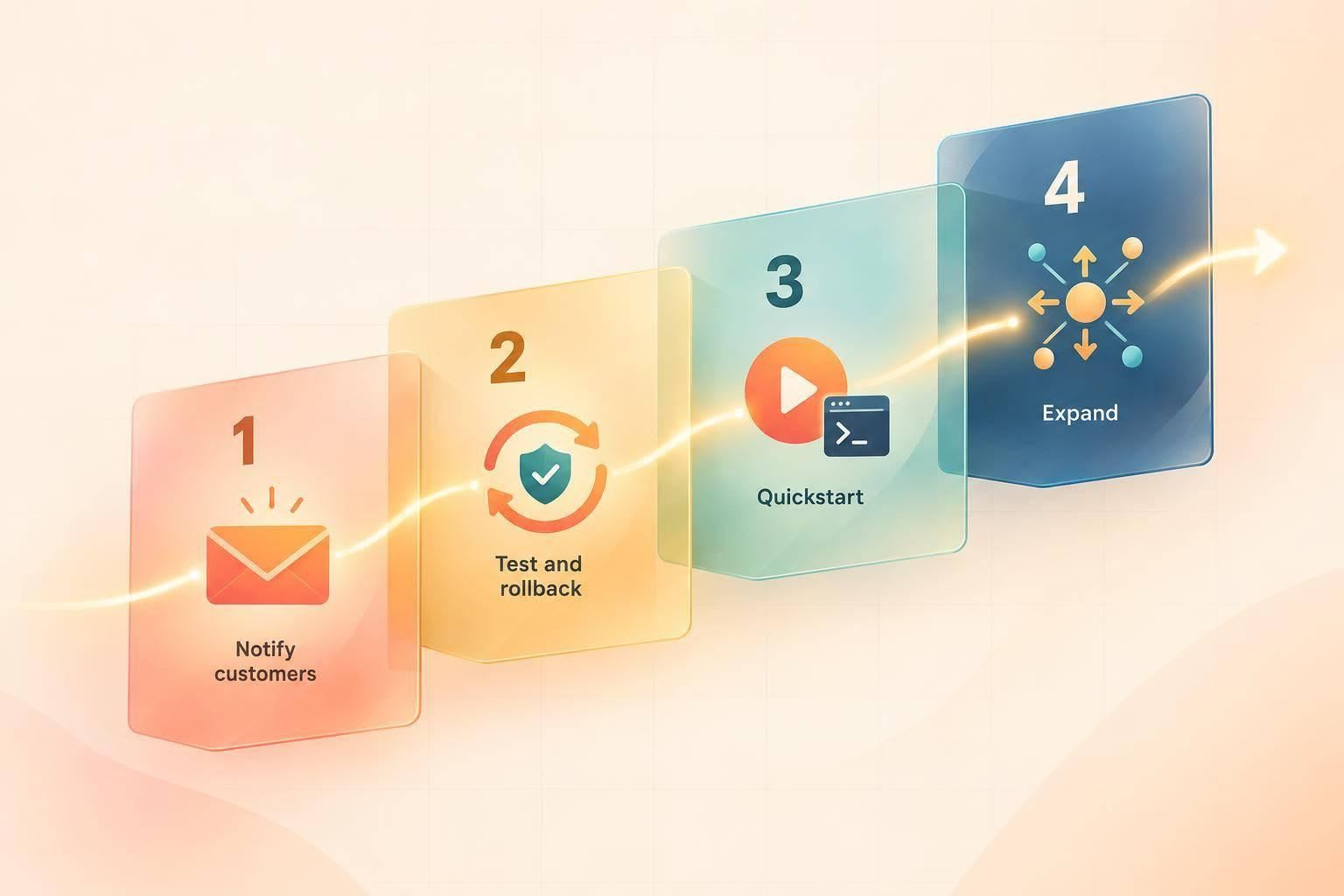
I’d relaunch a developer tool by making sure current users can move before bringing new users in. That means explaining what changed, notifying affected customers, and testing migration and rollback steps before the public announcement.
Whether you’re shipping v2, changing the name, or shifting direction, I’d follow this order:
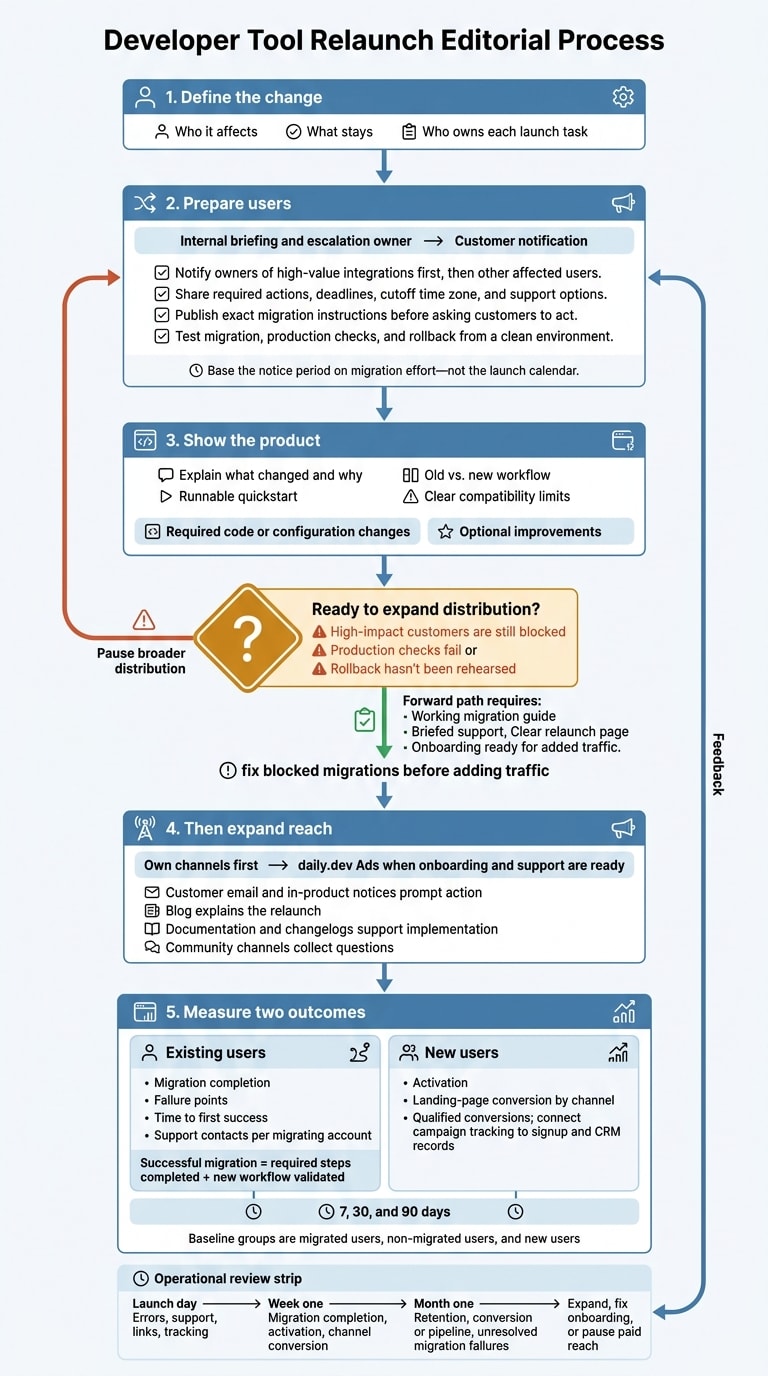
- Define the change: State who it affects, what stays, and who owns each launch task.
- Prepare users: Share deadlines, support options, and tested migration instructions.
- Show the product: Explain the new workflow with a runnable quickstart and clear limits.
- Then expand reach: Use your own channels first, followed by daily.dev Ads when onboarding and support are ready.
- Measure two outcomes: Track completed migrations separately from new-user activation, then check retention at 7, 30, and 90 days.
My rule: fix blocked migrations before adding traffic. A relaunch needs to work for people already using your tool - not just people seeing it for the first time.
2. Prepare existing users for the change
Give support, sales, marketing, and developer relations the same briefing doc, impact matrix, and approved response templates. Review our developer marketing resources for more on engaging technical audiences. Cover who’s affected, what they need to do, what happens if they do nothing, and how to report a failed migration. Assign one escalation owner for blocked customers. With the internal playbook in place, notify customers in priority order.
Notify customers before the public launch
Contact owners of high-value integrations first. Then reach other affected users through direct email, backed by documentation and in-product notices. Explain access, data portability, deprecated features, affected APIs or SDKs, permissions, and any pricing or contract changes. Clearly state the required action, deadline, cutoff time zone, and support path. Also confirm what stays unchanged.
For renames, show the old and new names together in documentation, dashboards, release notes, and support macros until a documented transition date. That way, customers can find help under either name. Keep redirects and search aliases where possible. Base the notice period on the effort customers need to migrate - not your launch calendar.
Publish and test migration instructions
After sending the notice, publish the exact migration steps before asking customers to act. Include supported versions, prerequisites, before-and-after request examples or configuration, changed responses, compatibility limits, and data-export instructions. Add production checks for auth, data integrity, key workflows, and webhooks or callbacks. Provide rollback steps customers can run to restore the previous package, endpoint, config, schema, or feature flag. Explain how to preserve data created after cutover.
Have someone outside the authoring team run every step from a clean environment. Test representative customer data, the oldest supported version, common integrations, failure recovery, and a separate new-user flow. Update customer-facing materials and check their links. Pause broader distribution if high-impact customers are still blocked, production checks fail, or rollback hasn’t been rehearsed.
3. Explain what changed and why
Once users know how to migrate, explain why the change is worth making. This is where a notice becomes a reason to act. Start with the customer’s problem - not the version label or product name. Describe the old workaround, the friction it caused, and the workflow users can follow now.
Back up the explanation with support themes, product research, usage patterns, or a public customer example. Be clear about what changed, what was only renamed, and what stayed the same.
Show the new workflow and its limits
Show the shortest path from setup to a verified result. Compare old and new behavior side by side, and mark the exact step where users need to act differently.
Place a runnable quickstart near the top. Include prerequisites, permissions, a minimal working example, and expected output. Give a completion time only if you’ve measured it.
Separate required code or configuration changes from optional improvements. Name unsupported integrations, manual steps, and removed capabilities. Include replacements where available, and describe only improvements you can show.
Link the announcement to next steps
After explaining the change, point each reader to the page that fits their situation.
| Reader situation | Primary next step | What that page must cover |
|---|---|---|
| Uses an affected version | Migration guide | Eligibility, required actions, validation, and deadline |
| Can remain on a supported version | Versioned documentation | What stays unchanged and when support ends |
| Evaluating for the first time | Current quickstart | Supported use cases, requirements, limitations, and a test path |
Use the changelog to explain what changed, the migration guide to explain what to do, and status and support links to address transition issues.
4. Plan second-wave distribution with daily.dev Ads
With the migration path in place, expand distribution only after existing users have received the announcement, the migration guide works, support is briefed, and the relaunch page is clear. Paid reach should amplify a working launch, not send people into unfinished onboarding.
Start with your own channels
Give each channel a clear job. Customer email and in-product notifications prompt action. The blog explains the relaunch. Documentation and changelogs help users implement changes, while community channels collect questions.
For every touchpoint, record the audience, owner, URL, CTA, date, and readiness check. Use Where to launch a developer tool and the launch-week post to plan the sequence.
Let recurring questions guide follow-up topics - but wait until onboarding and support can handle the added traffic. Keep one canonical relaunch page with clear paths for existing users and new evaluators. Add channel-specific tracking parameters to distinguish traffic sources.
Match each ad format to a launch goal
Once the channel plan is set, give each format one goal. Choose a daily.dev Ads format based on whether you need traffic, explanation, recognition, or follow-up.
| Objective | daily.dev Ads format | Destination | Primary metric |
|---|---|---|---|
| Generate qualified traffic | In-Feed Native Ads | Relaunch page or migration overview | Qualified sessions that reach activation |
| Explain a major workflow change or pivot | Sponsored Post, with guaranteed feed impressions, a read-floor commitment, and canonical republishing | Detailed technical launch story | Qualified reads, with read-floor delivery tracked |
| Build recognition for the new name | Engagement Ads: Branded Tags, Keyword Spotlights, Custom Upvotes, Tag Page Takeovers, or Stack Placements | Relevant documentation hub or launch collection | Branded engagement |
| Extend technical follow-up distribution | Digest newsletter sponsorships by topic track | Compatibility guide, migration checklist, or webinar | Track-specific conversions |
Use the table to choose one primary objective per campaign. Match targeting to the page, not just the product category. Target by tech stack for compatibility-specific messages, seniority for architectural decisions, geography for supported markets, and interests for topic-focused resources. Track audience and format separately so clicks don’t hide weak page performance.
5. Measure adoption and plan follow-up
Once the relaunch is live, check whether existing users are moving successfully and new users are converting for the right reasons.
Track migration and acquisition separately
Before launch, record activation, retention, support volume, and conversion baselines for three groups: migrated users, non-migrated users, and new users. Count a migration as successful only when the account completes the required steps and validates the new workflow. Compare activation and retention after 7, 30, and 90 days so signup numbers don’t hide churn or failed migrations.
Track migration completion, failure points, time to first success, and support contacts per migrating account. For acquisition, use consistent UTM parameters on every link. Give each major audience or campaign a dedicated landing page, and carry those parameters through signup and CRM records. This connects campaigns to activation and qualified conversions.
Review results and decide what to change
Review the launch at three points: day one, week one, and month one.
- Launch day: Check migration errors, workflow failures, support volume, broken links, landing-page behavior, and whether tracking events fire.
- Week one: Review migration completion, failure points, activation, time to first success, landing-page conversion by channel, and common support issues.
- Month one: Compare retention between migrated and newly acquired users, check conversion or pipeline signals, and identify migration failures that still need fixes.
Use these checks to decide whether to expand promotion, fix onboarding, or pause paid reach. If one integration causes most failures, focus on fixing it and updating the documentation rather than increasing launch promotion. If signups are strong but activation is weak, revisit onboarding or the landing-page message.
Expand distribution only when migration is stable, your team can handle support volume, and acquisition produces retention or pipeline. Give each change an owner and a deadline.
For help planning relaunch measurement and follow-up, discuss your campaign with daily.dev.
FAQs
How much migration notice should we give users?
Give existing users at least two weeks’ notice before a major migration or relaunch. Use that time to build anticipation with a waitlist. During a soft launch, gather feedback to improve your migration guides and documentation.
For help with your rollout, check out our launch resources. Ready to plan a campaign with daily.dev Ads? Review our product capabilities or contact our team.
How should we handle users who refuse to migrate?
Explain what changed in v2, why it changed, and how those changes help users get work done. Provide migration guides organized around specific tasks, and keep feedback channels open so users can report what’s blocking them.
If users still resist switching, focus on helping those who have migrated succeed. Continue supporting users who haven’t switched with documentation that walks them through getting their first working result. Use a phased transition rather than abrupt cutoffs that interrupt active workflows.
What signals show we’re ready for daily.dev Ads?
You’re ready for daily.dev Ads when you have a clear goal - like driving signups or sponsoring technical content - and a conversion pixel installed to track activations, such as API calls or deploys. Before you spend, make sure your documentation, landing page, and sandbox are ready for traffic.
Review our where-to-launch and launch-week resources before launch so your plan matches the platform’s current capabilities. When you’re ready, schedule a session with our team.