
No - you can’t buy terminal ad space. I’d explain it this way: the terminal is a work area, not a media channel, and developers react badly when promo messages show up there.
Here’s the short version:
- There is no terminal ad inventory
- A 2019 npm sponsor-message test triggered backlash
- npm later banned ads in terminal output
- The core issue is consent and interruption
- CLI users still discover tools elsewhere, like browser-based developer media, publisher sites, and opt-in AI surfaces
One case says a lot. In 2019, sponsor messages printed during npm install led to pushback from developers because the messages appeared inside a flow meant for work. That response helped make the rule plain: terminal output is for tasks, not promotion.
If you want to reach developers who spend hours in CLI tools, I’d avoid trying to force ads into command-line workflows. Instead, I’d reach them where they look for information on purpose by launching a successful advertisement campaign for developers - before or after the work, not during it.
What this means for you:
- Terminal ads are not a buyable channel
- Install-output promos are seen as interruptions
- Developer attention in the CLI does not equal ad opportunity
- Discovery happens on opted-in surfaces, not in the shell
This is the backstory and the plain answer many marketers, founders, and tech teams are looking for.
Why there is no terminal ad inventory to buy
Terminal output belongs to the user, not to advertisers. That’s the whole thing in one line.
npm bans sponsor messages in install output because they interrupt the developer workflow. And that distinction matters. Automated promo messages in the terminal aren’t ad inventory. They’re interruptions.
The clearest proof showed up in 2019, when npm packages started printing sponsor messages during install output. The line here is consent. A funding link shown only when a developer asks for it is opt-in. A sponsor message that appears on its own during npm install is advertising.
That’s the line the 2019 experiment crossed. And the backlash makes it pretty clear why terminal ads never took off.
The 2019 npm sponsor-message experiment and the backlash
Why the experiment was tried
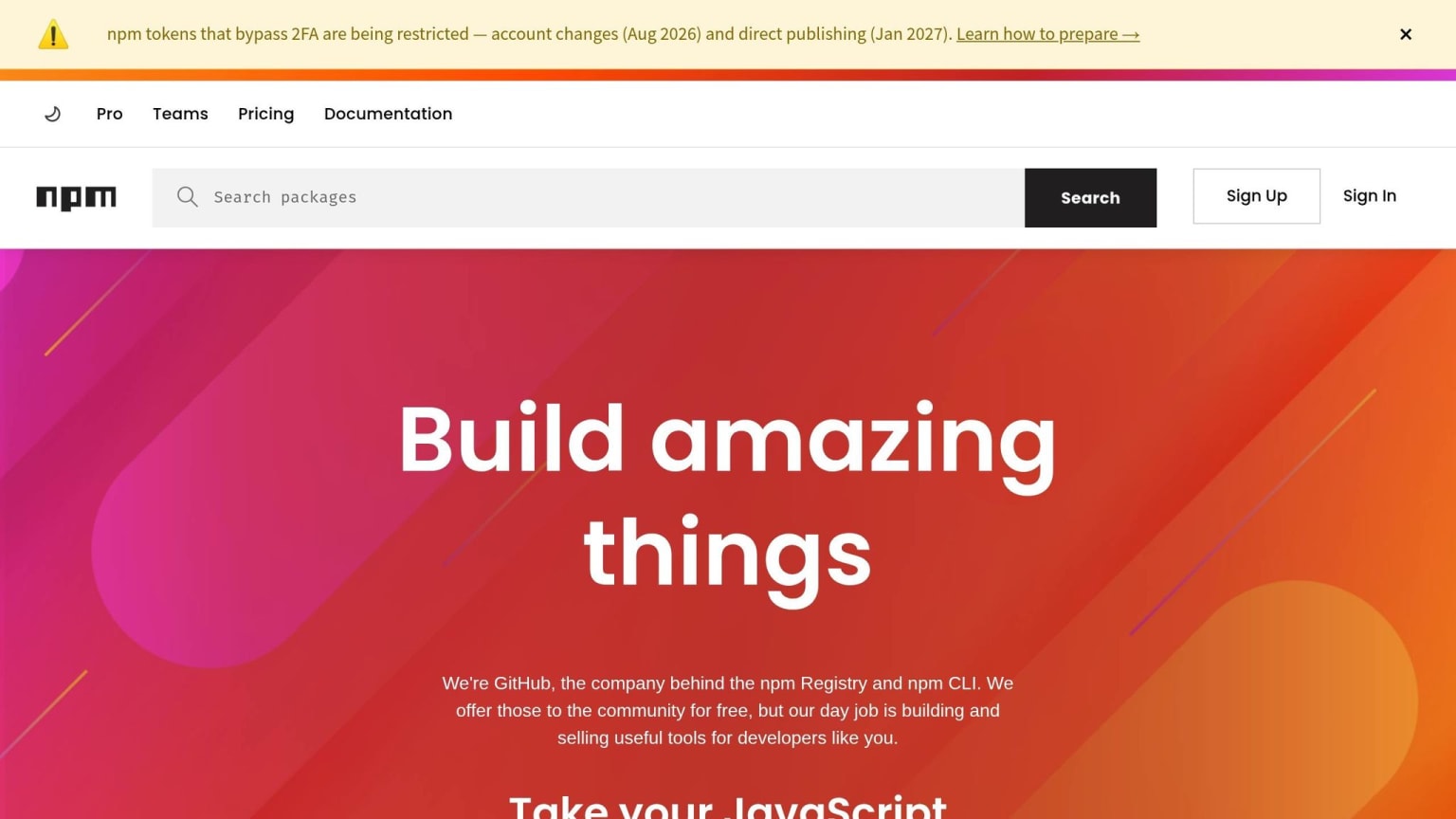
In 2019, developer Feross Aboukhadijeh used the npm package is-website-vulnerable to print sponsor messages during npm install. The idea was simple: help maintainers make money from packages developers already depended on.
That was never the part people argued with. Open source needs funding. The friction came from somewhere else entirely: can the terminal be used like an ad slot?
What the ecosystem pushed back against
The pushback came fast. Many developers saw those messages as an interruption inside the terminal, not a harmless prompt. The issue wasn't funding itself. It was where the message showed up.
npm later changed its policies to ban ads in terminal output outright. That reaction boiled down to one clear rule: the terminal is a workspace, not a feed.
That's the part worth sitting with. Developers use the terminal to get work done. It's closer to a workbench than a billboard. So even a well-meaning promotion can feel out of place the moment it appears there. And that line matters even more now, when AI coding agents operate inside the terminal too.
Why the terminal is a workspace, not a content feed
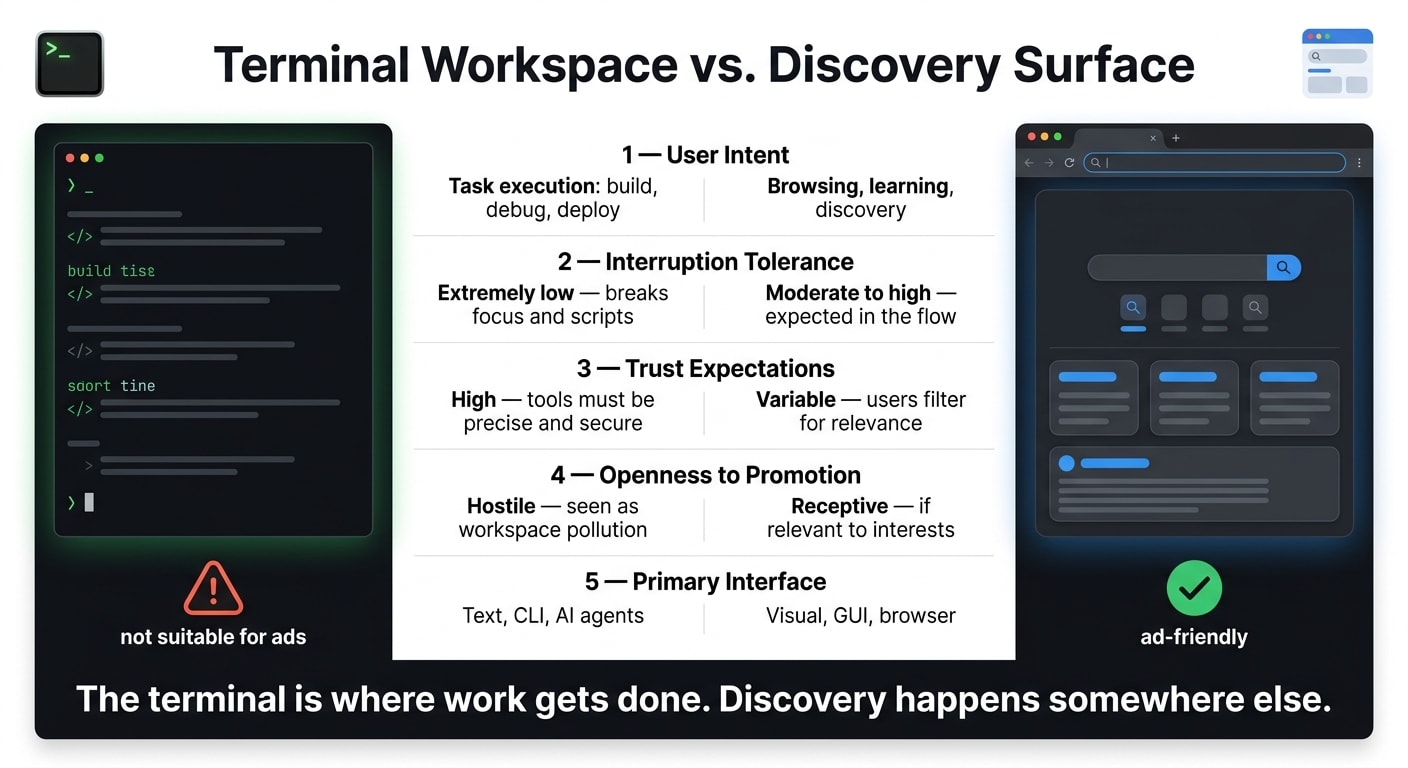
The terminal exists for execution. Developers open it to build, debug, deploy, and run AI-assisted workflows. It’s a high-focus workspace, not a place for promotion. The same no-interruption rule that killed npm sponsor messages still applies.
How AI CLI tools reinforce the no-interruption rule
The terminal matters even more now. Tools like Claude Code, Codex CLI, and Gemini CLI have pulled more developer attention into the command line. Developers are implementing features, fixing bugs, and managing technical debt without switching to a browser.
That shift changes where attention lives, but not how people behave. CLI agents are built around task output. You run a command because you want a result, not because you’re open to detours. Promotions in that setting are easy to ignore, dismiss, or strip out. That’s the same reason terminal ads fail as a channel.
For a deeper look at the broader assistant category and what it means commercially, see Can You Advertise in AI Coding Tools?.
Terminal workspace vs discovery surface: a comparison
The contrast is pretty stark. It shows up across the areas that matter most to advertisers.
| Terminal Workspace | Discovery Surface | |
|---|---|---|
| User intent | Task execution: build, debug, deploy | Browsing, learning, discovery |
| Interruption tolerance | Extremely low, breaks focus and scripts | Moderate to high, expected in the flow |
| Trust expectations | High, tools must be precise and secure | Variable, users filter for relevance |
| Openness to promotion | Hostile, seen as workspace pollution | Receptive, if relevant to interests |
| Primary interface | Text, CLI, AI agents | Visual, GUI, browser |
Put simply, the terminal is where work gets done. Discovery happens somewhere else. So the real marketing job is reaching developers where they choose to look.
How to reach terminal-native developers today
If the terminal is off-limits, where do terminal-native developers pay attention?
A good place to start is with discovery surfaces they’ve chosen to use.
daily.dev reaches developers in a browser experience they installed on purpose. That means ads show up during discovery, not while they’re in the middle of doing the work.
business.daily.dev gives advertisers access to developer inventory across daily.dev and verified partner publishers, including AI chats and other opt-in surfaces.
The idea is simple: reach developers where they choose to look, not where they work. For a practical breakdown, see how to advertise to developers.
FAQs
can you put ads in a cli tool
No, there isn’t any terminal ad inventory to buy. And the one serious attempt to put ads into the command line got shut down by the ecosystem itself.
Developers see the terminal as a workspace, not a feed. So when ads show up in CLI output, the reaction is broad and immediate: people reject it as intrusive.
why did npm ban terminal ads
npm banned terminal ads after strong community backlash to an open-source funding experiment. In that experiment, a popular package printed sponsor messages during install output.
The pushback was strong for a simple reason: developers treat the terminal like a workspace, not a feed. So npm moved to prohibit ads in terminal output.
how do you advertise to developers who work in the terminal
You can’t advertise in the terminal.
It’s a protected developer workspace, not an ad slot. And when companies have tried to squeeze commercial messages into command-line output, the developer world has pushed back.
If you want to reach these developers, respect that space. Show up where they choose to find information instead, like the browser or other places they use to learn.