
If I had to cut this down to one rule, it would be this: pick the platform that can prove audience fit, show clear targeting and reporting, and put delivery terms in writing.
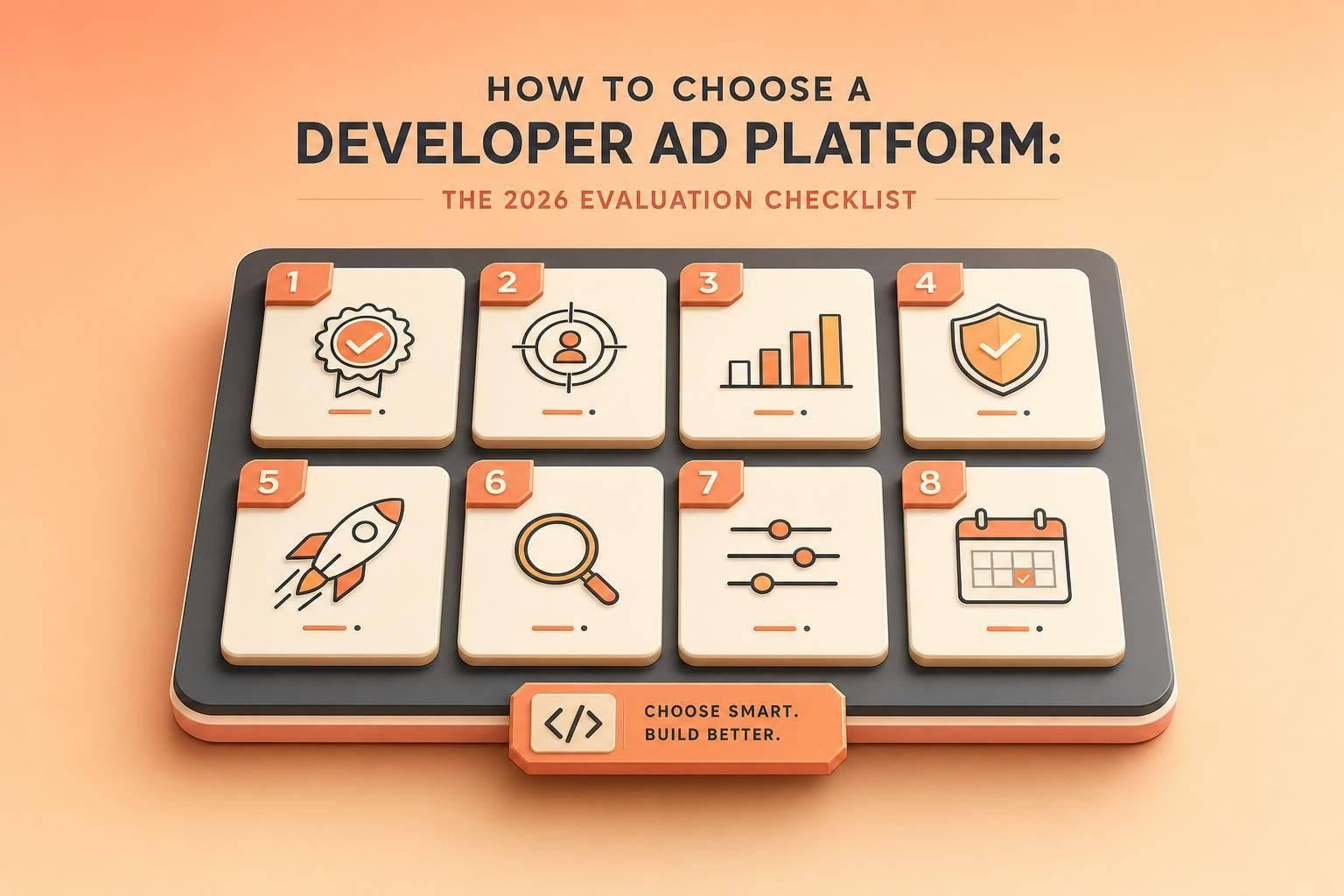
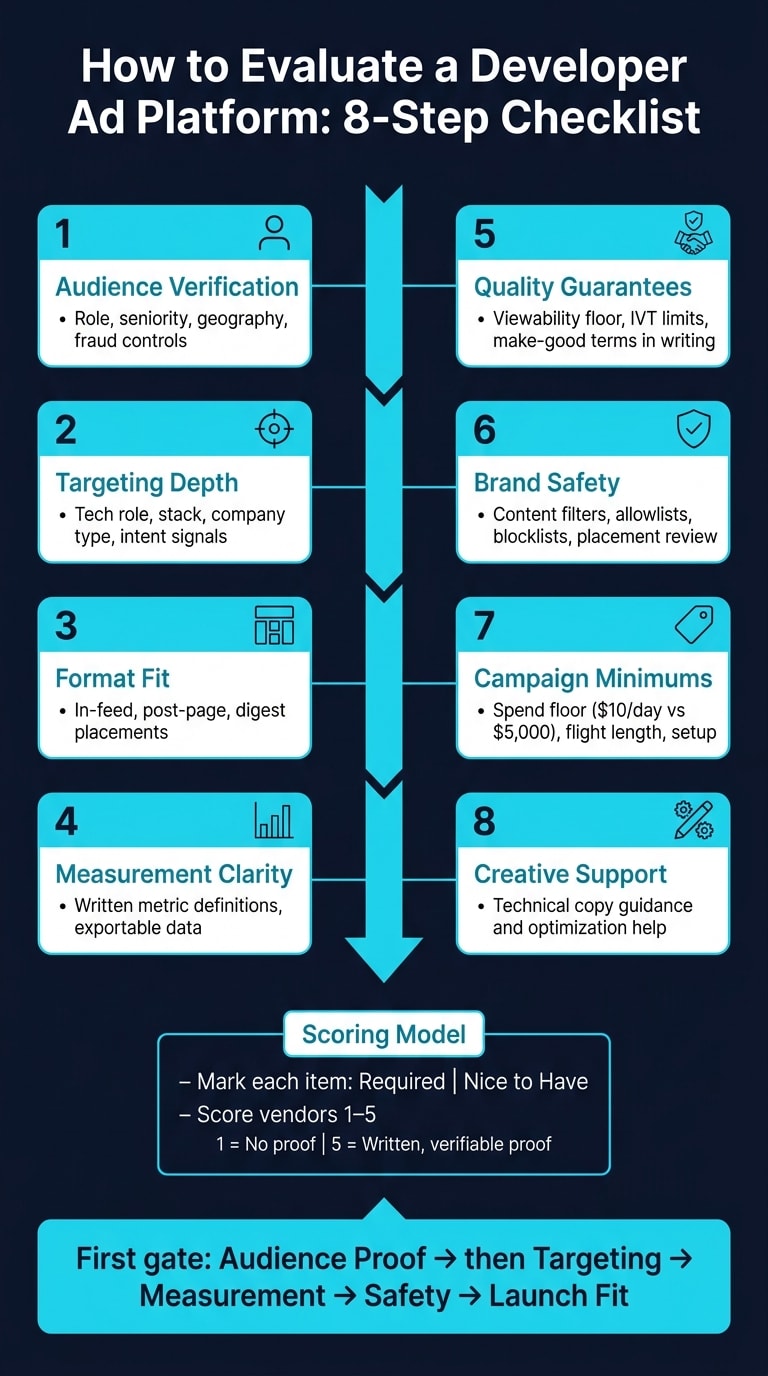
I’d use this checklist to score vendors on 8 core areas before I build a shortlist:
- Audience verification: role, seniority, geography, and fraud checks
- Targeting depth: role, stack, company type, and intent signals
- Format fit: ad placements that work inside developer reading flows
- Measurement clarity: metric definitions, exports, and attribution rules
- Quality terms: viewability, invalid traffic limits, and make-goods
- Brand safety: content filters, allowlists, blocklists, and placement review
- Campaign minimums: spend floor, flight length, and setup needs
- Technical copy support: help with messaging and optimization
A simple scoring model works well here: mark each item as Required or Nice to have, then score each vendor from 1 to 5. A 1 means no proof. A 5 means written proof you can verify. That keeps reviews tied to facts instead of sales claims.
Two details stand out fast in this piece. First, budget fit matters early: a vendor with a $5,000 minimum is a very different option from one with a $10/day floor. Second, developer targeting needs more than job title alone. A junior developer and an engineering manager may care about the same tool, but they are not in the same buying role.
Here’s the short version of what I’d look for before saying yes:
| Area | What I’d want to see |
|---|---|
| Audience | Verified role mix, geography, and proof of real reach |
| Targeting | Seniority, company size, tech stack, and behavior signals |
| Formats | In-feed, post-page, or digest placements with live examples |
| Reporting | Written metric definitions plus exportable data |
| Guarantees | Clear thresholds and written make-good terms |
| Safety | Filters, review process, and traffic checks |
| Launch fit | Spend floor, service model, and setup steps |
| Support | Help writing technical ad copy that sounds right |
I’d treat audience proof as the first gate, then move to targeting, measurement, safety, and launch fit. That order makes vendor reviews easier, and it helps me rule out weak options before I spend time on demos and pricing talks.
1. Verify audience quality and developer fit first
Start with audience proof. Before you look at targeting, ad formats, or measurement, make sure the platform reaches the developers you need. Treat this section like a simple pass/fail gate.
Check role mix, seniority, geography, and technical focus
Ask for an audience breakdown by role, seniority, geography, and technical focus before anything else.
For U.S.-focused campaigns, request North America totals, plus a breakdown by U.S. states and metro areas. Then compare those numbers with your ideal customer profile before you move ahead.
Review intent signals and authenticity signals
Once you’ve checked audience makeup, score the quality signals. Look at seniority, company type, technical interests, and intent - not just broad interest categories.
That matters because “developers” can mean almost anything. A student learning Python on weekends is not the same as a staff engineer picking tools for a production team.
Ask for audience verification, fraud controls, and proof of authenticity
Next, verify the audience claim itself. Ask for documentation that shows:
- how the audience is measured
- invalid-traffic controls
- bot filtering
- proof of real reach
Also document whether common developer tools block tracking scripts and whether the vendor can verify delivery server-side.
2. Score targeting dimensions, ad formats, and campaign control
Once you’ve confirmed the audience is there, the next step is simple: score how tightly the platform can narrow that audience, and check whether the ad formats fit the experience instead of getting in the way.
Check targeting dimensions that match developer buying teams
Job title and broad interest targeting won’t cut it for developer campaigns. You need filters that map to how developer buying teams actually work: role-based targeting, seniority, company size, industry, geography, and technical signals like programming languages, frameworks, and tools.
Why does that matter? Because one audience can hold very different buying situations. A junior frontend developer at a startup is not the same as an engineering manager at a large enterprise, even if both care about the same tool category.
After audience verification, use behavioral signals to narrow intent. Strong platforms also expose signals like content engagement, tool exploration, and platform interactions as targeting inputs, not audience proof.
Ask for default frequency caps and per-campaign controls. Those settings help you fine-tune intent before you start comparing reporting and brand-safety features.
Check whether ad formats fit developer workflows
Native fit matters in developer ads. Interruptive placements tend to drag down engagement, so review formats that show up naturally inside the content flow.
Look for:
- In-feed placements
- Post page placements
- Digest-style placements
Each format should be clearly labeled and should feel natural in the surrounding experience. If a vendor can’t show live examples, mark that gap in your RFP.
If the formats fit the workflow, move next to measurement and brand-safety review.
Document examples of strong format and targeting support
Only document the capabilities and proof your scorecard asks for. daily.dev Ads supports native in-feed and post-page placements with seniority, language, and tool targeting. Record the exact format, targeting layers, and live placement proof in your scorecard.
3. Audit measurement transparency, quality guarantees, and brand safety
After you check format fit, look at what the platform can actually prove. A slick dashboard may look good, but that doesn't mean much on its own. This step helps you sort out platforms that can back up performance from platforms that only package reports nicely.
Require clear reporting definitions and exportable performance data
Ask for written definitions for every metric and the attribution model behind each one: impressions, clicks, CTR, viewability, and conversions. If a label like "engaged views" shows up without a clear definition, treat that as a warning sign.
You should also ask for exports broken out by:
- Placement
- Creative
- Audience segment
- Geography
- Time period
If the data can't be exported, you can't check it on your own.
Assess quality guarantees and make-good terms
Ask for exact thresholds, not vague promises. You want the viewability floor the vendor guarantees, their invalid traffic tolerance, and what happens if delivery falls short of the agreed threshold.
Put make-good credits, redelivery terms, and any attention-floor guarantee in writing as separate items. That way, nothing gets buried in loose language.
Review brand safety, suitability, and compliance controls
Brand safety isn't only about avoiding harmful content. It also includes placement quality. Your ad shouldn't appear next to thin content, clickbait, or off-topic pages that chip away at credibility with developers.
Ask vendors to confirm content filters, allowlist and blocklist support, placement-level review processes, and invalid traffic monitoring tied to reported delivery. Record both the standard controls and any brand suitability rules your team needs. If a vendor won't answer in writing, mark every missing written answer in the scorecard.
Once you've scored reporting, safety, and guarantees, move on to launch minimums and creative support.
4. Compare minimums, creative support, and final selection criteria
Record campaign minimums, service model, and launch requirements
After reporting and safety, check whether the platform’s launch terms line up with your budget and workflow.
Campaign minimums can make or break a fit. A platform with a $5,000 minimum spend calls for a very different budget discussion than one with a $10/day floor . If the numbers don’t line up, the campaign may never get off the ground.
Write down the basics for each option:
- Spend floor
- Flight length
- Onboarding steps
- Service model
Self-serve usually gives you more speed and control. Managed service adds optimization help and creative support .
Review creative guidance for technical campaigns
If the minimums look workable, check whether the platform can support credible technical creative.
For developer campaigns, ask for technical creative guidance and optimization support . That kind of help matters. You want messaging that is technically accurate and feels right for a developer audience, not copy that sounds like it was written by someone skimming a glossary.
Conclusion: favor proof, control, and developer trust when building your shortlist
When platforms score closely, lean toward the one with verified audience data, clear reporting, written quality guarantees, and launch terms that fit your budget and timeline.
Use the checklist below to compare final shortlist candidates side by side.
| Criterion | What good looks like | Required / Nice to have | Score (1–5) | Notes |
|---|---|---|---|---|
| Audience verification | Role, seniority, and geography data with fraud controls | Required | ||
| Targeting dimensions | Technical role, stack, seniority, intent signals | Required | ||
| Format nativeness | Formats match developer workflows | Required | ||
| Measurement transparency | Written metric definitions and exportable data | Required | ||
| Quality guarantees | Clear guarantee terms in writing | Required | ||
| Brand safety controls | Content filters and placement review | Required | ||
| Campaign minimums | Minimum spend and flight length fit your budget | Required | ||
| Creative support | Technical creative guidance and optimization | Nice to have |
FAQs
What should I ask for in writing?
Ask for written confirmation on the basics: audience verification, measurement transparency, brand safety, native format specs, creative support, privacy compliance, and performance minimums.
That confirmation should spell out how the developer audience and seniority are checked, what access you’ll get to meaningful engagement metrics and read-floor-style guarantees, and what support exists for non-intrusive technical formats.
It should also cover consent-driven tracking, cookieless options, and an agreed frequency cap of 3 to 5 impressions per week.
How do I verify a developer audience?
To verify a developer audience, don’t stop at labels like job title or location. Those details can help, but they don’t tell you much on their own.
Look at behavioral data instead. Focus on signals that show real technical intent, like engagement with specific frameworks, languages, tools, technical docs, Git activity, and programming-related searches.
These signals can confirm a developer’s current tech stack. They also show whether that person is actively looking at options, so your targeting lines up with what they’re trying to solve right now.
What makes a good ad format for developers?
A good ad format for developers puts privacy, relevance, and utility first. Not intrusive tactics. Not heavy tracking. And not the kind of sales pitch that makes people want to close the tab.
It should fit naturally into a developer’s workflow. For example, inside a personalized technical content feed, where it feels like part of the experience instead of an interruption.
The best ad formats also line up with the technical topic, framework, or problem a developer is looking into. And they should offer instant help, like tutorials, code samples, or documentation, instead of gated content that slows people down.