
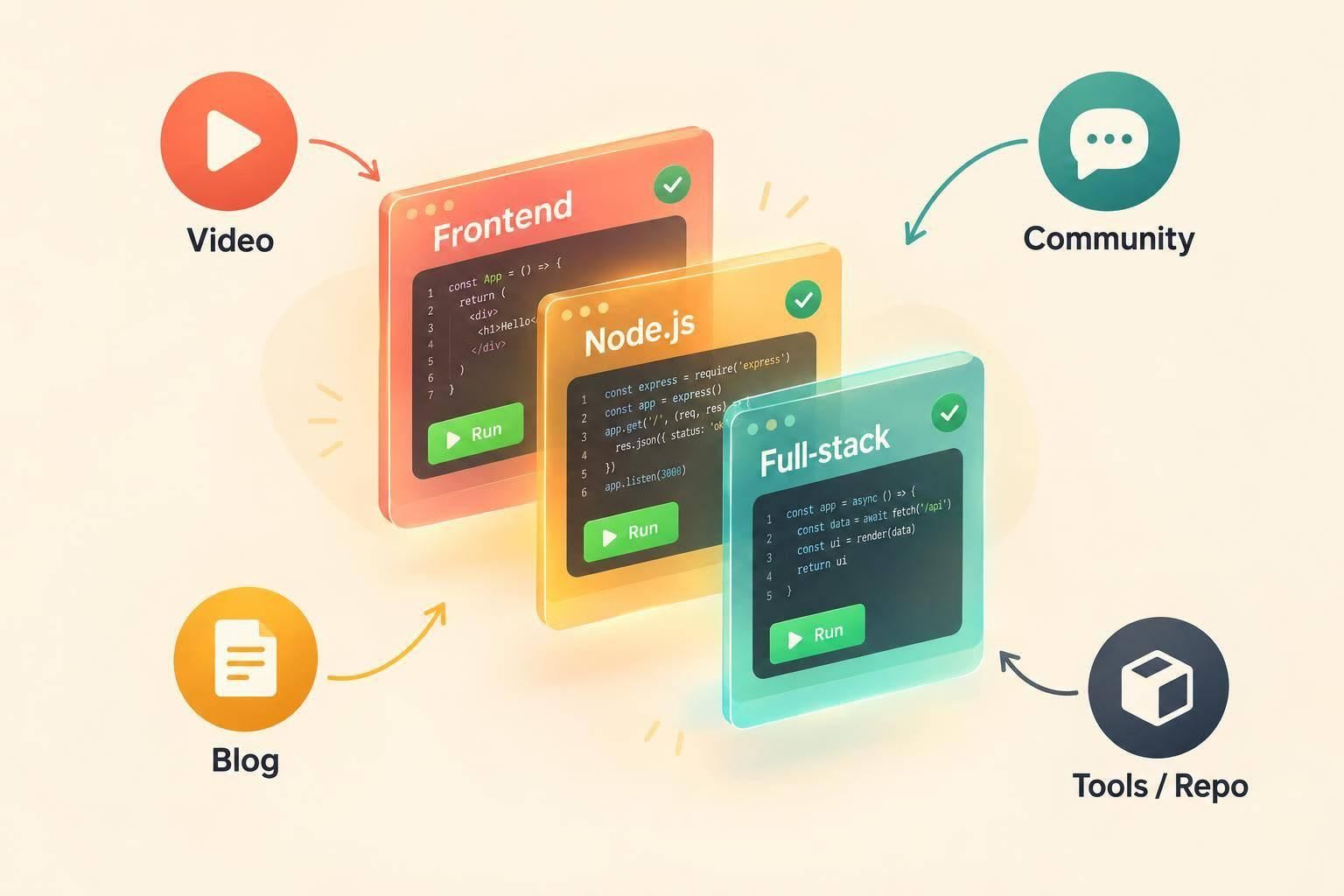
I start marketing to JavaScript developers with one workflow and code they can run - not a feature list. Pick frontend, Node.js, or full-stack developers, then show how your tool fits their stack, what it changes, and what adoption takes.
My approach comes down to three steps:
- Show the proof. Share a working demo, a code diff, or benchmarks with the test setup. Explain compatibility, migration work, and limits.
- Choose channels that fit. Use daily.dev Ads and a company page for regular updates, newsletters for awareness, and communities, conferences, or tutorials for technical discussion.
- Measure more than clicks. Track reads, follows, detailed questions, and sign-ups linked to earlier engagement separately.
For frameworks and build tools, I focus on compatibility and migration. For hosting and edge platforms, I show where code runs, where data lives, and how debugging and rollback work.
My rule: make the claim easy to test and share. Then use developer questions to improve the next demo, guide, or release.
What is the best way to reach JavaScript developers?
Reach JavaScript developers through daily.dev Ads, with practical technical education in the feed, on a verified company page, and in the Web Development newsletter.
Use the newsletter to lead with the hook. Let the feed post or company page provide the code, proof, and setup details. Choose your audience based on the workflow your content covers, then tailor the message to their stack.
Match your story to the developer's stack
For React and Next.js, focus on rendering, component behavior, data fetching, or server boundaries. For Node.js and Bun, cover runtime behavior, package compatibility, and migration constraints.
Use the tech-stack targeting guide to select the audience whose workflow matches your content. The same proof can work across stacks, but frame it around what each group needs to evaluate.
If your tool supports both frontend and backend work, adjust the headline, code, and proof for each group while keeping one core message.
Where do JavaScript developers find news and tools?
Once you know the stack, connect it to the places developers already check for new tools. They want proof, clear limits, and a good fit for their stack.
JavaScript developers follow updates in the Web Development track, tags such as #javascript, #typescript, #nodejs, #react, #nextjs, and #bun, and their chosen feeds and newsletters. JavaScript Weekly covers JavaScript articles, news, and projects. Bytes mixes technical news with humor and storytelling. Lead with a technical angle, not a feature list.
When a short update leaves questions unanswered, developers turn to discussion threads to test the claims. In r/javascript and r/typescript, invite questions about compatibility, debugging, and tradeoffs. Follow community rules, disclose your product connection, and respond to technical objections. Developers use these discussions to check claims before sharing a tool with their team.
JSNation and React Summit offer applied learning through talks, workshops, and case studies. Teach one lesson developers can use right away. Keep the session educational, not promotional.
Developers often want to see the workflow before reading the docs. YouTube walkthroughs can show installation, configuration, and the tool in use. Long-form publishing sites give you room to explain architecture decisions, migration steps, benchmarks, and postmortems. Show the workflow, then show the code.
Which channels work best for marketing to JavaScript developers?
Choose a channel based on what you need it to do: maintain a regular presence, provide technical proof, or take part in community discussions.
Pair one channel for a regular presence with another for technical proof or community participation.
| Channel | Best use | Suitable format | Strength | Limitation | How it works |
|---|---|---|---|---|---|
| daily.dev Ads | Long-term brand and community building | Verified company page with regular posts | Connects your company presence with a steady content program | Needs useful, stack-relevant stories beyond a launch announcement | Managed with the daily.dev team |
| JavaScript newsletters: JavaScript Weekly, Bytes | Topic-specific awareness | Sponsored issue or approved mention | Puts a focused message in an editorial context | Limited space | Direct sponsorship with the publisher |
| Reddit: r/javascript, r/typescript | Community participation | Technical replies or relevant discussion | Lets you hear objections through direct conversation | Strict promotion rules and mixed reception | Participation under subreddit rules; paid activity under platform policies |
| JS conferences: JSNation, React Summit | Building technical trust | Workshop or live demo | Gives you room for in-depth explanation and feedback | Event-specific deadlines | Speaker submission or sponsorship |
| YouTube creators | Teaching workflows visually | Build-along tutorial | Shows the tool in use | Depends on creator fit | Partnership with a creator or representative |
| Stack Overflow Ads | Awareness in a problem-solving context | Docs-, error-, or API-focused ad copy and visuals | Connects your message to a specific problem | Relevance depends on eligibility and available placements | Advertising arrangement subject to eligibility and specifications |
| Carbon Ads and BuySellAds | Awareness alongside publisher content | Publisher inventory placements | Places your message alongside technical publishing content | Availability varies by publisher | Network placements or publisher inventory |
Keep frontend and Node.js briefs separate. A React-focused placement shouldn't automatically carry a server-side runtime story. Before committing, check placement specs, approval rules, and disclosure requirements.
Once you've picked a channel, match the message to the developer's workflow and support it with proof they can check.
How do I build a brand that JavaScript developers trust?
Make every claim easy to verify. For runtimes and bundlers, lead with the milliseconds that matter: build time, cold starts, and request latency. Show what your tool changes in practice, not just its features, as daily.dev explains in why JavaScript developers ignore ads. Match the proof to the product. JavaScript teams judge tools by where they run and what they break.
Show technical proof and limits
For frontend teams, show browser and rendering evidence. For Node.js teams, show startup behavior and runtime compatibility.
Report results in milliseconds, along with the benchmark version, hardware, OS, workload, config, cache state, measurement tool, run count, warm-up steps, baseline, benchmark source, and test date. Label in-house benchmarks, publish the script, and keep measured results separate from production guarantees.
Link to the runnable quick start, config reference, supported environments, known limits, and rollback path. Flag incompatibilities and make clear which features are stable and which are experimental. Teams need those details to judge adoption risk.
Developers rarely adopt a tool alone. They share the proof with teammates, so make it easy to check - and easy to forward without extra explanation.
Write messages developers can share with their team
Lead with the artifact that proves your claim. Then show the fix and explain the tradeoff. Match that proof to the frontend or Node.js workflow, so developers can explain both the gain and the adoption risk to their team.
For TypeScript, use a before-and-after diff that traces the data contract through the API boundary, server logic, and frontend consumer. Show the error the team avoids and the workflow it protects. State the compiler settings and integration requirements, plus where runtime validation still catches cases that types miss.
The trust test shifts again for frameworks, runtimes, and build tools.
How do I market frameworks, runtimes and build tools to JavaScript developers?
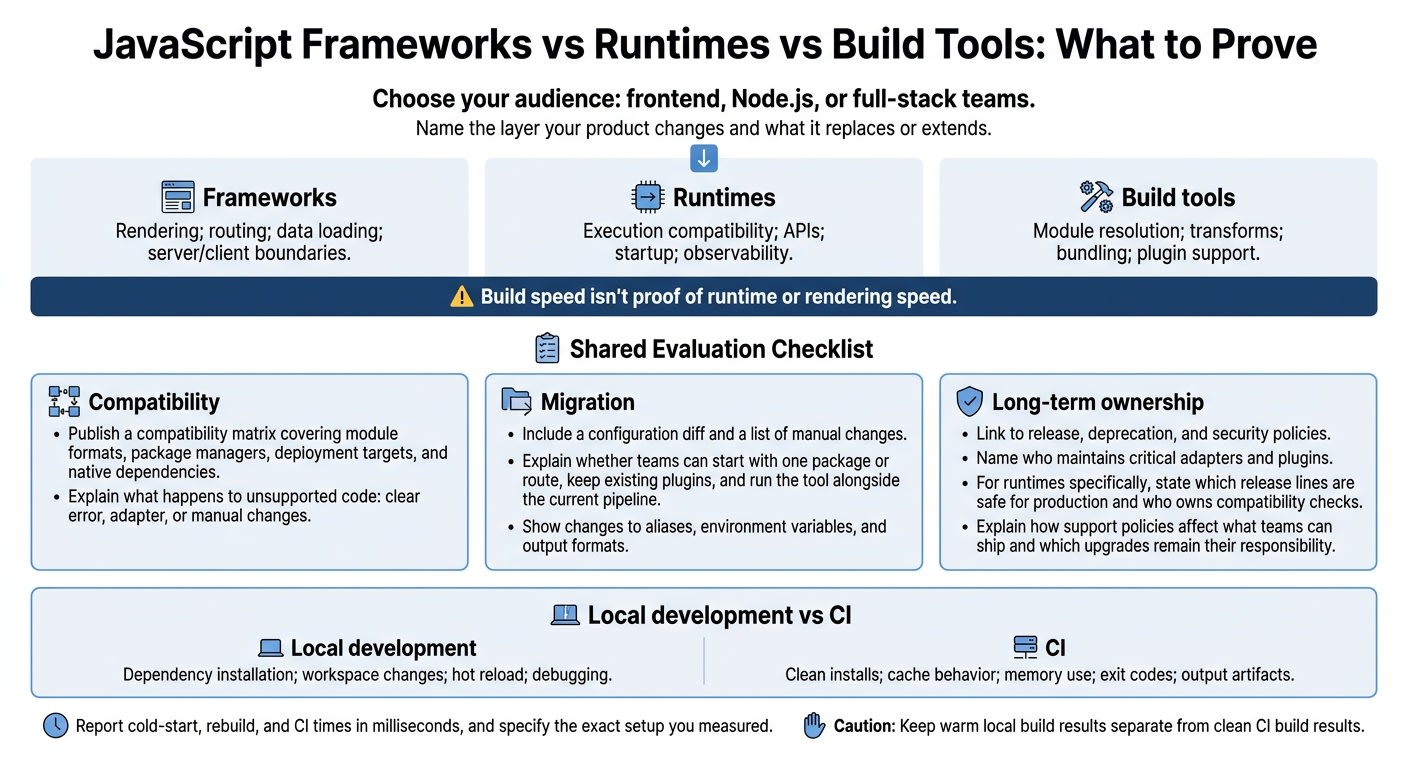
Developers evaluating frameworks, runtimes, and build tools want to know what layer you change, what migration takes, and how much support work they'll own. Choose your audience: frontend, Node.js, or full-stack teams. Don't try to address all three at once.
Name the layer your product changes and what it replaces or extends. For frameworks, explain rendering, routing, data loading, and server/client boundaries. For runtimes, cover execution compatibility, APIs, startup, and observability. For build tools, cover module resolution, transforms, bundling, and plugin support. Build speed isn't proof of runtime or rendering speed.
Frameworks, runtimes and build tools
Publish a compatibility matrix for your product that covers module formats, package managers, deployment targets, and native dependencies. Explain what happens to unsupported code: does it fail with a clear error, need an adapter, or require manual changes?
Show a workflow developers can share with their team. Separate local development from CI:
- Local development: Dependency installation, workspace changes, hot reload, and debugging.
- CI: Clean installs, cache behavior, memory use, exit codes, and output artifacts.
Report cold-start, rebuild, and CI times in milliseconds, and specify the exact setup you measured. Keep warm local build results separate from clean CI build results.
Then show what adoption takes. Include a configuration diff and a list of manual changes so teams can judge the migration effort. Explain whether they can start with one package or route, keep their existing plugins, and run your tool alongside the current pipeline. Show what changes for aliases, environment variables, and output formats.
Once you've covered performance and compatibility, address long-term ownership. Link to release, deprecation, and security policies, and name who maintains critical adapters and plugins. For runtimes, state which release lines are safe for production and who owns compatibility checks. Explain how support policies affect what teams can ship and which upgrades remain their responsibility.
How do I market hosting and edge platforms to JavaScript developers?
Lead with the deployment problem, not blanket speed claims. Show the request path, not just the deploy button. Frontend teams assess preview URLs, static delivery, server-side rendering, image handling, and cache behavior. Node.js teams look at database connections, queues, background jobs, WebSockets, and secrets management.
Hosting and edge platforms
Map where code runs and data lives: browser, edge, regional runtime, database, and APIs. Mark authentication, rendering, cache hits, cache misses, and origin requests. Explain which responses can be cached and which must stay private. Edge compute still depends on database region, failover, and data-residency controls. Show those limits rather than promising global speed.
Use the same diagram to show where the edge runtime differs from local Node.js. Many edge runtimes provide Web APIs without the full Node.js API surface. Identify dependencies that need regional Node.js execution and explain whether local tooling reproduces the runtime limits. Be clear about when edge execution is the wrong fit: native dependencies, filesystem access, heavy computation, and long-running work.
Show a pull-request preview with its own URL, environment variables, and test data. Explain what runs locally versus remotely, then promote the approved release. Include logs and a rollback so developers can see how failure recovery works. After release, they need to trace failures without guessing.
Show debugging and access controls. Trace a browser error through a request ID to its execution region, deployment version, cache status, and downstream timing. Explain log redaction, retention, and export. Document who can view previews, approve releases, rotate secrets, and escalate incidents. These details help developers defend the hosting choice to security and platform teams while making performance and adoption easier to measure.
How do I measure marketing to JavaScript developers?
Track reads, follows, in-depth discussion, and assisted sign-ups separately. Reads show attention. Follows show repeat interest. Detailed questions show evaluation. Assisted sign-ups show later intent: define them as sign-ups that follow an identifiable content interaction within a stated review window.
Document how you track these interactions and where the method falls short. Report sign-ups as linked to earlier engagement, not caused by a single exposure. Together, these signals help show whether technical proof reached an individual developer or others on their team.
Count detailed questions, objections, and implementation advice separately from reactions. Repeated questions about migration risk, TypeScript support, or deployment behavior point to gaps in your documentation. Repeated objections show which claims need stronger code, benchmarks, or docs. Use these patterns to improve the next post - not just report on the last one.
Review attention weekly or biweekly, and downstream interest monthly or quarterly, depending on your buying cycle. Use consistent review windows when comparing content. Note releases and major framework announcements that might explain changes, rather than crediting every increase to your marketing.
Once you can separate signal from noise, compare results by audience and topic. Track frontend readers separately from Node.js readers in a scorecard covering reads, follows, in-depth discussion, and assisted sign-ups. Add notes from support, sales, and post-sign-up interactions about internal sharing and team evaluation. Use the same scorecard for posts, newsletters, and company-page updates.
How daily.dev Ads helps you reach JavaScript developers
daily.dev gives JavaScript developers one place to follow your posts, releases, and employer-brand stories. Your content appears in the feed and daily.dev Digest newsletter they already follow.
Match each post to one stack and one workflow. Use tags such as #javascript, #typescript, #nodejs, #react, #nextjs, or #bun to show who the post serves. The Web Development newsletter track fits frontend, Node.js, and full-stack content. Use the newsletter to build on your company page story, not repeat it.
Give developers a clear reason to follow. Share release notes, migration guides, benchmark methodology, and architecture notes with technical detail. Turn these assets into a regular publishing schedule. Each post should explain its scope and link to supporting proof. For employer-brand content, focus on engineering practices and decisions rather than broad claims about workplace culture.
daily.dev handles setup, targeting, ad content guidance, pacing, and reporting. Your team provides the technical substance: a clear audience definition, relevant tags, a content calendar, and useful posts or releases. Prepare newsletter-ready headlines, images, and destination pages that tell the same technical story. Check the plan information for the available plan structure.
Book a conversation to map your workflow, publishing schedule, and managed plan.
Conclusion
Marketing to JavaScript developers starts with their workflow. Show how your tool fits their stack, publish where they already find tools and updates, and maintain a company presence they can follow.
Have engineering review the technical proof before you publish. Make the main takeaway easy to share with a team.
Let results and repeated questions guide what you do next. Fix unclear benchmarks or code before your next post. Use each response to improve the next release, demo, or guide.
FAQs
How can I market a JavaScript tool with limited engineering support?
Start with daily.dev Ads and one plan managed by its team. Match your message to developers’ stacks and the tools they’re evaluating. Support it with docs-style landing pages and precise stack keywords.
Lead with technical proof: build times in milliseconds, type-safety diffs, or bugs your tool prevents. Give frontend and Node.js developers separate messages that speak to their work - not the same pitch for both.
What proof can I share before I have reliable benchmarks?
Show the bug your tool prevents, then use concrete code diffs to show the TypeScript results. Make that proof relevant to developers’ framework and runtime needs, whether they use React, Next.js, or Node.js.
Share these technical stories through daily.dev Ads to build trust. Hold off on claims about millisecond improvements until you have reliable measurements.
How can I turn developer followers into an active community?
Use daily.dev Ads to stay in front of JavaScript developers. Share posts packed with technical details that show how your tool tackles coding problems, like slow build times or memory leaks. Skip the hard sell and claims you can’t back up.
Build trust with clear documentation, transparent performance data, and community discussions. Track reads, follows, and discussion to see how developers engage with your brand.