
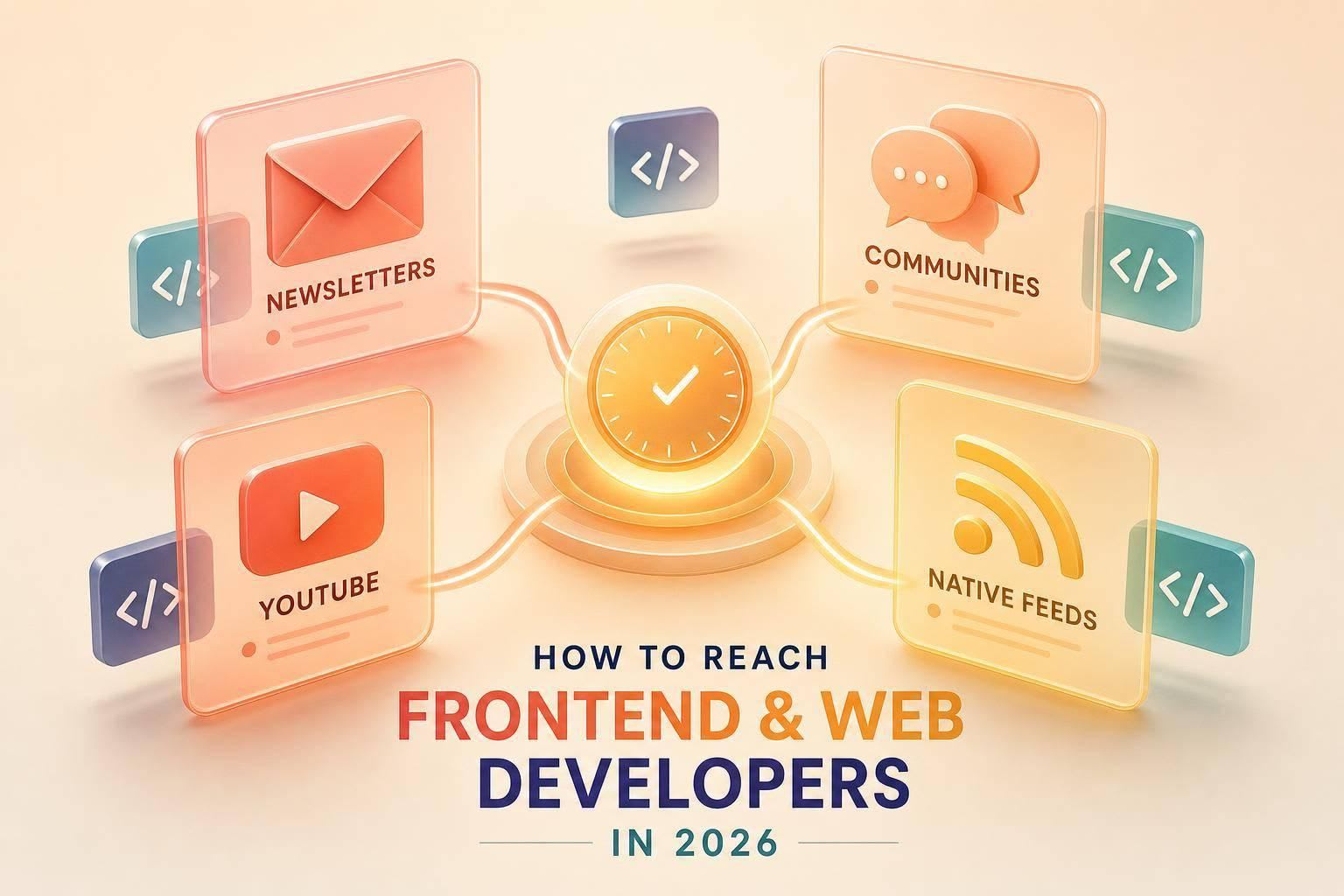
If I want frontend developers to pay attention in 2026, I need to match their stack, their reading context, and their level of intent. Broad job-title targeting is not enough.
Here’s the short version:
- I focus on where frontend developers already spend time: JavaScript newsletters, Reddit and Discord communities, YouTube educators, and native developer feeds like daily.dev.
- I build campaigns around one goal at a time: education, evaluation, or product use.
- I target by topic and stack first: React, Next.js, CSS, design systems, and web performance.
- I write ads with specific technical claims, clean UI, and landing pages that continue the same message.
- I judge performance by activation, not just clicks: docs visits, sandbox launches, trial starts, and product use after sign-up.
A few numbers stand out. The article says 42% of active daily.dev readers consume content about Next.js, Astro, and modern frontend patterns. It also notes daily.dev in-feed placements can reach up to 1.27% CTR, while one brand, Postmark, turned 1.54% of sessions into new signups.
What this tells me is simple: frontend developers do click ads when the message fits the stack, the placement fits the moment, and the landing page does not waste their time.
If I had to boil the whole article down into one plan, it would be this:
- Use newsletters for launches and updates
- Use communities for proof, docs, and repos
- Use YouTube for side-by-side product evaluation
- Use daily.dev for topic-based native reach tied to frontend reading habits
- Measure post-click actions before I add budget
I also need to match the message to the person seeing it. Junior developers often want a clear starting point. Senior engineers tend to care more about system impact, architecture, and numbers they can verify.
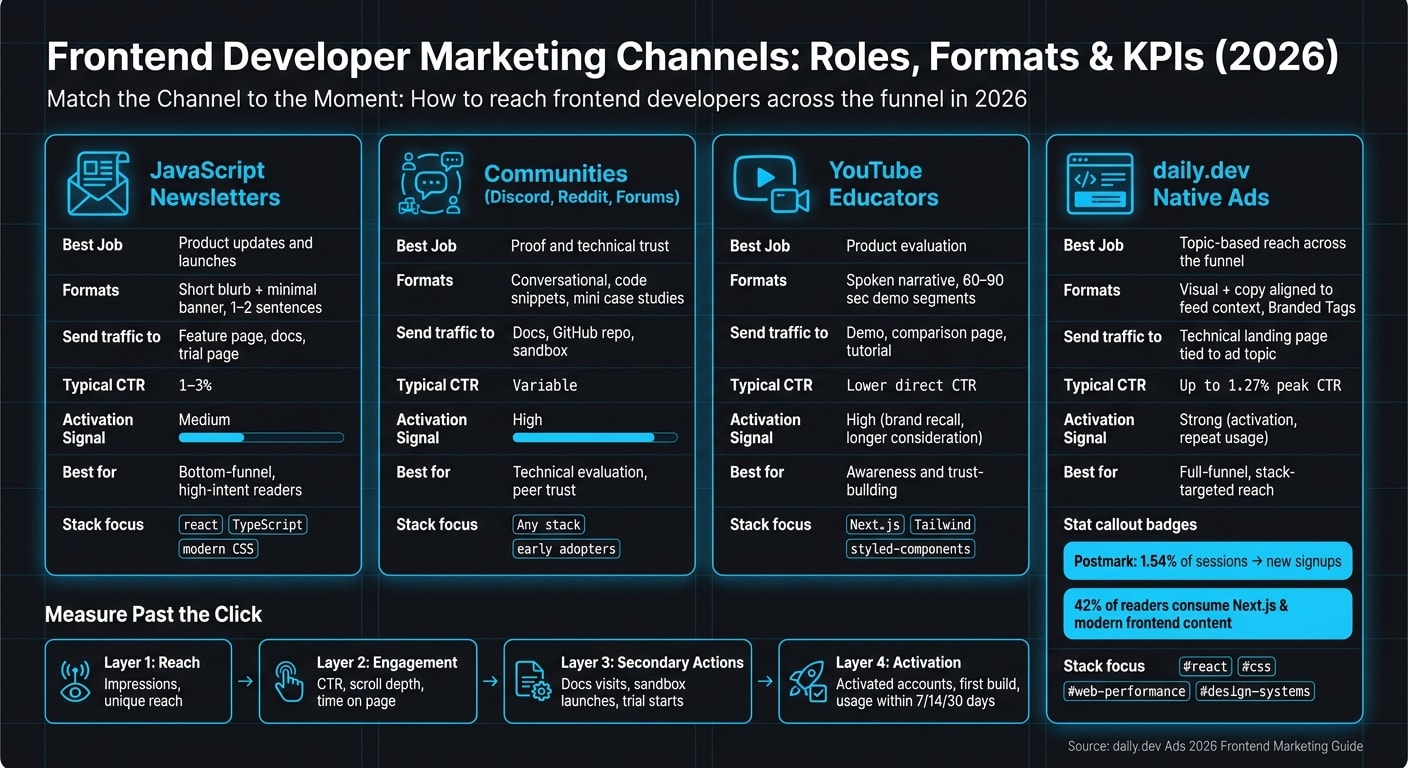
A quick view of the channel roles:
| Channel | Best job | What I should send people to |
|---|---|---|
| JavaScript newsletters | Product updates and launches | Feature page, docs, trial page |
| Communities | Proof and technical trust | Docs, GitHub repo, sandbox |
| YouTube educators | Product evaluation | Demo, comparison page, tutorial |
| daily.dev native ads | Topic-based reach across the funnel | Technical landing page tied to the ad topic |
The main lesson is not complicated. Frontend developers are hard to win with vague copy and lazy design. I need to be specific, visually clean, and honest about what the product does.
That’s the full playbook in plain English: pick the right channel, match the ad to the stack, keep the claim tight, and track what happens after the click.
Step 1: Find where frontend and web developers spend time
Frontend developers bounce between newsletters, communities, creators, and native feeds. Each channel plays a different role in how they size up a tool. The goal is simple: match the channel to the message, the format, and the moment of intent.
JavaScript newsletters and frontend communities
Newsletters like Bytes and JavaScript Weekly are part of many developers’ weekly reading routine. People use them to catch framework news, spot new libraries, and find ways to smooth out their workflow. That makes newsletters a good place for launches, feature updates, and product announcements tied to React, TypeScript, or modern CSS.
Discord, Reddit, and niche forums serve a different purpose. These spaces are better for building trust, showing technical proof, and reaching early adopters. Lead with docs, demos, and starter repos. Skip the hard-sell language.
These channels tend to reach developers early in the process. Creator-led video usually comes later, when people start weighing options side by side.
YouTube educators and creator-led technical content
YouTube creators influence tool selection by showing how a product works in practice. A tutorial or live build with a respected educator can do more for consideration than a static awareness ad.
Keep sponsor segments short, clearly labeled, and focused on one outcome, such as cleaner UI delivery or fewer Lighthouse performance issues. Short technical demos in the 60–90 second range tend to beat generic spots when your product’s value shows up on screen or in performance results. Developers want to see it working with stacks they already know, like Next.js, Tailwind, or styled-components. This channel tends to work best after developers already know the category.
Next comes native placement, where you can reach developers while they’re actively reading about your stack.
Native developer placements with daily.dev Ads
daily.dev works as a curated feed of developer articles, and 42% of active readers are specifically consuming content about Next.js, Astro, and modern frontend patterns. Developers use the feed to find articles, tools, and ideas worth saving.
In-feed placements show up right beside articles, so your ad appears in the same setting where developers discover new frameworks. Post page placements reach people when they’re deep into a topic. If someone is reading a React performance article, that’s a strong moment to show a performance tooling ad.
Web Development Digest and Branded Tags for #react and #css help keep campaigns closely tied to the topics a developer already follows. These formats can support awareness, consideration, and topic-level intent by placing your message inside the same content context where developers read about frontend work.
With channels mapped, the next step is targeting by stack, topic, and seniority.
Step 2: Build a campaign plan around frontend intent and targeting
Set campaign goals by developer action
Choose one primary action for each campaign: education, evaluation, or adoption.
Then give that campaign one KPI and one measurement window. That keeps reporting clean and makes it much easier to see what's working.
For example, you might track:
- Documentation visits
- Trial workspaces
- Active projects
Use a longer click-through window for research-focused campaigns. Use a short view-through window for awareness. That setup fits how developers behave. Some click right away. Others read, compare, and come back later.
Once the goal is clear, line up the campaign with the stack and the intent behind it.
Target by stack, topic, and seniority
Start with the stack first: React and Next.js, CSS and design systems, or web performance.
Then add seniority on top. Junior and mid-level developers usually want simplicity and a clear starting point. Senior engineers tend to care more about architecture and measurable impact.
daily.dev Ads lets you narrow targeting by developer interests, tools, and seniority. So you can run a "React + web performance, senior-level" segment for an advanced profiling tool, while at the same time running a "CSS + design systems, junior/mid-level" segment for a component library starter kit.
That kind of setup matters. The same product can land very differently depending on who sees it and what they're trying to solve.
Use Web Development Digest and Branded Tags
Use Web Development Digest to put each campaign inside a frontend reading context. Then use Branded Tags like #react, #css, #web-performance, and #design-systems to match the ad theme to what a developer is already reading.
The table below maps each tag to a concrete campaign theme, creative angle, and primary KPI:
| Branded Tag | Campaign Theme | Creative Angle | Primary KPI |
|---|---|---|---|
| #react | React performance and developer tooling | Profiler screenshots, component tree visuals, code-level examples | Trial workspaces or SDK installs |
| #css | Modern CSS workflows and design systems | Before/after UI comparisons, design token snippets, component gallery | Starter kit downloads or doc visits |
| #web-performance | Core Web Vitals and runtime optimization | Metric dashboards, load time comparisons, flame charts | Product signups or active monitored projects |
| #design-systems | Scalable, cross-team design systems | Design token maps, component libraries, governance workflow diagrams | Design system adoption (projects using the system) |
Treat each tag, creative angle, and KPI as one testable campaign unit.
Once the audience and KPI are locked in, the creative needs to meet the visual bar developers expect.
Step 3: Write and design ads frontend developers will not ignore
Match frontend design standards
Frontend developers notice the details right away: layout, typography, spacing, contrast, responsiveness, and load behavior. To them, an ad isn't separate from the product. It is part of the product experience.
That means your ad should look and behave like solid UI. Use an 8px grid. Stick to one or two typefaces. Limit yourself to 2–3 text sizes. Make contrast strong. Build responsive versions. Compress assets so you don't trigger layout shift. Simple rule: treat ad layouts like product UI, not throwaway promo art. Version the main template and skip random one-off edits.
Write copy that is technical, specific, and honest
Vague copy loses this audience fast. Frontend developers want a clear outcome, the exact stack, and proof that the claim holds up.
Name real tools and frameworks like React, Next.js, Vite, ESLint, Tailwind, and Storybook. That signals you know the world they're working in. Then support the message with one clear claim, such as "Reduced bundle size by 28.6% in tested React apps." Add qualifiers like "on average" or "in tested projects" so the claim feels grounded instead of inflated.
Developers check what they read. If the ad sounds technical but the landing page turns generic, trust disappears right there. The landing page needs to continue the same promise, with the same level of detail.
Adapt creative by channel and placement
Keep the core message the same. Then reshape the format for where the ad appears.
| Channel | Format | What works |
|---|---|---|
| JS newsletters | Short blurb + minimal banner | 1–2 sentences with a concrete technical hook and a single clear CTA |
| YouTube sponsor reads | Spoken narrative | A brief, exact script the creator can make their own - explain what it does, who it's for, and one demo-friendly angle |
| Community posts | Conversational, detail-rich | Code snippets, real screenshots, or mini-case studies |
| daily.dev Ads native placements | Visual + copy aligned to feed context | Match the feed's editorial tone, label the placement clearly, and send clicks to a technical destination |
That post-click consistency is what the next step measures. From there, compare which message-and-format combinations drive qualified clicks, docs visits, and trial starts.
Step 4: Measure performance and improve what works
Track clicks, secondary actions, and activation
Clicks show attention. They do not always show intent.
That’s why you need to measure more than traffic. A high click count doesn’t mean much if those visitors never go to your docs, open a sandbox, or sign up. The signal that matters most is activation.
A simple way to structure measurement is in four layers:
- Reach: impressions, unique reach, and viewable impressions
- Engagement: CTR, scroll depth, and time on page
- Secondary actions: docs visits, GitHub clicks, sandbox launches, trial starts, and newsletter signups
- Activation: activated accounts, first successful build, and usage within 7, 14, or 30 days
Not all actions mean the same thing. Docs visits are usually lower intent. Sandbox launches and GitHub clicks tend to show much stronger buying or evaluation intent.
You should also break results out by topic tag and reading context. That makes it easier to see whether #react, #css, or Web Development Digest placements lead to the best activation.
| Channel | Typical CTR | Secondary Action Quality | Activation Signal Strength | Best Use Case |
|---|---|---|---|---|
| Newsletters | 1–3% click rates | Strong (docs visits, trial starts) | Medium | Bottom-funnel, high-intent readers |
| YouTube educators | Lower direct CTR | Medium (longer consideration, research-driven) | High (brand recall, longer consideration) | Awareness and trust-building |
| CSS/React communities | Variable | High (GitHub clicks, sandbox launches) | High | Technical evaluation, peer trust |
| daily.dev in-feed placements | Up to 1.27% peak CTR | High (contextually aligned clicks) | Strong (activation, repeat usage) | Full-funnel, stack-targeted reach |
Those numbers matter only if people choose to engage. That’s why the tag-level and context-level view is so useful. It shows where activation is coming from, not just where clicks happen.
Postmark converted 1.54% of sessions into new signups on daily.dev Ads .
Use the highest-intent actions to decide which creative, tags, and placements should get more budget.
What makes frontend developers click
Frontend developers aren’t anti-advertising. They’re anti-noise.
They ignore weak claims, messy design, and messages that don’t fit their stack. They click when the ad feels relevant, the placement feels trusted, and the landing page delivers on the promise.
When a campaign misses, the problem is often a mismatch. Maybe the message sounds like it was written for backend teams. Maybe the ad looks polished, but the landing page falls flat. Maybe the placement feels disruptive instead of natural.
In other words, the problem usually isn’t “developers don’t click ads.” It’s that the pieces don’t line up.
Fix that mismatch first. Then spend more.
Conclusion: The 2026 frontend developer media mix
Target by stack and topic, not just job title. Hold your creative to a higher visual bar than you would for most audiences. And measure past the click, all the way down to activated accounts and product usage.
daily.dev Ads works because it puts frontend messaging inside the reading habits, tags, and topics developers already follow. Web Development Digest alignment puts your message in front of frontend developers during their daily reading habit. Branded Tags let you own the context around topics like #react or #css - so your brand shows up where the conversation is already happening, instead of barging into it.
The best 2026 frontend media mix isn’t about choosing one channel. It’s about giving each channel a clear job in the funnel, holding every placement to the same technical and visual bar, and measuring what moves developers from curious to active.
FAQs
do frontend developers click ads?
Yes - but they’re selective. About 40% of developers click ads, and frontend developers tend to respond best when the message is technically relevant, clear, and respectful of what they know.
Many use ad blockers, so native, non-intrusive placements inside trusted workflows and content feeds often do better than standard display ads. What matters most is actionable value and technical precision.