
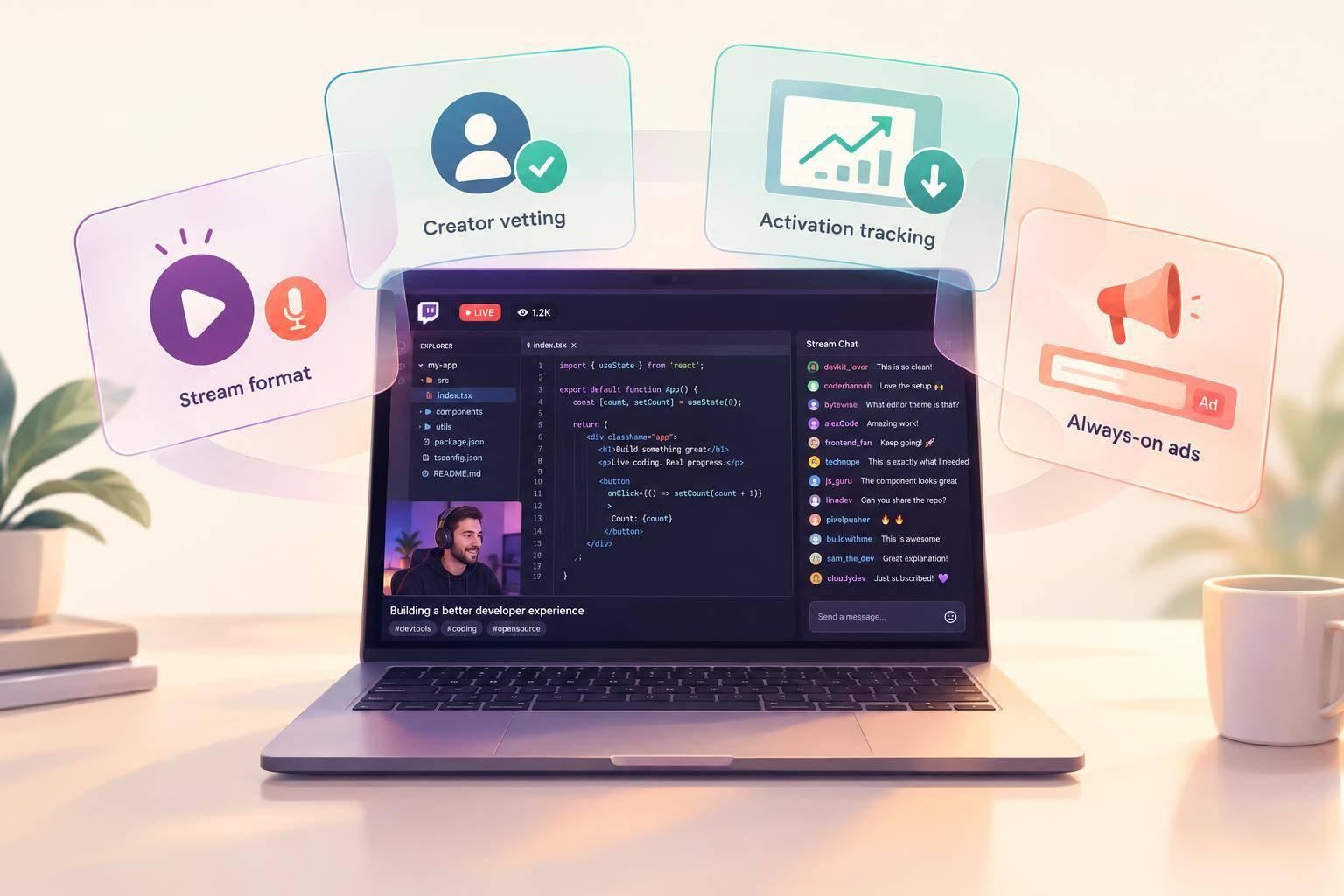
I’d start with one technical task, a streamer who can use your tool, and 20–40 minutes for a hands-on demo. Then I’d judge the sponsorship by successful product use - not viewer counts alone.
Here’s what I’d plan before spending:
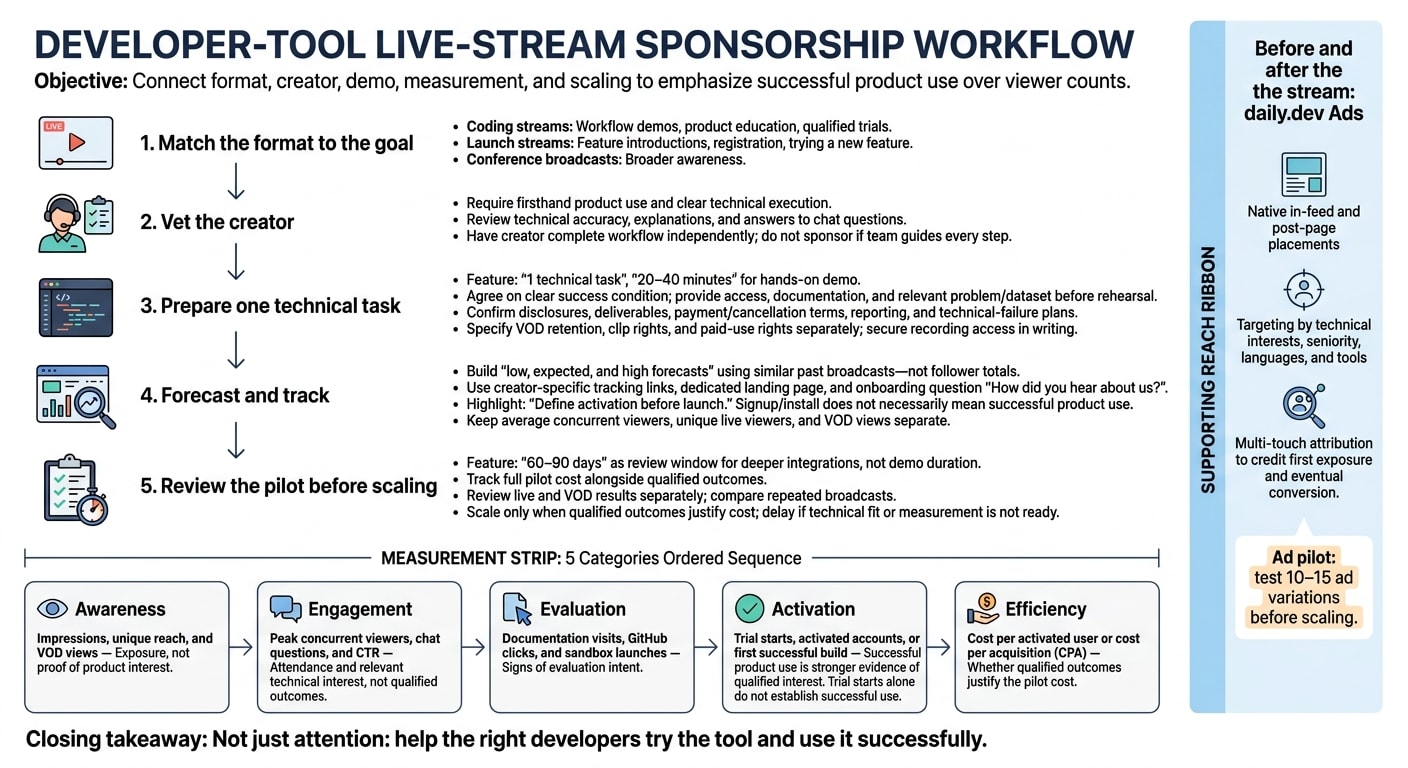
- Format: Choose coding streams for workflow demos, launch streams for feature introductions, or conference broadcasts for awareness.
- Creator and terms: Check technical fit, rehearse the task, and agree on disclosures, deliverables, recording rights, and reporting.
- Reach and results: Forecast attendance from similar broadcasts. Track links, ask how users found you, and define what counts as activation.
- Pilot and follow-up: Review deeper integrations over 60–90 days, keep live and replay results separate, and expand only when costs justify the outcomes.
I’d use daily.dev Ads before and after the stream to keep the tool in view. The goal is not just attention: it’s helping the right developers try the tool and use it successfully.
Choose a stream type and sponsorship format
Choose a format based on viewer intent, content control, and how much product proof you need.
Coding streams, launch streams, and conference broadcasts
Coding streams follow a creator working through a technical task. Launch streams introduce a product or feature. Conference broadcasts cover talks and keynotes. Match the setting to the action you want viewers to take - and the control you need over the content.
| Stream type | Audience intent | Content control | Demo potential | Attribution difficulty |
|---|---|---|---|---|
| Coding stream | Learning and evaluating tools | Medium; creator-led | High; deeper workflow use | Medium; trials need tracked links |
| Launch stream | Discovery and launch engagement | High; usually brand-led | High; focused feature reveal | Lower for direct signups |
| Conference broadcast | Broader awareness | Low; event-led | Usually low; limited demo time | High; exposure is harder to connect to trials |
For product education or qualified trials, choose a coding stream with enough time for setup, use, and questions. A launch stream fits when you want viewers to register or try a new feature.
Product demos, placements, and supporting assets
A sponsored segment is a paid break. A coding placement puts the tool inside the task itself. For hands-on demos, allow 20–40 minutes and work with the creator to develop a relevant problem and sample dataset . Deeper integrations need more care with setup and deliverables.
| Format | Attention | Product depth | Setup complexity | Best-fit goal |
|---|---|---|---|---|
| Sponsored segment | High during the slot | Low | Low | Awareness |
| Hands-on demo | High | High | High | Education and qualified trials |
| Coding placement | Medium | High | High | Evaluation and trials |
| Verbal mention | Low | Low | Low | Brand recall |
Use the tool on stream the way the streamer normally would. Showing it in actual use makes the placement more believable .
Support the integration with sample code, a setup guide, replay clips, and a tracked trial link. Measure deeper integrations over 60–90 days, using signups and pipeline - not clicks alone .
Choose creators and plan the integration
Check technical fit and audience history
Once you’ve chosen the stream format, check whether creators can use the product and explain it well. Firsthand product use and clear technical execution are requirements. Review past streams for technical accuracy, clear explanations, and useful answers to chat questions. Then ask the creator to use the tool on their own and explain its strengths and limits. If they can’t complete the workflow without your team guiding every step, don’t sponsor the stream.
Build the sponsorship around 1 technical task
After vetting the creator, agree on one task that fits their normal workflow and has a clear success condition. For complex demos, structure the task around the product or dataset. Send access and documentation before rehearsal, and allow time for setup and troubleshooting. Use clear sponsorship disclosures that follow FTC disclosure rules and Twitch policies.
Define deliverables, usage rights, and reporting
Before booking, put the commercial terms in writing: deliverables, payment terms, cancellation terms, disclosures, reporting, and plans for technical failures. Ask for an itemized scope rather than a single unexplained fee .
Separate live participation from reuse rights. Specify VOD retention, clip rights, and paid-use rights separately, including how long each lasts. Require a report covering sponsored placements, link activity, and any technical interruptions. Get recording access in writing before signing.
Forecast reach and measure results
Estimate reach with historical ranges
Once you’ve chosen a format, use similar past broadcasts to set expectations. Coding, launch, and conference streams have different baselines. Compare streams with similar topics, time slots, and lengths - not the creator’s best broadcast.
Build low, expected, and high forecasts from those historical ranges. Adjust for topic fit, competing events, creator availability, technical issues, and viewer drop-off. Follower totals suggest potential reach, not expected attendance. And a brief peak doesn’t tell you how many people watched the demo overall.
Keep average concurrent viewers, unique live viewers, and VOD views separate. Only combine live and replay audiences if you can deduplicate them. Concurrent viewers show how many people watched at the same time, not total reach. A smaller audience using the relevant language or infrastructure may generate more qualified interest than a larger audience with less overlap.
Track results from awareness to conversion
Use creator-specific tracking links, a dedicated landing page, and an onboarding source question to measure traffic after the stream. Define activation before launch: signing up or installing the tool doesn’t necessarily mean someone used it successfully.
During onboarding, ask:
“How did you hear about us?”
This helps track interest that links miss .
Measure the funnel from exposure to activation - not just live attendance.
| Funnel stage | What to track | How to interpret it |
|---|---|---|
| Awareness | Impressions, unique reach, and VOD views | Exposure, not proof of product interest |
| Engagement | Peak concurrent viewers, chat questions, and CTR | Attendance and relevant technical interest, not qualified outcomes |
| Evaluation | Documentation visits, GitHub clicks, and sandbox launches | Signs of evaluation intent |
| Activation | Trial starts, activated accounts, or a first successful build | Successful product use is stronger evidence of qualified interest |
| Efficiency | Cost per activated user or cost per acquisition (CPA) | Whether qualified outcomes justify the pilot cost |
Test a small pilot before scaling
Treat the first streams as a test of whether results repeat, not as one-off proof. Start with a limited set of creators or formats, and track the full pilot cost alongside qualified outcomes. Review live and VOD results separately so replay activity doesn’t inflate live performance.
Allow time for viewers to evaluate the tool after the stream. Compare repeated broadcasts before expanding, and scale only when they produce qualified outcomes at an acceptable cost.
Conclusion: Pair live demos with always-on reach
Live sponsorships let technical tools prove what they can do, helping developers evaluate and start using them. Pair those moments with always-on reach - and support the stream before and after it airs.
Use daily.dev Ads before and after the stream
Live streams bring a burst of attention. Always-on placements keep your brand in view. Use daily.dev Ads’ native in-feed and post-page placements to maintain awareness around the event.
Reach developers whose stack and seniority match the demo by targeting technical interests, seniority, languages, and tools. For topic-specific sessions, use Engagement Ads such as Branded Tags or Keyword Spotlights to keep your brand connected to that category.
Use multi-touch attribution to credit both the first exposure and the eventual conversion .
Check readiness before launch
Once the media plan is set, check that the sponsorship is ready to run. Before signing off, document the deliverables, recording and reuse rights, audience range, and a post-stream review date.
For the ad pilot, test 10–15 ad variations before scaling . Review results across multiple tests to decide whether to continue, refine, or stop. If the technical fit or measurement setup isn’t ready, delay the sponsorship.
FAQs
How much should I budget for a pilot sponsorship?
Set your pilot budget based on the influencer’s reach and the scope of the collaboration. Micro-influencers typically charge $100–$500 per post, while macro-influencers generally charge $2,000–$10,000 or more per post .
Agree on the content style and deliverables before work begins. To measure return on investment, track cost per acquisition using the registrations or attendees the stream generates .
How can I tell if a streamer’s audience fits my tool?
Look beyond follower counts. Focus on audience fit, quality engagement, and technical expertise. Review recent content: does it speak to developers who use your technologies? Check the comments for useful discussions and questions. A smaller, engaged community often outperforms a large, passive one.
Make sure the streamer knows the subject well. Developers trust peers who know their stuff more than marketing pitches. Review past partnerships, too, to check whether the streamer’s style and focus match your brand.
How do I separate sponsorship results from always-on ads?
Give each sponsorship or coding stream its own referral link or promo code to track registrations and downstream actions. For always-on native in-feed ads, review weekly reports and measure brand lift across the campaign window.
Developers don’t follow a straight path to conversion. Compare results over time and use attribution windows of at least 90 days. Avoid last-touch attribution so sponsorship-driven spikes don’t get credit for awareness built by always-on ads.